


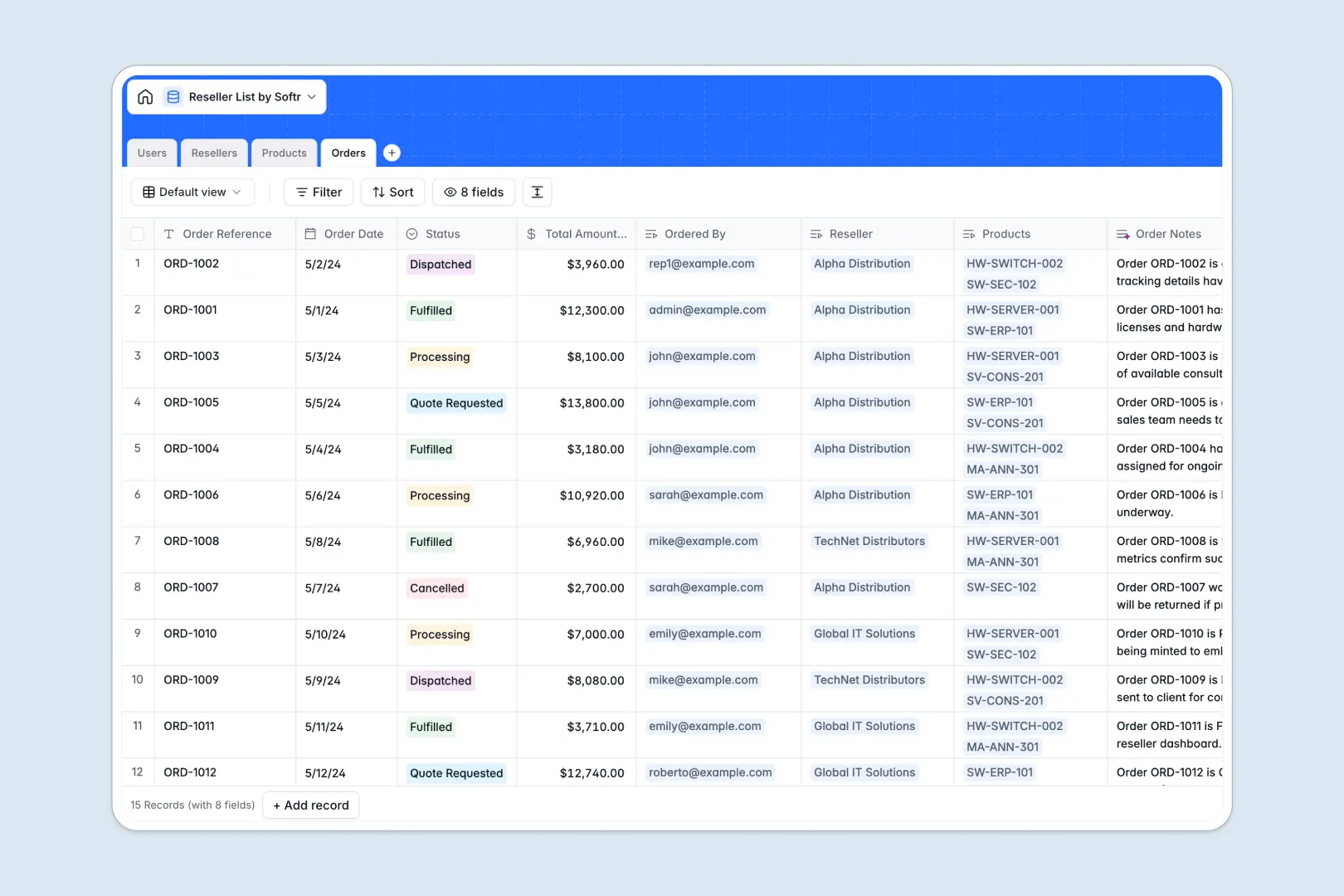
Your Reseller List database at a glance
Manage your entire distributor network, product catalog, and incoming orders in a single, perfectly organized workspace. This template connects your reseller data directly to their purchases so nothing gets lost in the shuffle.
It features dedicated tables for Users, Resellers, Products, and Orders that link together seamlessly. Choose a reseller, and you instantly see their specific discount tier, authorized team members, and full order history.
Built-in AI pulls company insights right from distributor websites to enrich your reseller profiles automatically. It also auto-generates order summaries and product marketing taglines to keep your catalog ready for buyers.
Why reseller lists get messy in Google Sheets
Tracking a growing network of distributors in spreadsheets quickly becomes a nightmare of broken VLOOKUPs and scattered rows. When you try to link multiple orders to a single reseller, your data gets duplicated, making accurate tracking impossible.
What a structured database changes
A true database keeps your data strictly organized by creating dedicated homes for people, companies, and transactions. Every column has a strict format, meaning order statuses stay consistent and discount tiers are always applied correctly.
Instead of copying and pasting reseller names across endless rows, you can simply link records together. Connect a specific distributor to an order, and the underlying data accurately updates everywhere at once.
This is exactly what Softr Databases are designed for. They replace chaotic spreadsheet grids with a reliable foundation that naturally scales alongside your partner program.
What you can do with this template
Track every distributor's status, website, and unique discount tier without losing track of who belongs to which organization. You automatically get a rolled-up view of total orders for every reseller on your roster.
Use Database AI agents to automatically research new resellers the moment you add their website to the system. Let the AI write your product taglines and maintain clean order logs so your sales team doesn't have to.
-
Users
Manage internal staff and reseller contacts with specific roles and access
-
Resellers
Track authorized distributors and use AI to summarize company overviews
-
Products
Catalog available items and generate marketing taglines using AI
-
Orders
Process reseller purchases and generate AI-driven order summary logs
Who is this Reseller List database for
This template provides immediate structure for teams managing B2B sales networks and distributor programs.
- Channel Managers: Track exact discount tiers and total order counts for every distributor partner easily.
- Sales Operations: Keep a clean catalog of products, SKUs, and MSRPs without worrying about formatting errors.
- Account Executives: Monitor pending quotes, dispatched orders, and partner statuses in real time.
How to take it further
Customize the database. Tweak this template to fit your exact partner program by adding new discount tiers or updating the default order statuses. Since it is a native Softr Database, editing field formats takes just a few clicks.
Import your existing data. Ditch your old spreadsheets effortlessly by pulling in your current distributor lists via a bulk CSV upload. Your existing contacts, companies, and historical quotes map directly into the new tables.
Build a full app around it. When your team is ready, you can seamlessly transition this internal list into a client-facing B2B partner portal. Since robust, full-stack apps combine a database with custom interfaces and workflows, having structured data initially makes app-building truly effortless.
By leveraging native users and permissions, you can confidently ensure each external reseller logs in to view only their specific product pricing and past orders.
-
1
-
2
-
3
-
4
Frequently asked questions
-
What is a reseller list database?
-
Why use a no-code database to build a channel management tool?
-
How can AI help managing data for channel partners?
-
Can I build an app with this reseller list database?
-
Is this Reseller List template free?
-
How is a reseller database different from Google Sheets?
Start building today. It's free!
Build and launch your first app in under 30 minutes.