


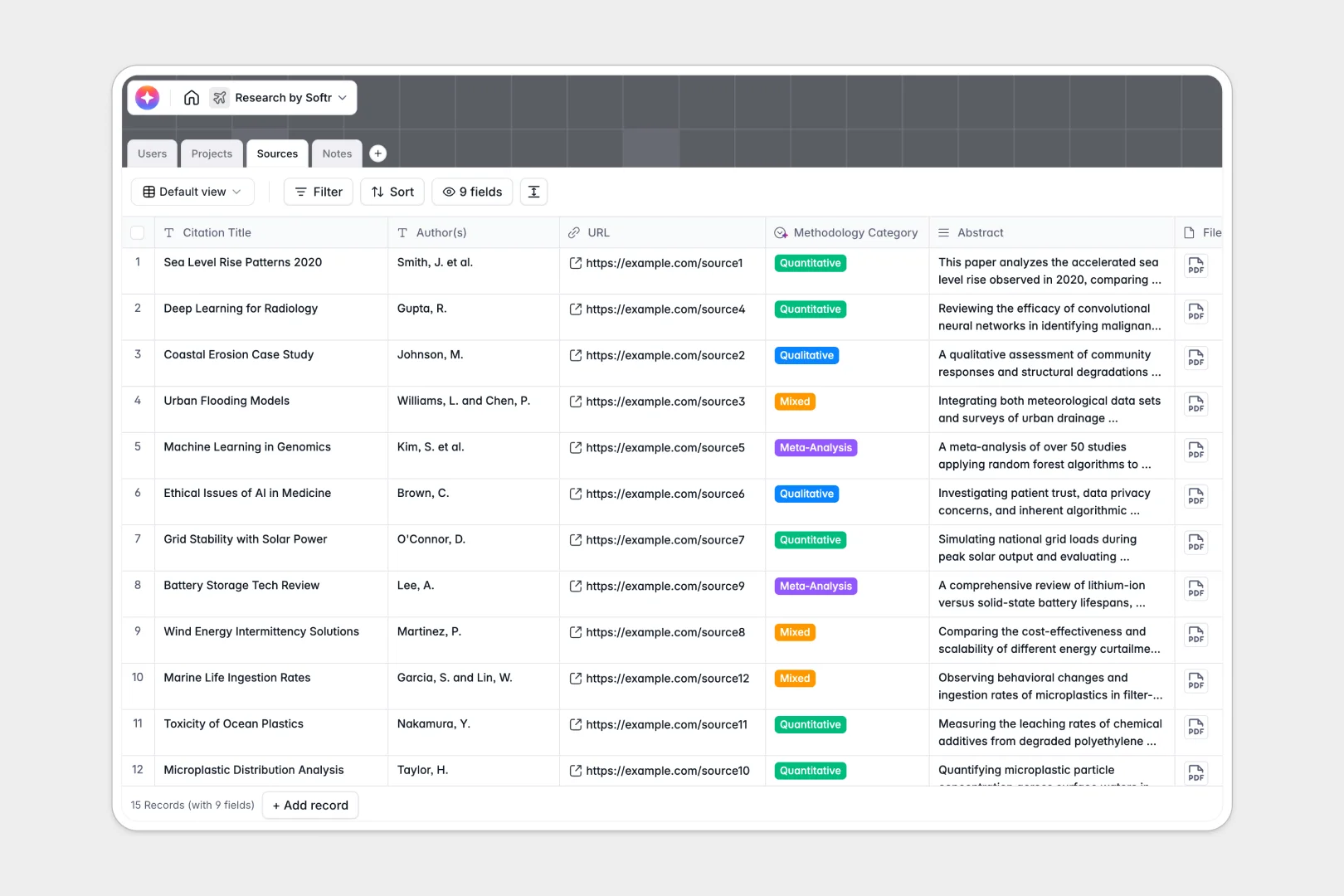
Your Research Database at a glance
This research template helps you track studies, log detailed notes, and organize source materials. It connects everything seamlessly so you never lose track of a crucial citation or methodology finding.
The structure relies on connected tables for Projects, Sources, Notes, and Users. When you add a new source or note, you can directly link it to an active project and the lead researcher without duplicate entry.
Built-in AI fields automatically summarize abstracts, categorize methodology types, and extract actionable next steps from your research notes.
Why research management gets messy in Google Sheets
Tracking complex research in a spreadsheet quickly turns into chaos. When sources, author notes, and project timelines are crammed into endless rows, finding the insights you need becomes nearly impossible.
What a structured database changes
A structured database gives every piece of data a dedicated home and specific format. Dates stay as dates, file attachments stay organized, and paragraphs of notes don't break your view.
Instead of relying on fragile formulas to connect a source to a project, tables link natively. This means one project can securely hold dozens of linked sources and notes without a single VLOOKUP.
This is exactly what Softr Databases are designed for. They provide a scalable, error-free foundation that handles complex data gracefully.
What you can do with this template
Instantly catalog new sources with attachments, URLs, and citations alongside your active projects. Keep all researcher notes neatly tied to their specific sources for clean traceability.
Using built-in Database AI agents, this template automatically generates methodology categories and bulleted summaries from your source abstracts. This lets you review literature faster and focus on actual analysis.
-
Users
Manage research staff profiles, assigned projects, and system permissions
-
Projects
Track active research studies, grant progress, and lead investigator assignments
-
Sources
Organize reference materials with AI-generated summaries and methodology tagging
-
Notes
Log detailed findings and use AI to generate actionable next steps from content
Who is this Research database for
This template is built for teams and individuals managing complex information gathering operations.
- Lead Researchers: Track active study progress and assign specific investigation phases to assistants.
- Academic Teams: Keep a shared library of peer-reviewed sources linked directly to ongoing literature reviews.
- Market Analysts: Log interview notes and automatically generate categorized insights without manual tagging.
- R&D Departments: Centralize project abstracts, attachments, and next steps in one easily searchable repository.
How to take it further
Customize the database to fit your exact methodology process. You can easily add new project statuses like "Peer Review," or adjust the AI prompt to extract different data from your notes.
Bring in your current literature quickly through a CSV import or API. This ensures your existing sources and citations populate instantly, so your database is valuable on day one.
When your team is ready, you can build a full app on top of this data using Softr's interface builder. This transforms your database into a dynamic portal where researchers can securely log their findings.
You can even set up distinct users and permissions to control access. Let lead researchers oversee all projects while assistants only edit their own authored notes.
-
1
-
2
-
3
-
4
Frequently asked questions
-
What is a research database?
-
Why use a no-code database to build a research tracking system?
-
How can AI help managing data for research projects?
-
Can I build an app with this research database?
-
Is this Research Database template free?
-
How is a research database different from Google Sheets?
Start building today. It's free!
Build and launch your first app in under 30 minutes.