


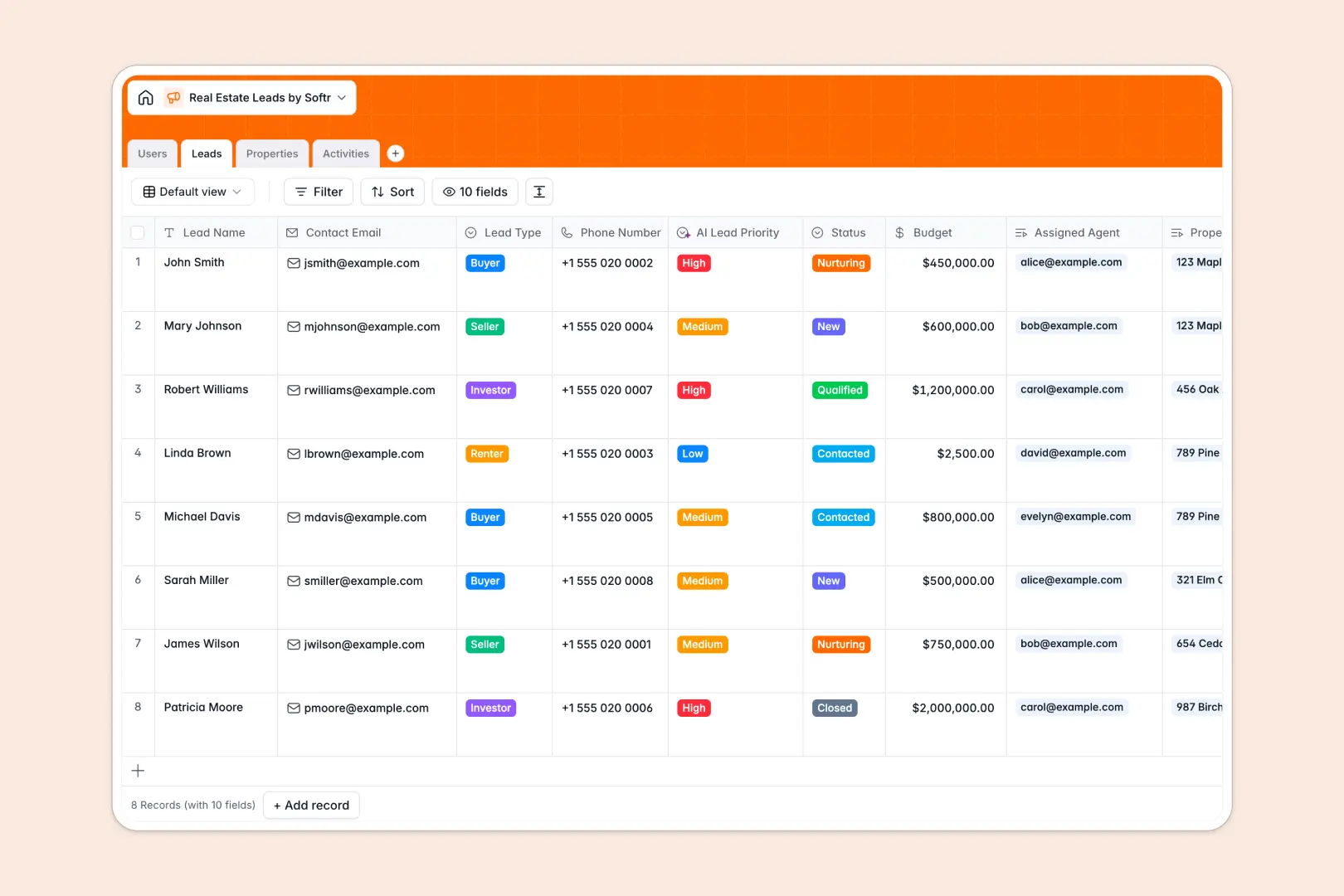
Your Real Estate Leads database at a glance
This template provides a clear system to track prospective buyers, renters, and sellers alongside your property inventory. It centralizes incoming inquiries, listing prices, and agent assignments so your brokerage never drops a deal.
Four dedicated tables for Users, Leads, Properties, and Activities work together seamlessly. Linking records ensures every client interaction and property showing connects directly to the right agent and listing without manual duplication.
Built-in intelligence scores lead priority based on budgets, generates neighborhood amenity profiles using web search, and extracts immediate action items from showing notes automatically.
When a shared lead sheet exposes client data to every agent
Google Sheets makes sharing simple, but opening an entire lead pipeline to every user creates major risks. When everyone can see and edit every row, confidential client budgets become visible across the board, and an accidental filter can break formulas across tabs.
What a dedicated database changes
A database enforces strict data integrity by keeping typed fields intact, meaning currencies remain numbers, dates stay standardized, and property photos live inside attachments.
Instead of juggling cross-sheet formulas that break when rows shift, relational tables natively link inquiries to listings and agents. This is exactly what Softr Databases are designed for, giving you a structured foundation that easily scales without spreadsheet clutter.
While Softr can connect an existing Google Sheet as an external data source, a dedicated database ensures the stability and structure growing real estate teams need.
What you can do with this template
Connect buyer preferences to active listings instantly to see which properties match client budgets. Track calls, meetings, and required follow-ups in an organized activity log linked directly to each contact.
Native Database AI agents streamline your workflow by researching local neighborhood amenities from property addresses and prioritizing incoming leads as soon as budgets update.
-
Users
Manage real estate agents, brokers, and staff with contact info and roles
-
Leads
Track prospective clients, budgets, status, and AI-scored lead priority
-
Properties
Manage real estate listings and generate AI web-researched area profiles
-
Activities
Log client interactions, meetings, and extract next steps using AI
Who is this Real Estate Leads database for
- Independent Real Estate Agents: Manage client inquiries, schedule showings, and maintain listing details in one view.
- Boutique Brokerages: Distribute leads across team members while tracking agent performance and pipeline progress.
- Property Managers: Track prospective tenants, capture rental budgets, and organize property inquiries efficiently.
- Real Estate Investors: Monitor off-market opportunities, track deal stages, and analyze property listing notes systematically.
How to take it further
1. Customize the database
Tailor the template to your market by adding custom lead stages or updating property categories. You can adjust dropdown options, insert fields for commission rates, or create custom views in just a few clicks.
2. Import your existing data
Easily upload your current client contacts and property inventory using a CSV file. If your brokerage relies on lead generation forms or external tools, use the native API to keep your database synced automatically.
3. Build a full app around it
Turn this database into an interactive client portal or internal agent dashboard whenever you are ready. Use the AI app generator to describe your ideal workspace in a single prompt and instantly generate interfaces, navigation, and workflows.
Implement role-based permissions so individual agents only view their assigned leads while broker admins retain full pipeline visibility across the entire team.
-
1
-
2
-
3
-
4
Frequently asked questions
-
What is a real estate leads database?
-
Why use a no-code database to build a real estate lead tracking system?
-
How can AI help managing data for real estate leads?
-
Can I build an app with this Real Estate Leads database?
-
Is this Real Estate Leads database template free?
-
How is a real estate leads database different from Google Sheets?
Start building today. It's free!
Build and launch your first app in under 30 minutes.