


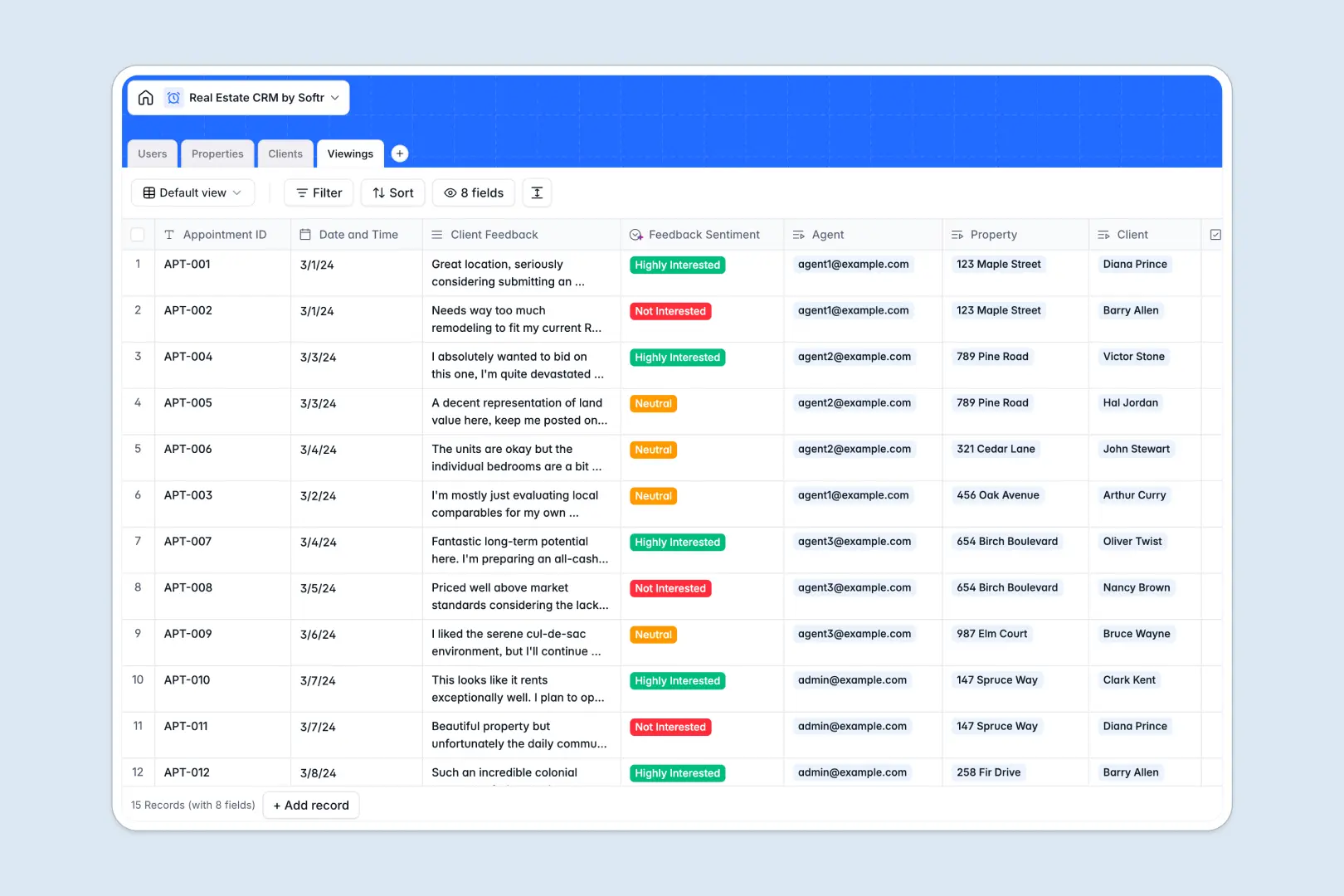
Your Real Estate CRM database at a glance
This template provides a complete system to manage property listings, buyer and seller relationships, and scheduled viewings in one structured workspace.
It connects four dedicated tables: Users (agents and brokers), Properties, Clients, and Viewings. Every record links directly to its associated agent and listing, eliminating messy manual cross-referencing.
Built-in AI fields automatically draft social media promotional copy for new listings and categorize viewing feedback into clear sentiment ratings.
When a listing sheet becomes an accidental CRM backend
Google Sheets makes sharing simple, but it was never designed to serve as an operational backend for a growing brokerage. As deals progress, formulas break when columns shift, and any collaborator can accidentally edit or overwrite confidential commission and client details.
What a structured database changes
In a true database, every field enforces clean data integrity: price fields stay numeric, dates remain structured timestamps, and photos attach directly to property records.
Instead of fragile lookup formulas, relational links connect viewings directly to prospective buyers and listing agents without duplicating entries.
This is exactly what Softr Databases are designed for, giving your team a clean foundation that scales smoothly as listing volume expands.
What you can do with this template
Track property statuses from available to under contract, assign agents instantly, and log post-showing client feedback in real time.
With integrated Database AI agents, you can automatically extract sentiment from showing notes and generate marketing teasers without leaving your database.
While Softr can connect to an existing Google Sheet as an external data source, starting with a native database gives your real estate agency the reliability and field logic needed for serious operations.
-
Users
Manage real estate agency staff, contact information, and role assignments
-
Properties
Track property listings with pricing, status, and AI social media teasers
-
Clients
Organize prospective buyers, sellers, contact details, and assigned agents
-
Viewings
Schedule property tours and analyze feedback sentiment with integrated AI
Who is this Real Estate CRM database for
This database helps real estate teams centralize operations and close deals faster.
- Independent Real Estate Agents: Manage personal listings, buyer preferences, and showing schedules in one clean workspace.
- Boutique Brokerages: Track agent assignments, pipeline health, and property portfolios across your entire team.
- Property Managers: Coordinate tenant viewings, owner communications, and property availability without data clutter.
- Real Estate Investors: Keep detailed records of acquired assets, prospective deals, and broker contacts.
How to take it further
Customize your database structure. Easily add custom fields for commission rates, neighborhood tags, or property square footage. You can adjust dropdown choices or modify existing views in seconds to match your agency workflow.
Import your existing data. Bring your existing spreadsheet contacts and property inventory into the database using a simple CSV import, or sync records continuously via API.
Build a full app around it. When you are ready, use the AI app generator to turn this database into an agent portal or client-facing listing directory in one prompt. Granular users and permissions let agents edit only their assigned clients while administrators retain full visibility across the brokerage.
-
1
-
2
-
3
-
4
Frequently asked questions
-
What is a real estate CRM database?
-
Why use a no-code database to build a real estate CRM?
-
How can AI help managing data for a real estate CRM?
-
Can I build an app with this Real Estate CRM database?
-
Is this Real Estate CRM template free?
-
How is a database better than Google Sheets for real estate?
Start building today. It's free!
Build and launch your first app in under 30 minutes.