


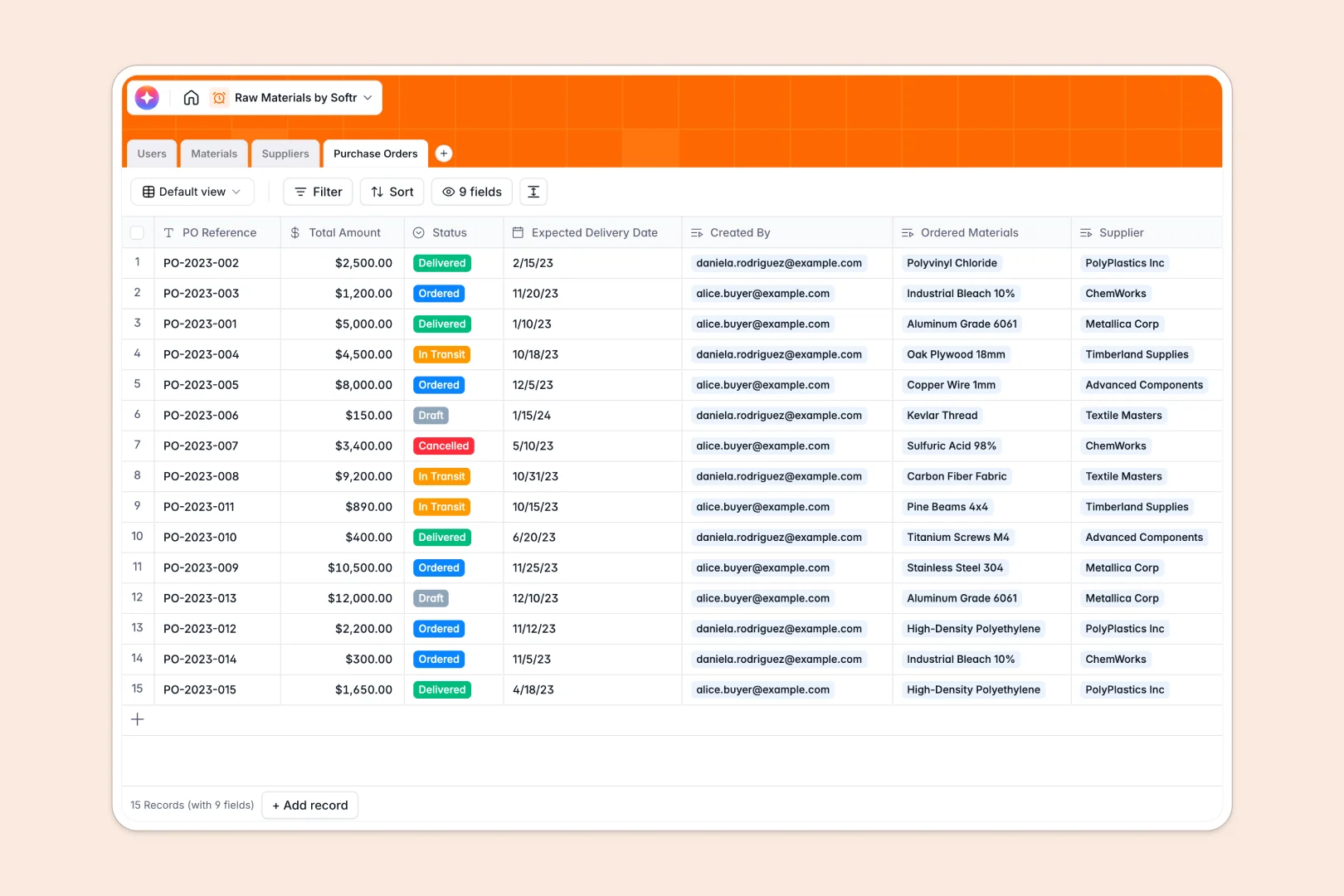
Your Raw Materials Database at a glance
Keep direct visibility over your active supply chain by centralizing material specifications, actual quantities, and procurement orders. This tracking setup eliminates critical blind spots and guarantees production stays on schedule.
It connects your inventory list directly with suppliers, purchase orders, and managers. No more copying data across isolated tabs to find out who ordered which metallic or plastic batch.
With background AI processing, the system even auto-generates core product specs and researches supplier profiles based on website links directly inside your row fields.
Why tracking raw materials in Google Sheets breaks down
Spreadsheets feel easy to start, but they quickly grow into an unorganized liability for component procurement. Cells lose formatting, units of measure get mixed up, and tracking multiple pending orders across hundreds of rows becomes a manual nightmare.
What a structured database changes
A structured system keeps your inventory pristine by enforcing strict data rules. Dates remain dates, numerical quantities can't be typed over with text notes, and dropdown options guarantee metric units stick to standardized selections.
Furthermore, it maps your materials natively to active suppliers and purchase orders. Instead of typing out supplier phone numbers five different times, you edit metadata once and watch the dynamic links update everywhere. This is exactly what Softr Databases are built to handle natively.
How this template keeps procurement simple
This pre-configured template features dedicated, cross-linked tables that centralize materials, operational roles, and vendor contacts. It prevents critical stockouts by highlighting active order statuses and displaying remaining stock in real time.
You can run AI operations directly inside your tables to research raw specifications or summarize active purchase agreements instantly. It provides an immediate workspace that organizes operations without complex programming.
-
Users
Manage system accounts, staff roles, and tracked management responsibilities
-
Materials
Track stock levels with AI-powered technical specifications and descriptions
-
Suppliers
Manage vendor contact details and AI-researched professional company profiles
-
Purchase Orders
Monitor procurement workflows using AI to generate concise order context summaries
Who is this Raw Materials Database for
This setup is built for scaling operations teams aiming to eliminate manual tracking overhead.
- Procurement Managers: Track actual vendor listings and keep order status definitions consistent without copy-pasting values.
- Inventory Specialists: Track multiple stock levels accurately and assign specific categories like textiles, metals, or chemicals to distinct managers.
- Operations Leads: Keep product pipelines fully visible and verify scheduled delivery dates to accurately forecast production.
How to take it further
Customize the database
Adjust this database template to map your production floor precisely. You can rename default categories, define new select drop-down choices, or add custom rating fields to evaluate suppliers.
Import your existing data
Stop maintaining multiple file versions across team folders. Easily import your historical tracking logs via CSV files to move clean records into your master workspace in seconds.
Build a full app around it
When your team is ready to scale, use the interface builder to convert this backend into a secure operational tool. This connects your data to custom views so staff can interact with tables without seeing raw admin settings.
Additionally, apply customized users and permissions to control security. Floor staff can report material usage on simple mobile interfaces, while procurement teams view and authorize master order forms.
-
1
-
2
-
3
-
4
Frequently asked questions
-
What is a raw materials database?
-
Why use a no-code database to build a raw materials tracking system?
-
How can AI help managing raw materials data?
-
Can I build an app with this raw materials database?
-
Is this Raw Materials Database free?
-
How is a raw materials database better than Google Sheets?
Start building today. It's free!
Build and launch your first app in under 30 minutes.