


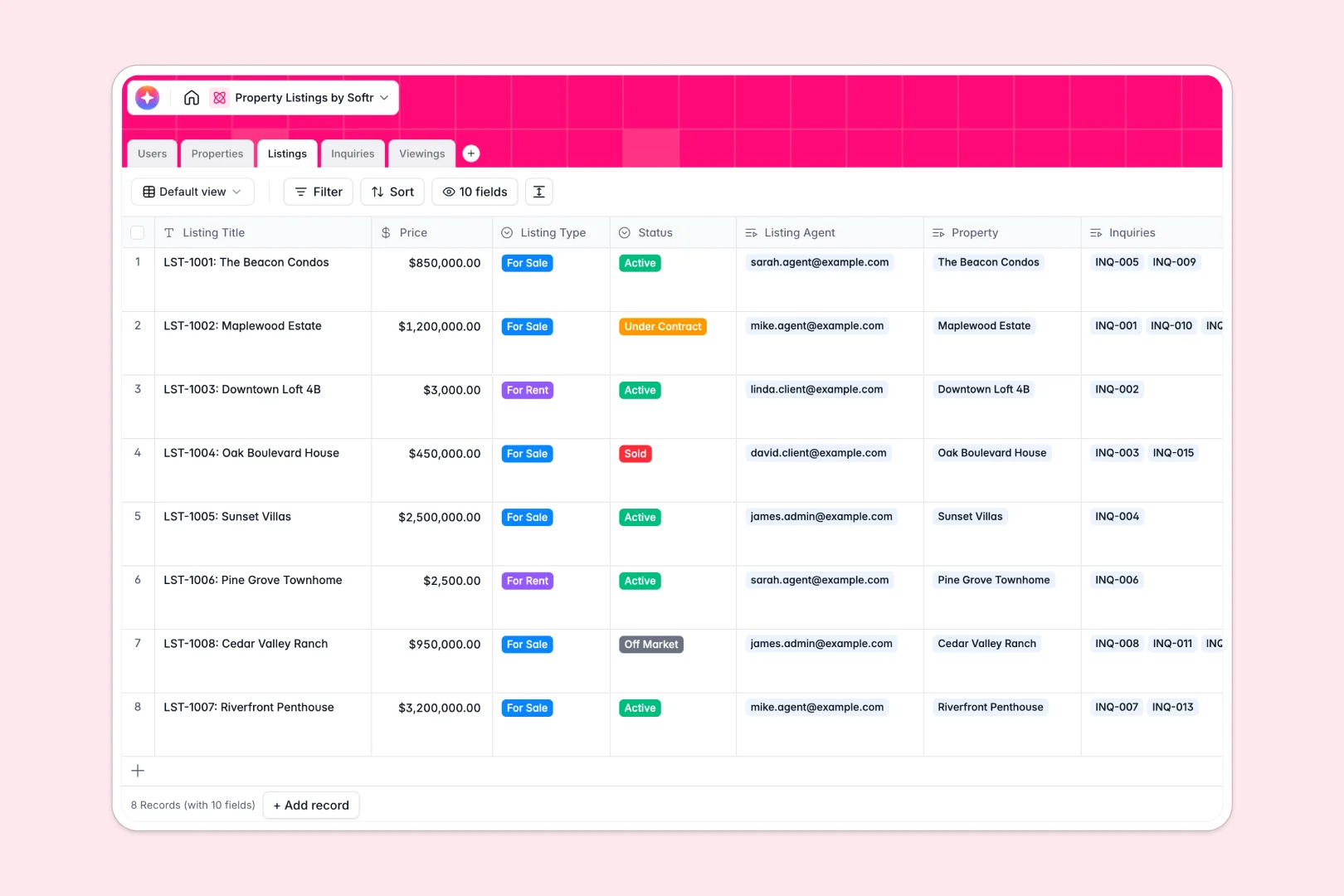
Your Property Listings database at a glance
This template replaces scattered spreadsheets with a single, connected hub for properties, agents, and client leads. It keeps your real estate operations moving fast without getting bogged down in manual data entry.
Built as a fully relational system, it connects physical properties directly to active listings, inquiries, and viewings. When a client books a viewing, it automatically ties back to the agent and the exact listing—no copy-pasting required.
Best of all, native AI agents do the heavy lifting for you. They can research neighborhood overviews from the web, draft compelling marketing descriptions, and instantly classify the urgency of new lead inquiries.
Why property listings get messy in Google Sheets
Real estate moves fast, but managing properties, agents, and clients in spreadsheets quickly becomes a bottleneck. As your portfolio grows, rows get accidentally deleted, data gets mixed up, and tracking who is managing which property becomes a nightmare.
What a structured database changes
In a structured system, your data actually means something. Addresses, client emails, and showing times all have clear, designated formats that lock in data integrity.
Instead of fragile VLOOKUP formulas, native relations connect an agent to all their listings with one click. This keeps everything clean and organized, no matter how large your brokerage grows.
This is exactly what Softr Databases are designed for. They give you the flexibility of a spreadsheet but the power and structural integrity of real software.
What you can do with this template
Stop manually drafting copy for every new home on the market. With built-in AI capabilities, this template automatically generates neighborhood overviews and professional marketing descriptions as soon as you enter basic property details.
You can also instantly score leads without reading every email. When a new client message comes in, the system analyzes the text and classifies it as high, medium, or low urgency so your agents know who to call first.
Everything is ready to use on day one. Just copy the template, invite your team, and start managing your listings securely.
-
Users
Manage profiles for agents, clients, and admins with roles and contact info
-
Properties
Store asset details with AI neighborhood overviews powered by web research
-
Listings
Track market availability and generate AI marketing copy based on property data
-
Inquiries
Capture client leads and use AI to classify the urgency of incoming messages
-
Viewings
Schedule property visits and use AI to summarize key pros and cons from feedback
Who is this Property Listings database for
This template is designed for real estate teams who need a reliable, automated way to manage their portfolio without writing code.
- Real Estate Brokers: Centralize properties and monitor agent performance across active market listings.
- Listing Agents: Track client inquiries, schedule viewings, and generate marketing descriptions instantly.
- Property Managers: Keep a master directory of physical real estate assets and core features in one clean view.
- Administrative Staff: Automate lead triage and quickly summarize feedback after prospect viewings.
How to take it further
It takes seconds to customize the database to your exact market. You can easily add new property types, tweak the AI prompts for your specific brand voice, or adjust the lead urgency criteria without needing technical skills.
Getting started is easy when you import your existing data. You can upload existing properties via CSV or use the API to sync active listings directly from your current tools so your team sees immediate value.
When you're ready to share this data, you can easily build a full app right on top of it. Turn this internal database into a client-facing portal where buyers can browse listings and request viewings directly.
By setting up native users and permissions, you ensure that clients only see public listings, while agents can access confidential viewing feedback. A well-structured database makes building these custom portals entirely effortless.
-
1
-
2
-
3
-
4
Frequently asked questions
-
What is a property listings database?
-
Why use a no-code database to build a real estate system?
-
How can AI help managing data for property listings?
-
Can I build an app with this property listings database?
-
Is this Property Listings Database free?
-
Why is a database better than Google Sheets for property listings?
Start building today. It's free!
Build and launch your first app in under 30 minutes.