


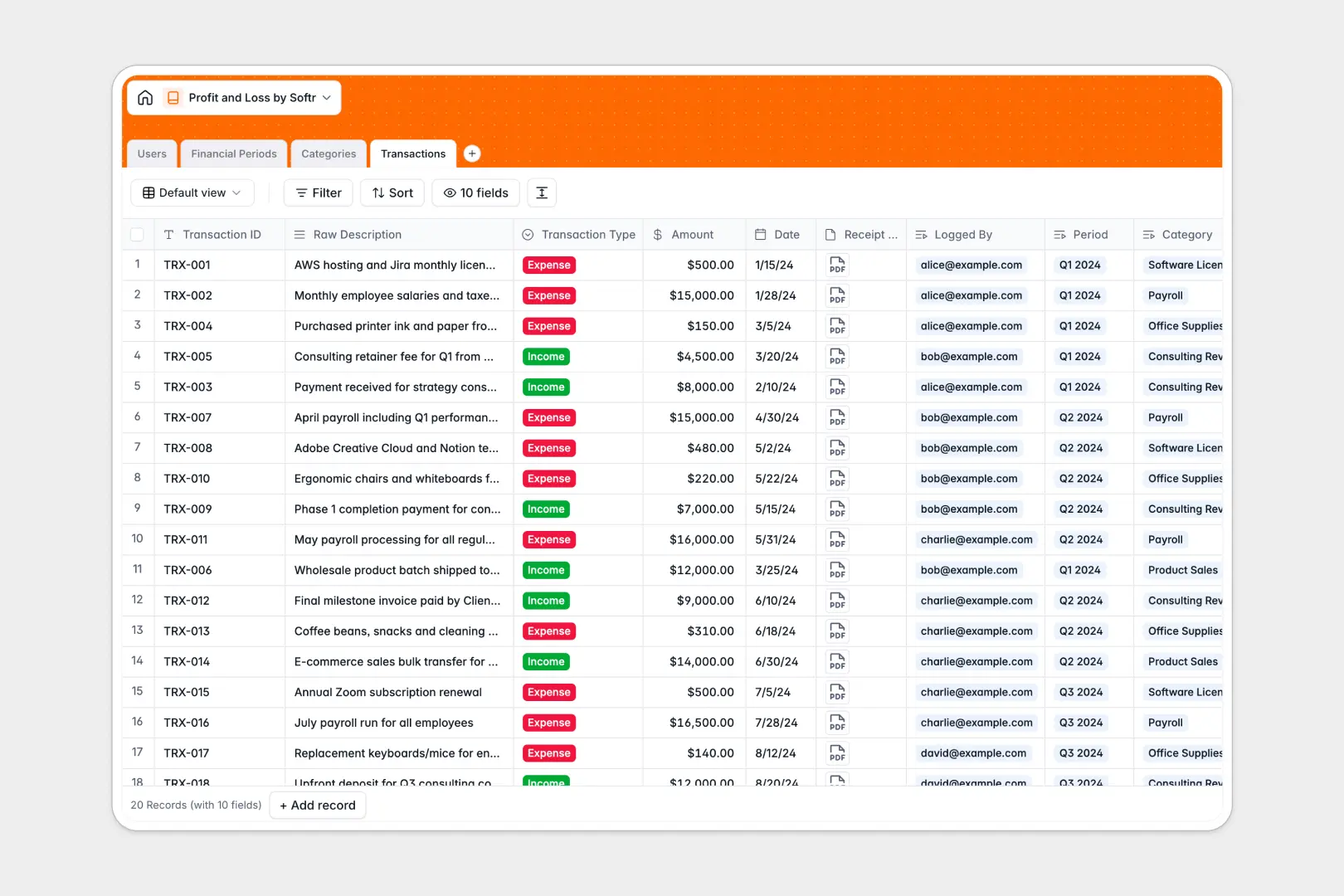
Your Profit and Loss database at a glance
This template gives you an organized way to monitor revenue, log business expenses, and calculate net margin across every reporting cycle.
Transactions link directly to dedicated Categories and Financial Periods, allowing totals and net profit figures to calculate automatically without broken lookup ranges.
Built-in AI automatically turns messy bank descriptions into clean titles and generates executive summaries for your quarterly or monthly reviews.
When a balance sheet tab becomes an accidental backend
Google Sheets is excellent for real-time collaboration, but running your profit and loss statements inside a spreadsheet quickly creates structural risks. Anyone with edit access can accidentally overwrite a formula, sort a single range out of alignment, or type plain text into a currency column.
What a structured database changes
In a structured database, every column enforces its data type, meaning dates stay dates, receipts stay attached as files, and currency figures remain pristine. Instead of fragile cross-sheet formulas that break when rows shift, tables link natively to roll up income, expenses, and net profit with absolute accuracy.
This reliable foundation is exactly what Softr Databases provide out of the box. While Softr can also connect an existing Google Sheet as an external data source, moving to a dedicated database guarantees data integrity across all your financial records.
What you can do with this template
Group every transaction into income or expense buckets, link receipts directly to accounting logs, and view rolling net profit per financial period instantly.
Native Database AI agents standardize raw vendor strings into neat descriptions and write concise financial recaps for every closed period automatically.
-
Users
Manage accounting staff with system roles, profile details, and activity logs
-
Financial Periods
Track fiscal periods, total profits, and generate AI executive summaries
-
Categories
Organize chart of accounts by transaction types and calculate total values
-
Transactions
Log revenues and expenses with receipts and AI-generated standard titles
Who is this Profit and Loss database for
This template is designed for teams that need reliable financial tracking without spreadsheet maintenance overhead.
- Small business owners: Monitor operational profitability and overhead across monthly cycles without accounting software complexity.
- Finance teams and accountants: Maintain clean charts of accounts, link invoices, and verify transaction ownership easily.
- Agency founders: Track incoming client billings against project contractor costs and software overhead.
- Operations leads: Standardize expense submission workflows and keep executive reporting consistent.
How to take it further
Customize your financial schema in seconds by adding custom expense types, tax rate fields, or department tracking tags directly within the visual editor.
Bring in historical accounting data instantly using the built-in CSV import tool or connect your payment gateway via API to sync transactions automatically.
When your team is ready, you can build an app on top of this database. Softr lets you prompt the AI Co-Builder to generate an internal finance portal with role-based users and permissions, giving accountants full editing rights while locking executive views to read-only summaries.
-
1
-
2
-
3
-
4
Frequently asked questions
-
What is a profit and loss database?
-
Why use a no-code database to build a profit and loss tracker?
-
How can AI help managing data for profit and loss?
-
Can I build an app with profit and loss database?
-
Is this Profit and Loss database free?
-
How is this database different from a profit and loss Google Sheet?
Start building today. It's free!
Build and launch your first app in under 30 minutes.