


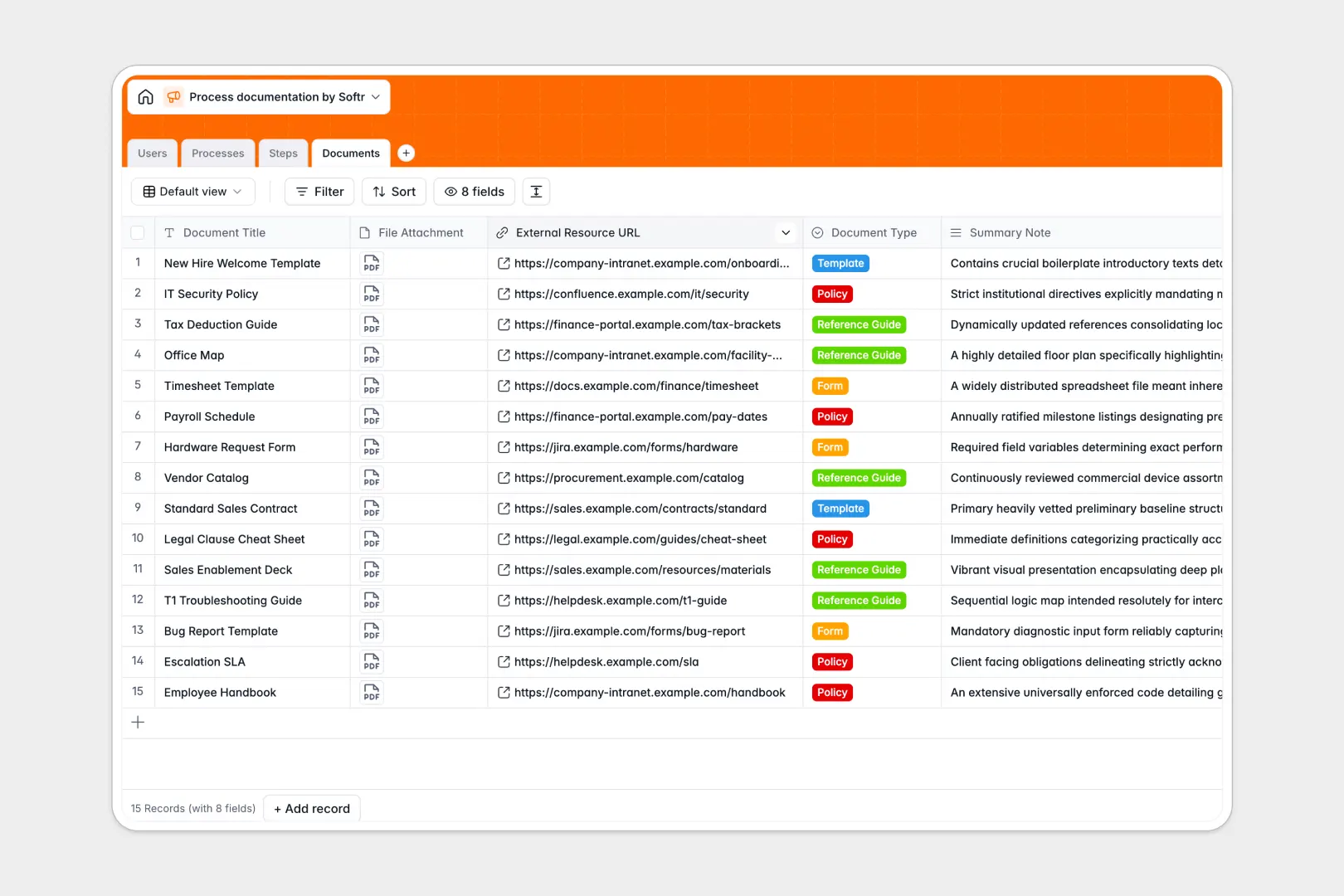
Your Process Documentation database at a glance
This template provides a single, organized home for your company's standard operating procedures, policies, and workflows. It helps teams maintain operational consistency and keeps documentation up to date.
Connected tables link every high-level procedure in Processes directly to sequential execution instructions in Steps, supporting files in Documents, and team members in Users.
Native AI fields analyze objectives to categorize procedures automatically, polish step instructions, and draft complete operational manuals without manual writing.
When a shared spreadsheet turns critical SOPs into unmanageable text
Google Sheets is excellent for quick collaborative lists, but standard operating procedures quickly outgrow simple grid rows. Long text instructions get truncated, step order breaks when someone sorts a column, and file attachments turn into messy links scattered across cells.
What a structured database changes
In a relational structure, every column enforces data consistency: duration fields remain measurable, status selections remain standardized, and file attachments stay neatly organized alongside each procedure.
Instead of copy-pasting names or linking fragile spreadsheet cells, steps natively attach to specific process owners and supporting reference documents. This is exactly what Softr Databases are designed for, keeping complex operational data connected and clean.
While you can connect an existing Google Sheet as an external data source, a dedicated relational database prevents accidental edits and scales reliably.
What you can do with this template
Keep every team aligned by tracking SOP statuses from Draft to Active while maintaining clear ownership across departments.
Built-in Database AI agents automatically refine step-by-step instructions for clarity and generate comprehensive process manuals directly from linked step lookups.
Attach policy documents, checklists, and forms directly to execution steps so employees always have the right resources at hand.
-
Users
Manage team members with departmental roles and process ownership
-
Processes
Standardize company SOPs with AI categorization and automated manual drafting
-
Steps
Sequence detailed workflow steps and polish instructions using AI formatting
-
Documents
Centralize templates, policies, and reference files linked to active processes
Who is this Process Documentation database for
This template helps operational teams standardize procedures, onboard team members faster, and maintain compliance across departments.
- Operations Managers: Centralize company SOPs, track version updates, and ensure process consistency across teams.
- Department Leads: Document team-specific playbooks, assign step owners, and keep procedures up to date.
- HR & People Teams: Streamline employee onboarding guides and ensure compliance policies are easily accessible.
- IT & Support Leads: Maintain technical procedures, troubleshooting runbooks, and linked setup guides in one spot.
How to take it further
1. Customize the database
Adapt the structure to fit your organization's exact needs. Add custom department choices, create new document categories, or adjust the AI prompt settings to generate SOP manuals tailored to your brand voice.
2. Import your existing data
Quickly migrate existing runbooks and documentation using CSV import. You can also sync live operational data via API to update process statuses and user assignments automatically.
3. Build a full app around it
Turn this database into an interactive internal knowledge base or company wiki. Using the AI app generator, describe the portal you need in a single prompt to generate front-end interfaces and workflows on top of this exact schema.
Configure granular users and permissions so that regular employees view active SOPs while process owners and department admins edit instructions and approve drafts securely.
-
1
-
2
-
3
-
4
Frequently asked questions
-
What is a Process Documentation database?
-
Why use a no-code database to build a process documentation system?
-
How can AI help managing data for process documentation?
-
Can I build an app with Process Documentation database?
-
Is this Process Documentation template free?
-
How is a Process Documentation database different from Google Sheets?
Start building today. It's free!
Build and launch your first app in under 30 minutes.