


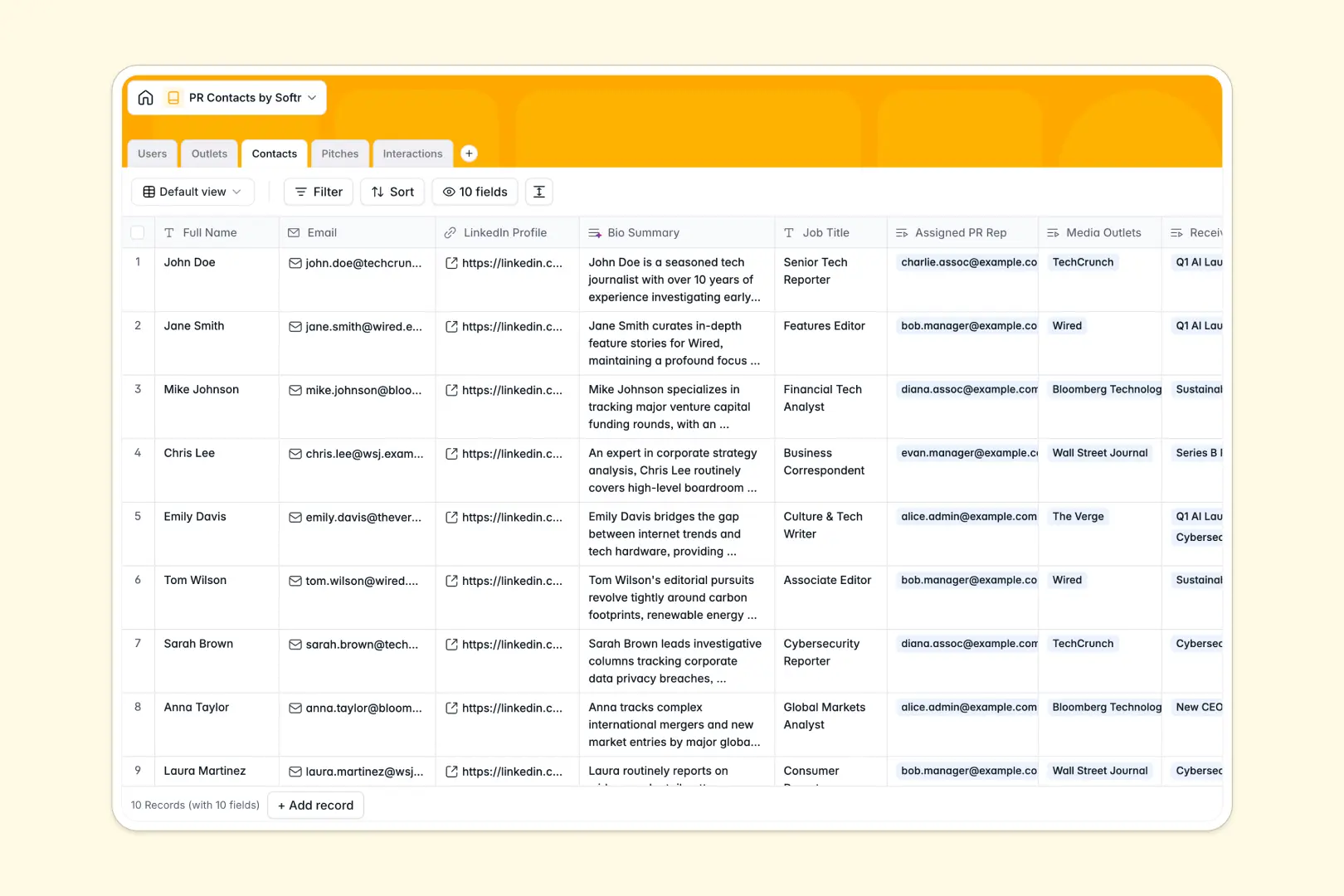
Your PR Contacts database at a glance
This template gives your team a single home to manage media relations, pitch campaigns, and press coverage without losing context across fragmented files.
It connects five dedicated tables: Contacts, Outlets, Pitches, Interactions, and Users. Each journalist is linked directly to their publication, logged pitch history, and assigned PR representative, ensuring every interaction stays organized.
Built-in AI fields automatically summarize journalist backgrounds from LinkedIn profiles, draft customized pitch emails, and analyze interaction sentiment from your outreach notes.
When a shared spreadsheet becomes your media directory by accident
Google Sheets is great for quick lists, but using it as a shared media CRM inevitably leads to overwritten notes, broken formulas, and zero privacy between team members and external freelancers.
What a structured database changes
In a structured database, every column enforces strict data integrity: emails stay emails, dates remain formatted, and files attach directly to the right record.
Instead of copy-pasting outlet names across dozens of rows, tables connect natively so one journalist links directly to their media outlet and entire pitch history without fragile lookup formulas.
This is exactly what Softr Databases are designed for, giving you a clean backend that scales without breaking.
What you can do with this template
Track outreach statuses, log press meetings, and monitor which PR reps manage specific journalist relationships in real time.
Native Database AI agents research media outlet websites automatically, generate email subject ideas, and draft complete pitch copy directly inside your database records.
You can easily import existing contacts or even connect a Google Sheet as a data source if needed, while working from a much stronger foundation.
-
Users
Manage PR team members, assigned accounts, pitches, and logged activity
-
Outlets
Track media channels and publications with AI web-generated overviews
-
Contacts
Store journalist details and coverage topics with AI-generated bio summaries
-
Pitches
Develop PR campaigns and craft pitch content with automated AI copywriting
-
Interactions
Log communication history and evaluate response tone via AI sentiment analysis
Who is this PR Contacts database for
A ready-to-use directory built for teams managing press outreach and media relationships:
- PR Agencies: Manage multiple media lists, assign reps to journalists, and track pitching history cleanly.
- In-House Communications Teams: Organize press release distributions and centralize journalist interaction notes in one place.
- Startup Founders: Maintain founder-led media outreach, track investor PR, and draft targeted pitches quickly.
- Event Marketers: Coordinate press passes, media RSVPs, and publication coverage for upcoming launches.
How to take it further
Customize this database in seconds by adding custom media tiers, adjusting contact coverage beats, or editing select options to match your agency workflow.
Import your existing press contacts and media lists via CSV upload or connect existing tools through native API options to get started immediately.
When your team is ready, build an app on top of this database. Softr's AI Co-Builder can generate a full PR portal with custom users and permissions in one prompt, allowing PR associates to see only their assigned journalists while managers oversee every active campaign.
-
1
-
2
-
3
-
4
Frequently asked questions
-
What is a PR contacts database?
-
Why use a no-code database to build a PR management tool?
-
How can AI help managing data for PR contacts?
-
Can I build an app with this PR contacts database?
-
Is this PR Contacts database template free?
-
How is this database better than using Google Sheets for PR tracking?
Start building today. It's free!
Build and launch your first app in under 30 minutes.