


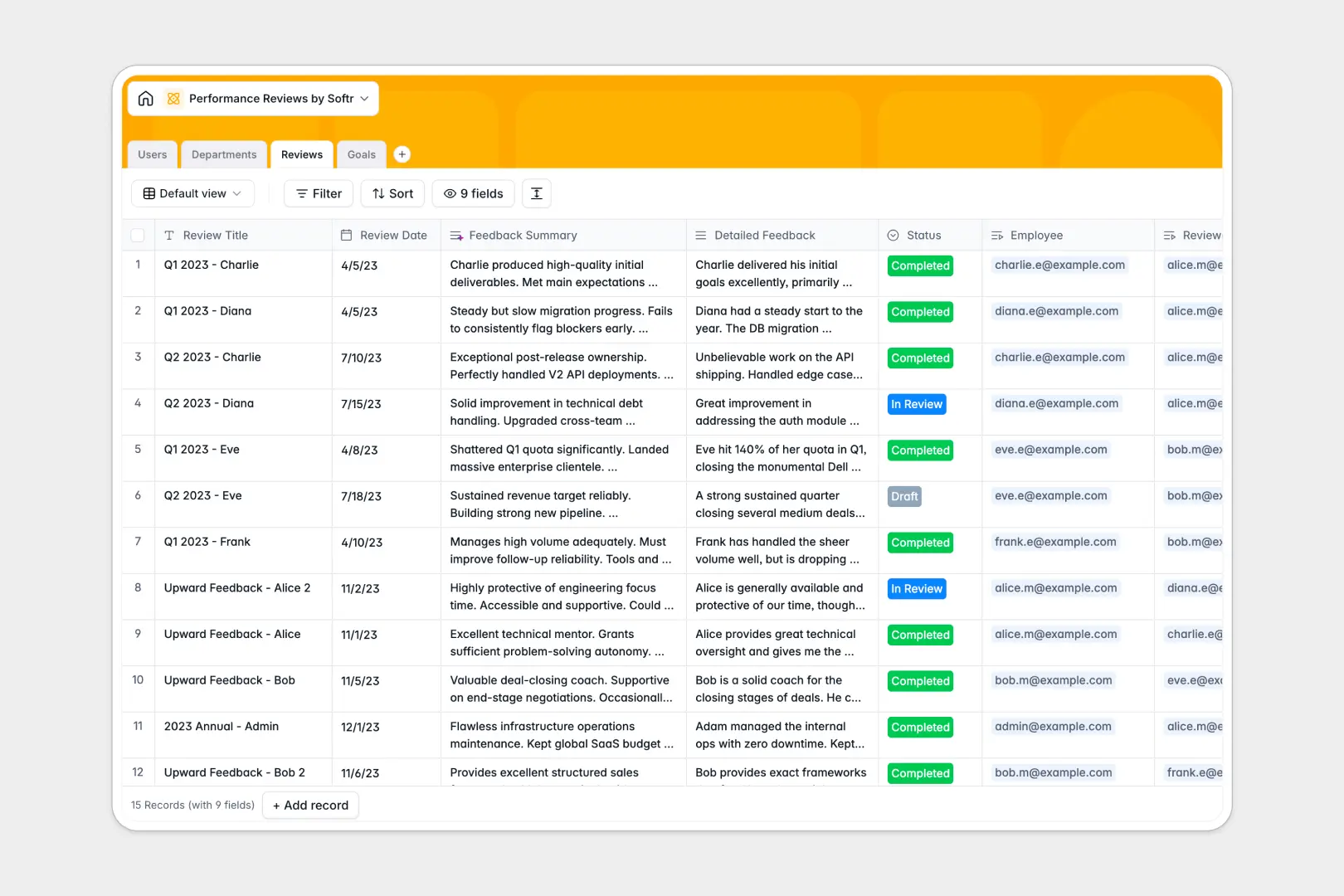
Your Performance Reviews Database at a glance
This template organizes employee evaluations, goal tracking, and departmental records into one secure system. It eliminates the chaos of scattered documents and ensures every performance cycle runs smoothly.
It connects your data naturally by linking Users to their specific Reviews, Goals, and Departments. You can easily see which goals an employee achieved and how they scored without digging through files.
It also comes with built-in AI capabilities. The database automatically generates three-bullet summaries of detailed evaluation feedback and categorizes goal complexity based on the description provided.
Why performance reviews get messy in Google Sheets
Tracking sensitive employee evaluations across spreadsheet tabs quickly becomes a privacy and administrative nightmare. Formulas break, data gets accidentally overwritten, and linking past goals to current evaluations is a frustrating manual task.
What a structured database changes
A structured database fixes this by giving every piece of information a dedicated, strictly formatted home. Dates remain dates, rating scores stay as numbers, and files like user avatars are safely stored.
Instead of relying on fragile VLOOKUPs, you securely connect records—like assigning a specific reviewer to an employee—with native relationship fields. This is exactly what Softr Databases are designed for.
What you can do with this template
You can immediately track evaluations through their entire lifecycle, from drafted notes to completed reviews. It allows you to monitor headcount by department and see outstanding goals at a glance.
Thanks to native Database AI agents, this template also works on autopilot. It instantly summarizes long feedback paragraphs and scores goal complexity, saving managers hours of manual reading and administrative work.
-
Users
Manage employee profiles, organizational roles, and linked performance data
-
Departments
Organize business units with employee groupings and headcount tracking
-
Reviews
Track performance scores and utilize AI to generate concise feedback summaries
-
Goals
Monitor employee targets and use AI to automatically assess goal complexity
Who is this Performance Reviews database for
This template is built for teams that need a reliable, structured way to conduct evaluations and monitor growth.
- HR Departments: Maintain accurate, organized records of all organizational reviews and departmental headcount.
- Department Managers: Easily track direct reports' target dates, assigned goals, and progress in one unified view.
- Team Leads: Leave detailed feedback and clearly indicate promotion eligibility without fighting spreadsheet formatting.
How to take it further
Customize the database
Customizing this database takes only a few clicks. You can easily add new options to the Review Status or adjust the goal categories to match your company's specific grading scale.
Import your existing data
Don't start from scratch if you already have an employee directory. You can quickly import your existing staff list and past review history via bulk CSV upload.
Build a full app around it
When you are ready to share this system securely, you can use our interface builder to create a custom HR portal on top of this data. Instead of raw tables, employees and managers log into a clean app where they only see their own information.
By setting up users and permissions, you guarantee that sensitive performance reviews remain strictly between the employee, their manager, and HR. Starting with a structured database makes this next step completely effortless.
-
1
-
2
-
3
-
4
Frequently asked questions
-
What is a performance reviews database?
-
Why use a no-code database to build a performance review tool?
-
How can AI help managing data for performance reviews?
-
Can I build an app with this performance reviews database?
-
Is this Performance Reviews template free?
-
How is a performance reviews database different from Google Sheets?
Start building today. It's free!
Build and launch your first app in under 30 minutes.