


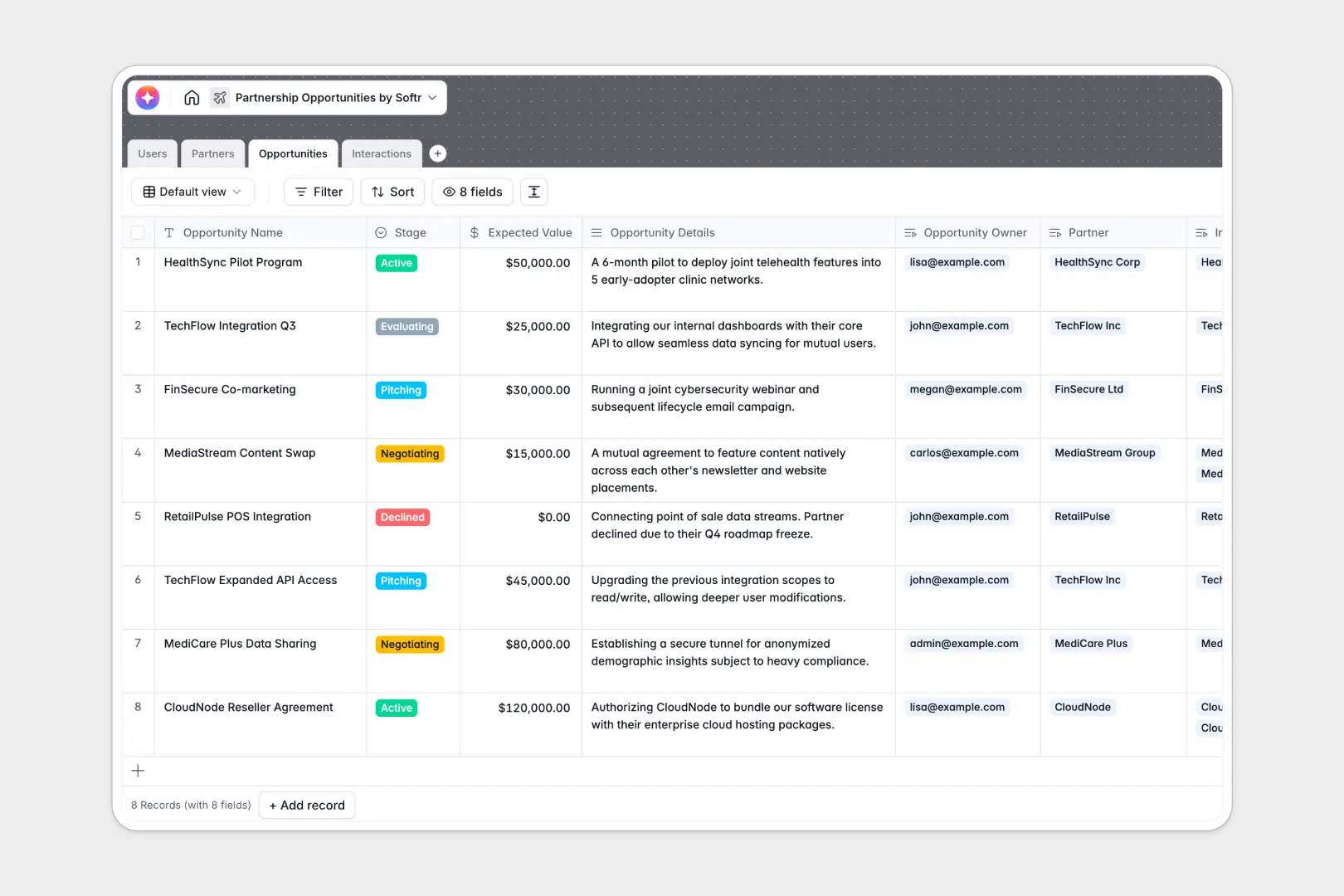
Your Partnership Opportunities database at a glance
Manage every aspect of your partnership pipeline without friction. This pre-built Partnership Opportunities database gives your team a clear, real-time view into every deal, external partner, and interaction.
The system relies on connected tables to keep your data perfectly organized. Link specific Opportunities to your Partners, assign internal Users to manage them, and log every call or email in the Interactions table without duplicating data.
Built-in AI fields do the heavy lifting automatically as you work. The database can pull company descriptions from partner websites, summarize complex deals into concise executive pitches, and extract actionable next steps directly from your raw meeting notes.
Why partnership opportunities get messy in Google Sheets
Managing a growing partnership pipeline in spreadsheets usually turns into chaos. As deals pile up, team members end up copy-pasting notes across tabs, overwriting critical contact details, and losing track of exactly where a negotiation stands.
What a structured database changes
A true database brings strict organization to your partnership workflow. Instead of endless columns with mixed text and notes, every field enforces a specific format—from currency values for expected revenue to standardized pipeline statuses.
Tables connect natively to one another without relying on fragile VLOOKUP formulas. You can link a recorded meeting directly to both the partner company and the specific deal, keeping all context in one clean view.
This is exactly what Softr Databases are designed for.
What you can do with this template
You can immediately start logging interactions, setting expected deal values, and tracking pipeline stages from "Evaluating" to "Active." Everything stays neatly tied to the assigned internal account manager.
You can also leverage Database AI agents to speed up your deal evaluations and data entry. Automatically generate structured 3-bullet executive pitches for fresh opportunities without typing a single word manually.
-
Users
Manage internal managers and admins overseeing partnership pipelines
-
Partners
Store external organizations with AI-powered mission summaries and profiles
-
Opportunities
Track partnership deals using AI to generate concise executive pitches
-
Interactions
Log communications and extract next steps automatically with AI tools
Who is this Partnership Opportunities database for
This pre-built system is designed for teams aiming to scale their external collaborations effortlessly.
- Partnership Managers: Track pipeline stages and expected deal values without getting lost in endless tabs.
- Account Executives: Keep a reliable, searchable log of every client meeting, call, and action item.
- Growth Leads: Get instant visibility into which deals are currently pitching versus actively negotiating.
- Operations Teams: Standardize partner data and automate company research across the entire pipeline.
How to take it further
Customizing this template takes just a few clicks. You can easily tweak the pipeline stages to match your exact sales process or add new dropdown options for partner industries.
When you are ready, you can seamlessly migrate your historical partnership data. Simply upload your current CSV files or connect an API to populate your partners, users, and past interactions instantly.
You can eventually turn this database into a robust internal tool by using a no-code interface builder. Building an app on top of your tables allows you to create custom dashboards for your account managers, guarded by strict users and permissions to ensure individuals only see the deals they actually own.
-
1
-
2
-
3
-
4
Frequently asked questions
-
What is a partnership opportunities database?
-
Why use a no-code database to build a partnership opportunity system?
-
How can AI help managing data for partnership opportunities?
-
Can I build an app with this partnership opportunities database?
-
Is this Partnership Opportunities template free?
-
How is a partnership opportunities database different from Google Sheets?
Start building today. It's free!
Build and launch your first app in under 30 minutes.