


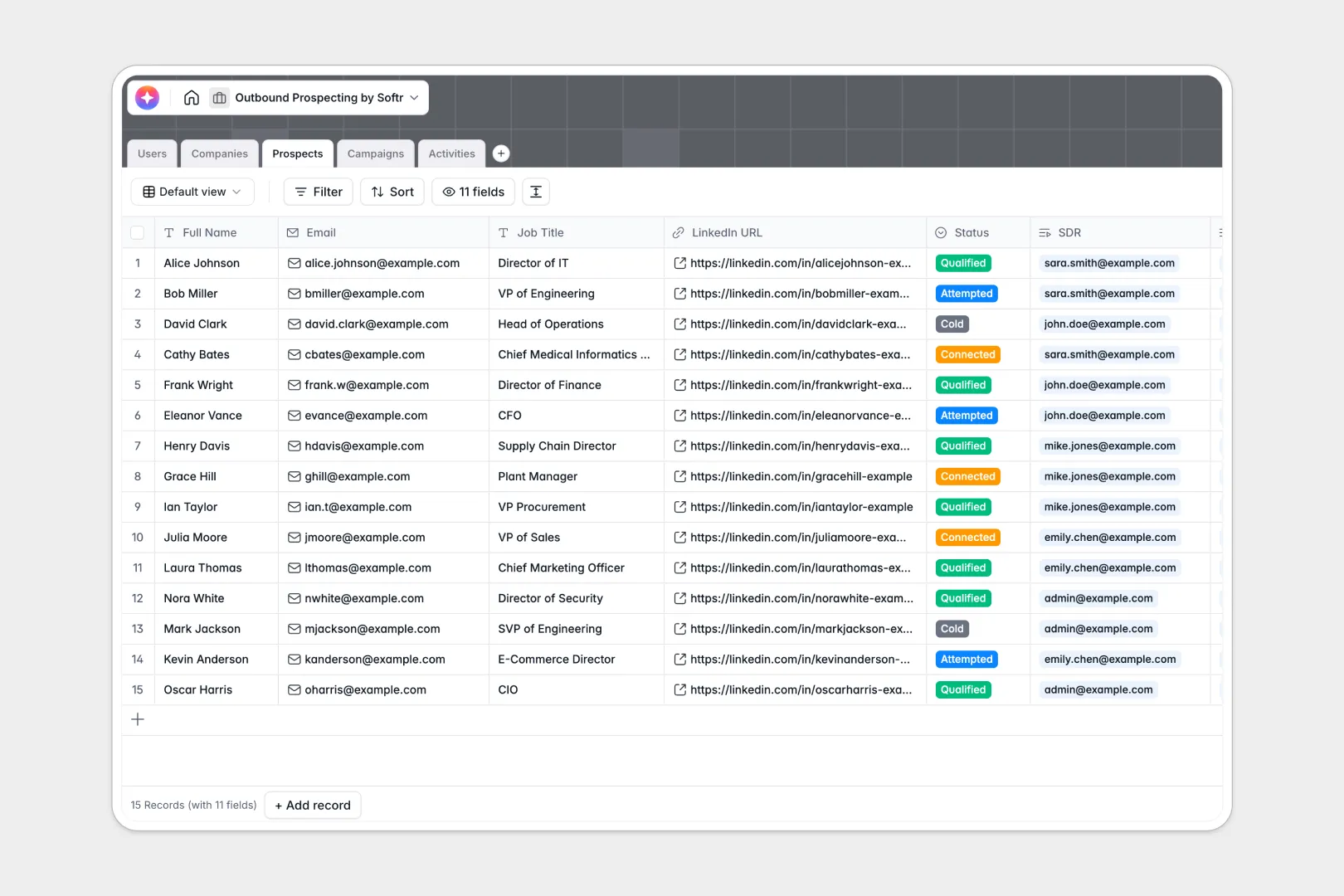
Your Outbound Prospecting database at a glance
This template tracks your entire outbound sales motion from one unified workspace. It keeps your campaigns, target accounts, and daily sales activities perfectly aligned.
Standardize your workflow by naturally linking prospects to their parent companies and specific outreach campaigns. You can log calls, emails, and meetings directly to individual contacts without duplicating data.
Built-in AI agents automatically research company websites to summarize their mission. They also draft personalized icebreakers based on job titles and summarize your meeting notes into clear action items.
Why outbound prospecting gets messy in Google Sheets
Scaling sales outreach in spreadsheets usually ends in chaos. Reps accidentally overwrite contact statuses, activity logs get buried in endless rows, and linking multiple prospects to one company requires fragile VLOOKUPs.
What a structured database changes
In a true database, your data stays structured as your pipeline grows. Every dropdown, date field, and email address enforces formatting so your lists stay clean.
Instead of copying company details across dozens of rows, tables link together natively. This is exactly what Softr Databases are designed for.
What you can do with this template
Say goodbye to manual web research and generic cold emails. With Database AI agents, your database reads target company websites and drafts hyper-personalized hooks for each prospect automatically.
You can instantly view rollups of how many prospects exist in each targeted campaign. It gives your sales team a reliable, ready-to-use foundation from day one.
-
Users
Manage sales staff roles, contact info, and their assigned accounts
-
Companies
Store target accounts with web-powered AI summaries for industry focus
-
Prospects
Track leads with AI-generated personalization hooks for better outreach
-
Campaigns
Organize outreach sequences and track enrollment across sales cycles
-
Activities
Log interactions and use AI to transform complex notes into summaries
Who is this Outbound Prospecting database for
This system is built for revenue teams who need to scale their outreach predictably.
- Sales Development Reps (SDRs): Manage daily activities, track cold outreach, and generate AI icebreakers instantly.
- Sales Managers: Monitor campaign performance, track team activity logs, and oversee account assignments.
- Founders: Standardize unstructured sales efforts into a clean, scalable pipeline process.
How to take it further
Customizing this database to your exact sales playbook takes just a few clicks. You can easily modify pipeline statuses, add new activity types like "Direct Mail," or tweak the AI prompts.
Getting your current pipeline into the system is painless. Use a CSV file to bulk import your existing target accounts and contacts in seconds.
When your team grows, you can easily build an app on top of this foundation. You might create an internal portal where SDRs only see their assigned accounts.
By setting up users and permissions, you securely control who can edit campaign statuses or view specific leads. A clean database makes building these sales apps effortless.
-
1
-
2
-
3
-
4
Frequently asked questions
-
What is an outbound prospecting database?
-
Why use a no-code database to build an outbound prospecting tool?
-
How can AI help managing data for outbound prospecting?
-
Can I build an app with this outbound prospecting database?
-
Is this Outbound Prospecting database free?
-
How is this template different from managing outbound in Google Sheets?
Start building today. It's free!
Build and launch your first app in under 30 minutes.