


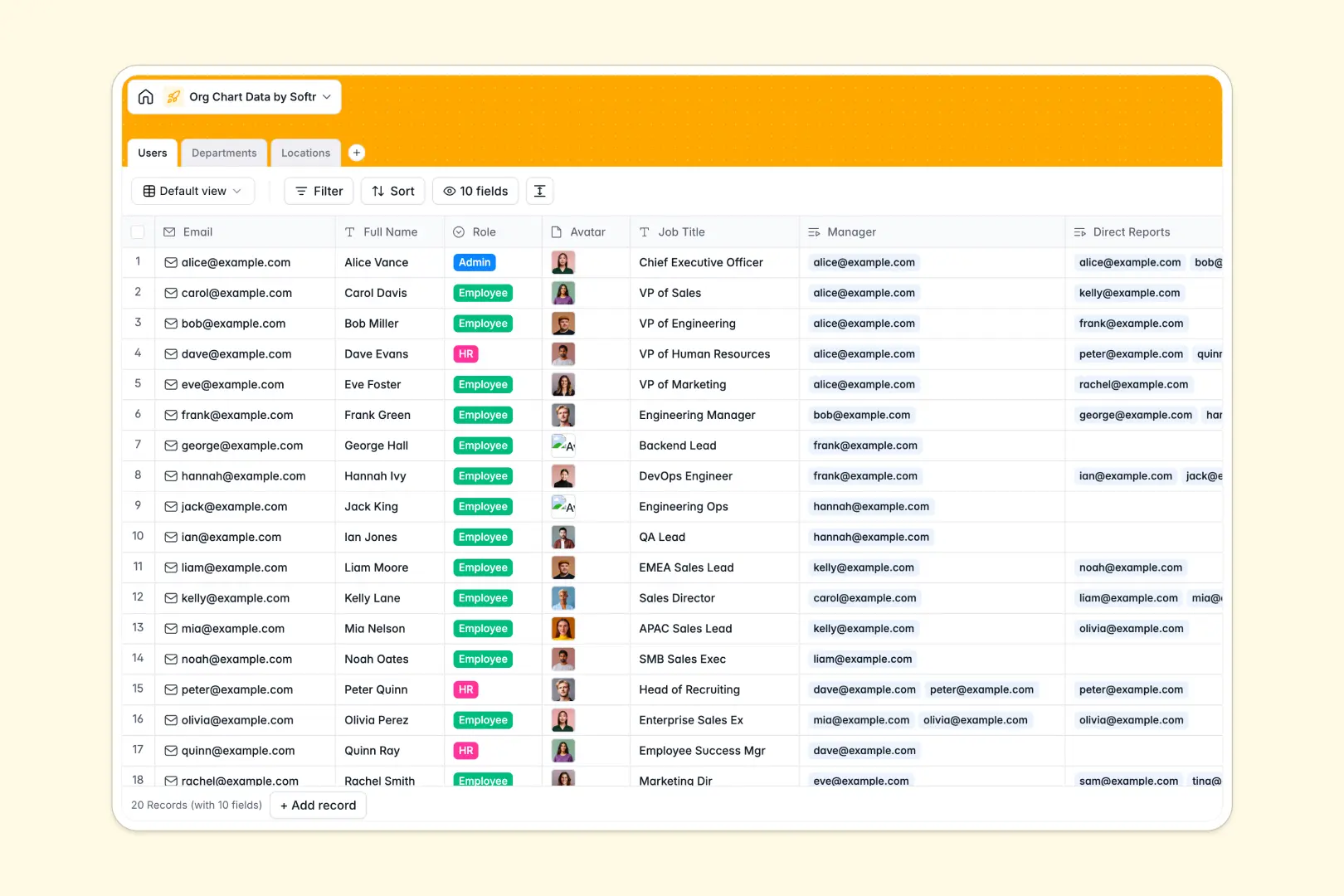
Your Org Chart Data database at a glance
This template gives your team a clean, structured directory to manage staff profiles, department structures, and office locations in one place.
Connected tables link each person in the Users table to their manager, direct reports, and Departments, keeping organizational hierarchy automatically aligned without manual re-linking.
Built-in AI fields auto-generate professional bios, draft department descriptions, and search the live web to summarize local office logistics.
When an accidental sort breaks the reporting hierarchy
Google Sheets makes sharing easy, but relying on a basic sheet as an organizational backend quickly causes headaches. Anyone with edit access can misplace a row, overwrite a manager name with a typo, or accidentally expose sensitive staff details across shared tabs.
What a structured database changes
In a structured setup, records maintain true relationships. When you assign an employee to a manager or department, native links update both ends instantly instead of relying on fragile lookups that fail after a column sort.
Every field enforces a specific format, ensuring avatars stay image files, emails stay valid addresses, and department team sizes recalculate accurately through automated rollups.
This is exactly what Softr Databases is designed to solve.
-
Users
Maintain employee directory, reporting hierarchy, and AI-generated bios
-
Departments
Organize company teams with department heads and AI-crafted descriptions
-
Locations
Manage office facilities with addresses and AI-powered city overviews
Who is this for
- HR Managers: Maintain clean, up-to-date staff rosters, office directories, and hierarchy charts.
- Team Leads: Visualize direct reports, departmental roles, and team coverage effortlessly.
- Operations Teams: Track office locations, facilities, and regional staff assignments in a unified hub.
How to take it further
Connect this database directly to the Softr Web App Builder to turn your internal records into an interactive employee portal. You can add role-based permissions, customizable profile pages, and an interactive visual company directory for your whole team to browse securely.
-
1
-
2
-
3
-
4
Frequently asked questions
-
What is the Org Chart Data template?
-
Can I connect this template to an interactive web application?
-
How are manager-to-report relationships managed?
-
Is it possible to customize fields and data types?
-
Does this template support automated calculations and rollups?
Start building today. It's free!
Build and launch your first app in under 30 minutes.