


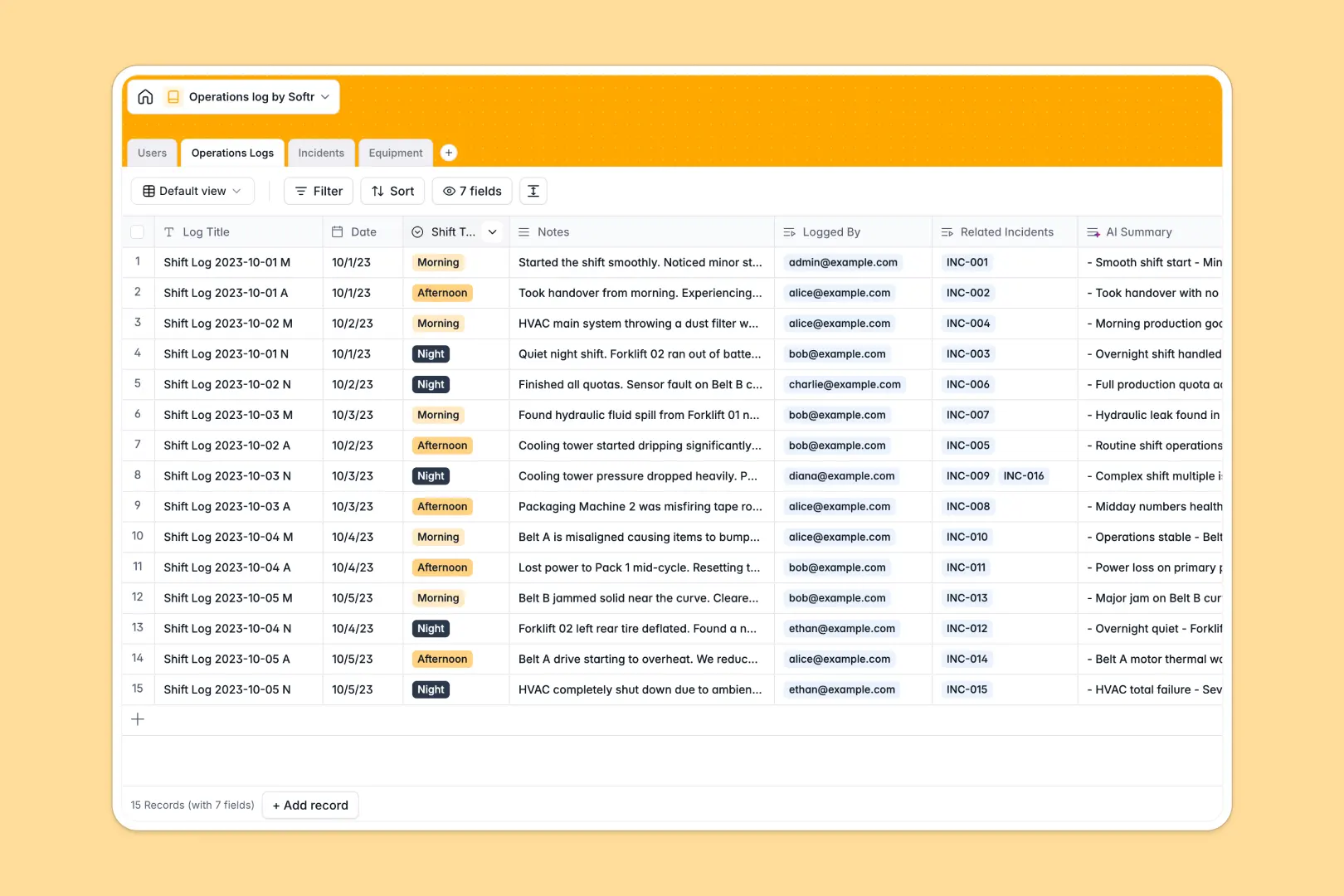
Your Operations Log database at a glance
Track daily activities, shift handovers, and equipment safety without relying on scattered tabs. This template brings order to your operational data so shift handovers stay clear and actionable.
Data flows naturally between related tables like Operations Logs, Incidents, and Equipment. You can review shift notes and check equipment status in one reliable place.
Built-in intelligence automatically summarizes long shift notes into quick bullet points and assesses incident severity. It saves time during busy handovers.
When a shared sheet becomes a fragile backend
Google Sheets makes collaboration easy, but it was never built to hold core operational data. Formulas reach across tabs and break when someone inserts a row. A free-text date column accepts random notes, and anyone with access can overwrite critical fields.
Why a structured approach matters
Operational data needs strict types so dates stay dates and shift categories remain consistent. Tables link natively, connecting an incident directly to the relevant equipment without copy-pasting across tabs.
This is exactly what Softr Databases are designed for. You get robust data integrity alongside your daily workflows.
What you can do with this template
Monitor active equipment and track logged incidents from a single dashboard. Database AI agents can analyze incident descriptions to determine severity levels automatically.
The template is ready to use immediately and adapts to your team's exact operational requirements.
-
Users
Manage operational staff, shift assignments, and incident reporter profiles
-
Operations Logs
Record daily shift handovers with automated AI summary bullet points
-
Incidents
Track operational disruptions and classify severity levels using AI
-
Equipment
Monitor physical assets with web-enabled AI manual overviews and status
Who is this Operations Log database for
- Shift Managers: Oversee daily handovers, review AI summaries, and monitor ongoing incidents quickly.
- Operators: Log routine activities and report equipment anomalies directly into structured fields.
- Facility Teams: Track equipment status, manufacturer details, and related safety disruptions in one place.
How to take it further
Customize your tables by renaming fields or adjusting select choices like shift types and incident statuses to match your facility rules.
Import your existing historical data using CSV uploads or connect external tools via API to keep your logs updated in real time.
When your team needs a dedicated interface, you can build an app on top of this exact structure. Describe what you need in a single prompt and watch the system generate the interface, workflows, and granular users and permissions automatically.
Full-stack business software combines databases, interfaces, and automated workflows into one unified platform.
-
1
-
2
-
3
-
4
Frequently asked questions
-
What is an Operations Log database?
-
Why use a no-code database to track operations?
-
How can AI help manage operational data?
-
Can I build an app with this Operations Log database?
-
Is this Operations Log template free?
-
Can I connect an existing Google Sheet to this database?
Start building today. It's free!
Build and launch your first app in under 30 minutes.