


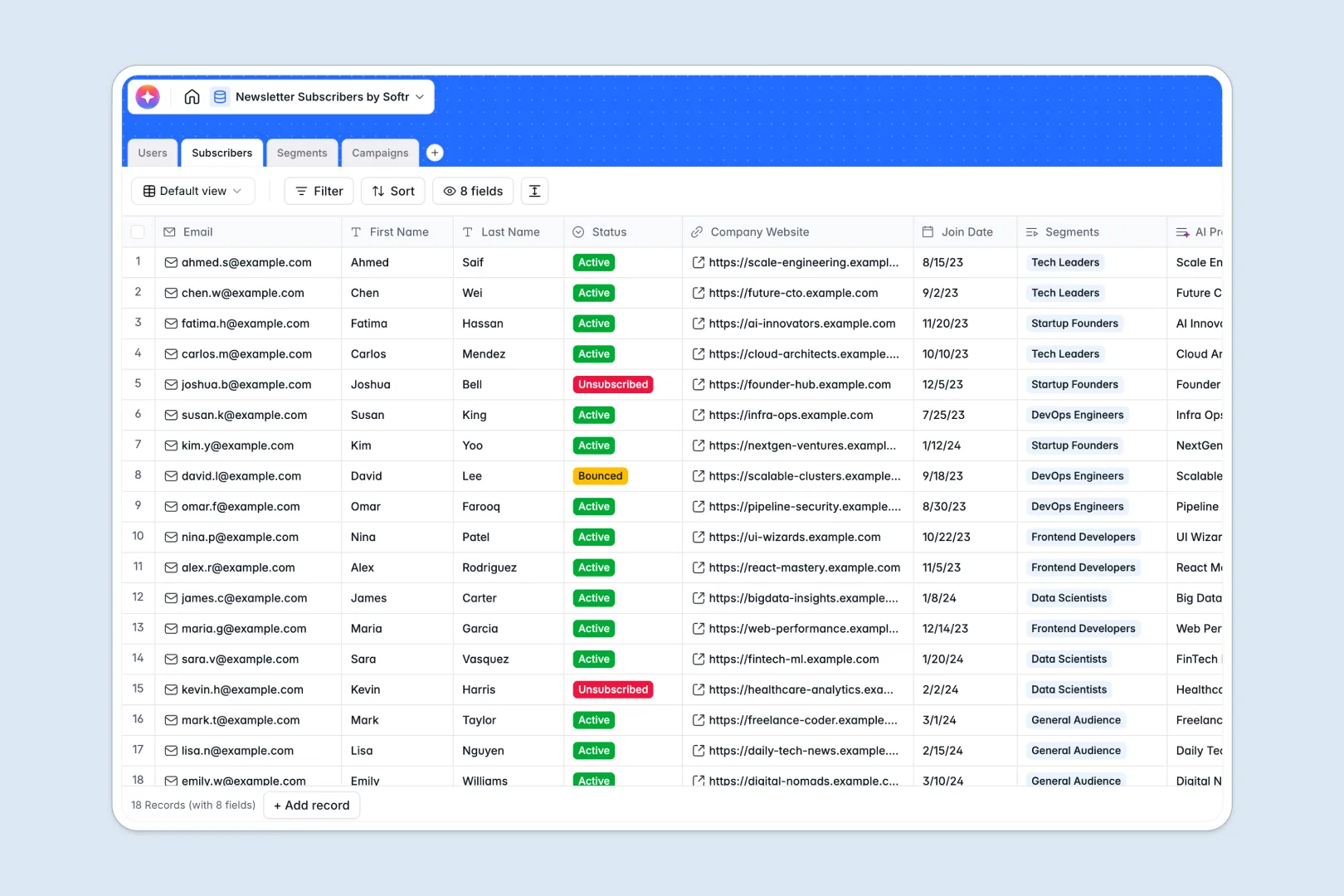
Your Newsletter Subscribers Database at a glance
This template replaces messy spreadsheets with a clean, connected system for your subscribers, target segments, and newsletter campaigns. It is completely ready to use the moment you copy it.
Manage external readers in a dedicated Subscribers table, link them to specific Segments, and connect everything directly to your drafted Campaigns. Keep content authors and campaign statuses perfectly synced without relying on fragile formulas.
Built-in AI automatically researches subscriber companies to generate business profiles based on their URLs. It also drafts catchy subject lines instantly using your drafted campaign content.
Why managing newsletter subscribers gets messy in Google Sheets
As your mailing list grows, tracking active readers, bounces, and unsubscriptions across flat spreadsheet rows quickly becomes overwhelming.
What a structured database changes
Instead of duplicating subscriber data or using broken VLOOKUPs to manage tags, a structured system connects records naturally. One subscriber can belong to multiple segments without you ever needing to copy and paste data across tabs.
This ensures complete data integrity as your external audience naturally scales. This is exactly what Softr Databases are designed for.
What you can do with this template
You can easily organize targeted audiences, monitor precise subscriber counts, and track your drafted campaign content all in a single view.
Because it natively integrates Database AI agents, the template actively researches your subscribers' company profiles and suggests engaging campaign subject lines automatically. Everything works straight out of the box.
-
Users
Manage internal team members with roles, avatars and campaign authorship
-
Subscribers
Store contact details and AI-generated business profiles for external leads
-
Segments
Organize subscribers into targeted groups based on specific goals or tags
-
Campaigns
Manage newsletter drafts with AI-generated subject lines and send dates
Who is this Newsletter Subscribers database for
This template provides a reliable, out-of-the-box foundation for any scaling team managing regular email communication.
- Marketing Managers: Organize audiences by active segments and track ongoing campaign statuses seamlessly.
- Content Creators: Draft raw newsletters, assign send dates, and automatically generate email subject lines.
- Operations Teams: Maintain clean subscriber data globally without worrying about accidental manual deletions.
How to take it further
Customize the database
You can instantly modify segment categories, add new campaign statuses, or change user roles to match your internal workflow. Because it is a native workspace, it adapts precisely to how your specific marketing team operates.
Import your existing data
Upload your current mailing list via a simple CSV import or connect an API to sync new signups in real time. Your contact data is instantly structured, tagged, and immediately ready for your next campaign.
Build a full app around it
When you are ready to share this data organization-wide, you can safely turn this database into a custom marketing portal. Starting with a cleanly structured backend natively makes building these interactive front-end apps completely frictionless.
This ensures the exact right users and permissions are applied flawlessly. Content editors can easily draft campaign content, while external partners or internal viewers only see high-level subscriber growth metrics.
-
1
-
2
-
3
-
4
Frequently asked questions
-
What is a newsletter subscribers database?
-
Why use a no-code database to build a subscriber system?
-
How can AI help managing data for newsletter subscribers?
-
Can I build an app with this newsletter database?
-
Is this newsletter subscribers template free?
-
How is this subscriber database strictly different from Google Sheets?
Start building today. It's free!
Build and launch your first app in under 30 minutes.