


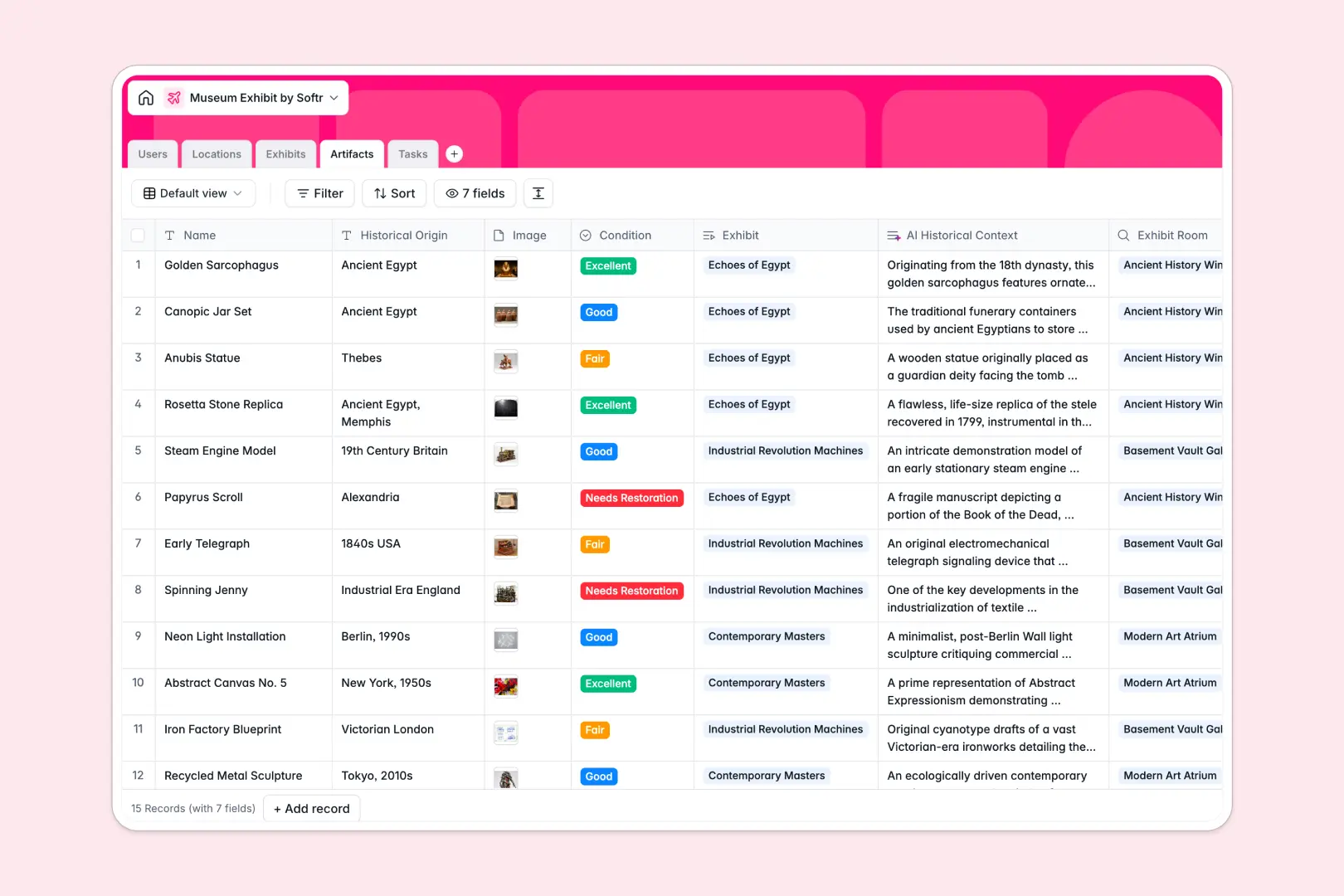
Your Museum Exhibit database at a glance
This template gives museum teams a central system to manage upcoming collections, artifact inventories, gallery spaces, and daily operations. Keep every department aligned on exhibition timelines without losing track of valuable assets.
Built with structured tables, it connects Exhibits directly to assigned Curators, gallery Locations, individual Artifacts, and operational Tasks. When an exhibit shifts schedule, related tasks and artifact locations update automatically across the entire system.
Native AI fields automate tedious cataloging work by generating promotional summaries, looking up live historical context for artifacts, and categorizing setup tasks automatically.
When a curation spreadsheet turns into an unmanageable backend
Google Sheets makes it easy to share a collection list, but it was never designed to run museum operations. When curators, conservators, and setup crews all edit the same rows, broken lookups, mixed date formats, and accidental deletions quickly follow.
What a structured database changes
In a dedicated database, every column enforces strict data types so artifact conditions, opening dates, and high-resolution images stay intact. Tables link together natively, meaning an artifact links to its specific room and exhibit without fragile cross-sheet formulas.
This is exactly what Softr Databases are designed for: giving your museum a reliable data foundation that handles complex relationships cleanly. While Softr can connect to an existing Google Sheet, running your collections in a native database prevents accidental overwrites and keeps data production-ready.
What you can do with this template
Coordinate multi-room exhibition schedules while tracking artifact conservation status across wings and floors. Assign curators and conservators to specific preparation tasks with real-time progress visibility.
Leverage built-in Database AI agents to research historical context for newly acquired items using live web search and draft promotional copy instantly.
-
Users
Manage museum staff profiles, curator roles, and linked task assignments
-
Locations
Track physical gallery spaces, floor levels, and visitor capacities
-
Exhibits
Coordinate displays with dates, curators, and AI promotional summaries
-
Artifacts
Catalog displayed items with condition logs and AI historical research
-
Tasks
Organize exhibit setup workflows with deadlines and AI categorization
Who is this Museum Exhibit database for
This database helps museum professionals maintain accurate collection records and keep daily gallery operations running smoothly.
- Curators: Plan upcoming exhibitions, link artifacts to themes, and draft exhibit summaries in one unified space.
- Conservators: Monitor artifact condition ratings, track restoration needs, and maintain historical notes accurately.
- Museum Operations: Oversee room capacities, gallery floor assignments, and logistics tasks across multiple departments.
- Gallery Managers: Track opening dates, manage task deadlines, and coordinate team responsibilities without scheduling conflicts.
How to take it further
Customize this database to reflect your museum's exact workflow. Add custom fields for acquisition dates, insurance values, or donor records, and adjust dropdown options for specific conservation stages.
Import your existing collection data in minutes via CSV upload or sync records programmatically using the API. Your team can transition off static spreadsheets without manual data re-entry.
When you are ready, use Softr to build an app directly on top of your database. You can generate custom portals for visiting curators, staff mobile apps for gallery walkthroughs, or public exhibit guides while controlling role-based users and permissions so sensitive storage data stays private.
-
1
-
2
-
3
-
4
Frequently asked questions
-
What is a museum exhibit database?
-
Why use a no-code database to build a museum exhibit tool?
-
How can AI help managing data for museum exhibits?
-
Can I build an app with this Museum Exhibit database?
-
Is this Museum Exhibit database free?
-
How is this database different from tracking museum exhibits in Google Sheets?
Start building today. It's free!
Build and launch your first app in under 30 minutes.