


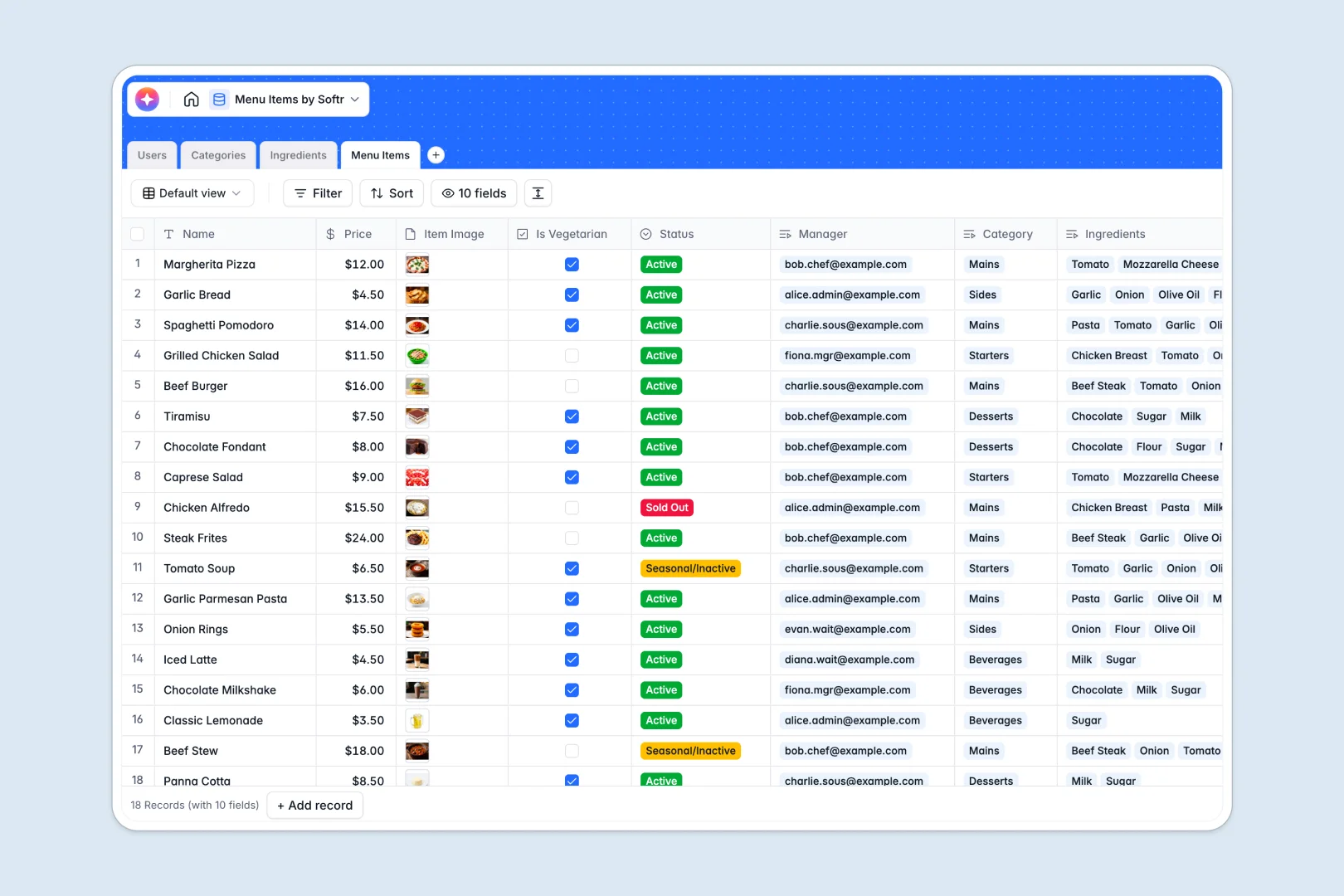
Your Menu Items database at a glance
This template gives you a clean, structured workspace to track your restaurant's dishes, raw ingredients, and categories efficiently.
It works by natively connecting ingredients to your final dishes and assigning them to specific menu categories like Starters or Mains. You can easily track costs, assign responsible staff members, and flag items as active or seasonal.
Built-in AI features automate the heavy lifting by writing appetizing marketing descriptions and researching allergen information for new ingredients.
Why managing menu items gets messy in Google Sheets
Tracking restaurant menus in Google Sheets quickly turns into a mess of broken formulas and visually overwhelming tabs.
What a structured database changes
A true database keeps your recipe data strict and organized. Prices stay as numbers, statuses use strict dropdowns, and you can securely attach mouth-watering images directly to rows.
Instead of running fragile VLOOKUPs to match ingredients to dishes, you use native relationships. Link a raw ingredient to multiple menu items without copy-pasting anything across tabs, ensuring your stock quantities remain accurate.
This is exactly what Softr Databases are designed for. As your restaurant scales, your data stays perfectly structured and ready for your team.
What you can do with this template
You can group menus by category and automatically roll up the exact count of items per menu section. Instantly toggle dishes as active, sold out, or seasonal without messing up your main view.
Thanks to built-in Database AI agents, this template works behind the scenes for you. Add a new ingredient, and the AI automatically pulls relevant allergen warnings directly from the web.
When you create a new dish, the AI uses the linked ingredients list to instantly write an appetizing, ready-to-publish marketing description.
-
Users
Manage staff profiles, contact details, and assigned roles across the menu
-
Categories
Organize menu sections like starters and mains with visual covers and metrics
-
Ingredients
Track stock and use AI to research common allergens and ingredient warnings
-
Menu Items
List restaurant offerings using AI to generate appetizing marketing descriptions
Who is this Menu Items database for
This template provides immediate value for hospitality teams moving away from restrictive spreadsheets:
- Restaurant Managers: Keep a real-time pulse on menu pricing, active items, and seasonal availability across branches.
- Head Chefs: Connect raw ingredients to final recipes to maintain absolute control over the kitchen's offerings.
- Marketing Teams: Instantly generate creative, mouth-watering dish descriptions for social media or digital menus.
- Waitstaff: Quickly reference up-to-date allergen information without hunting down the chef during a busy shift.
How to take it further
You can easily customize this database to match your exact kitchen workflow. Tweak the status dropdowns, rename categories, or modify the AI prompts to perfectly match your restaurant's brand voice.
Ditch your old spreadsheets instantly by uploading your current menu items via CSV. You can also use the API to sync live ingredient costs directly from your suppliers.
When your team is ready, you can transform this raw data into a digital menu or a staff portal tracking active dishes. Using a no-code interface builder, you can give your team custom views of the data they need most.
You can leverage sophisticated users and permissions to control exactly what the staff sees. For instance, waitstaff can view recipes and allergens, while only admins can edit pricing.
-
1
-
2
-
3
-
4
Frequently asked questions
-
What is a Menu Items database?
-
Why use a no-code database to build a menu items tool?
-
How can AI help managing data for menu items?
-
Can I build an app with this menu items database?
-
Is this Menu Items template free?
-
How is a Menu Items database different from Google Sheets?
Start building today. It's free!
Build and launch your first app in under 30 minutes.