


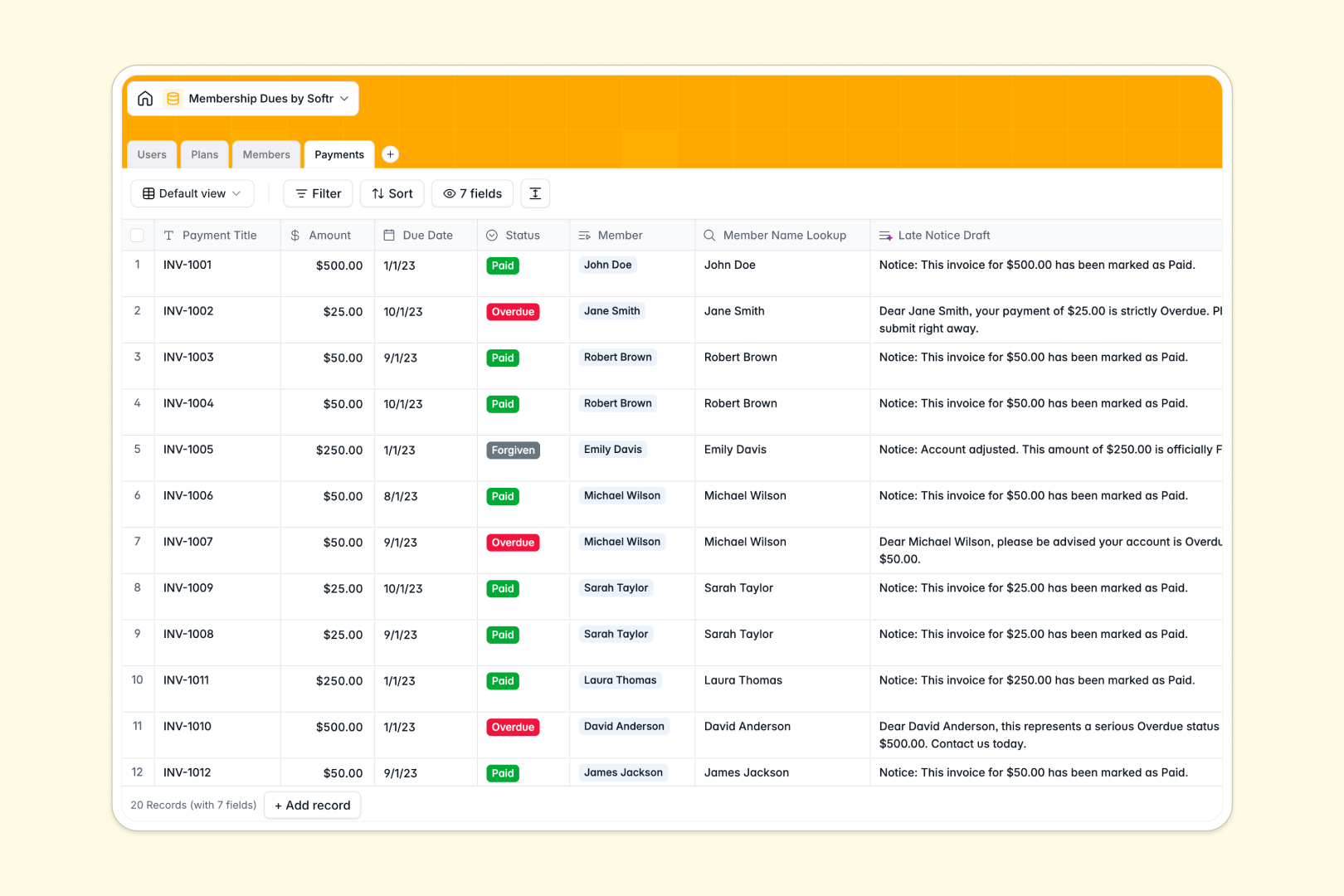
Your Membership Dues database at a glance
This template centralizes your membership management, subscription plans, and recurring dues in a structured workspace. It keeps your membership rosters aligned with actual billing cycles so you never lose track of renewals or past-due accounts.
Everything connects natively across four core tables: Users, Plans, Members, and Payments. When a member enrolls in a tier, their payment logs, account manager, and renewal dates link automatically without fragile lookups.
Built-in AI fields help you draft sales pitches for new plans, summarize member status profiles for staff, and auto-draft overdue payment reminder notices when invoices lapse.
When a shared grid becomes an accidental billing system
Google Sheets is excellent for collaborating on raw lists, but managing dues requires strict data validation and privacy controls that simple sheets cannot provide. When multiple teammates edit member rows, formulas break, dates get typed as freeform text, and everyone can see every member's payment status.
What a structured database changes
A structured database enforces clean data by assigning strict field types like currencies, phone numbers, and relational links. Instead of copying plan fees across rows, members link directly to their specific plan, ensuring dues totals and member counts calculate accurately.
This is exactly what Softr Databases are designed for: giving teams a resilient data model that prevents accidental overwrites while remaining simple to manage.
What you can do with this template
With this database, you can track membership statuses from Active to Past Due and maintain clear audit trails of every payment. You can also view total enrolled members per plan at a glance using automatic rollups.
Native Database AI agents streamline your collections by generating custom overdue notices based on the exact amount due and member contact details.
-
Users
Manage staff accounts, administrative roles, and member assignments
-
Plans
Configure membership tiers and auto-generate sales pitches with AI
-
Members
Track member records, active statuses, and AI profile summaries
-
Payments
Record membership dues and generate overdue reminder notices using AI
Who is this Membership Dues database for
This template helps organizations maintain clean billing records and predictable membership revenue.
- Member associations: Keep track of annual dues, member tiers, and renewal dates accurately.
- Co-working spaces: Monitor monthly member subscriptions, manager assignments, and pending invoice logs.
- Clubs and non-profits: Organize participant contact records and automate follow-ups for overdue payments.
- Gyms and fitness studios: Manage active recurring memberships and track payment statuses in real time.
How to take it further
You can customize this database in seconds. Add custom fields for member tags, update billing cycle dropdowns, or adjust payment status options directly within the visual interface.
If you have existing member records, bring them in instantly via CSV import or connect an automated pipeline through the API. You can also connect an existing Google Sheet as a data source if you want to reference legacy records.
When your organization is ready, you can build an app on top of this database. Use Softr's AI Co-Builder to turn your database into a custom member portal or internal admin tool in one prompt, then refine the layout visually.
Configuring granular users and permissions ensures staff members only access their assigned accounts while members view only their own invoices.
-
1
-
2
-
3
-
4
Frequently asked questions
-
What is a membership dues database?
-
Why use a no-code database to build a membership dues tool?
-
How can AI help managing data for membership dues?
-
Can I build an app with this membership dues database?
-
Is this Membership Dues database template free?
-
How is this database different from tracking dues in Google Sheets?
Start building today. It's free!
Build and launch your first app in under 30 minutes.