


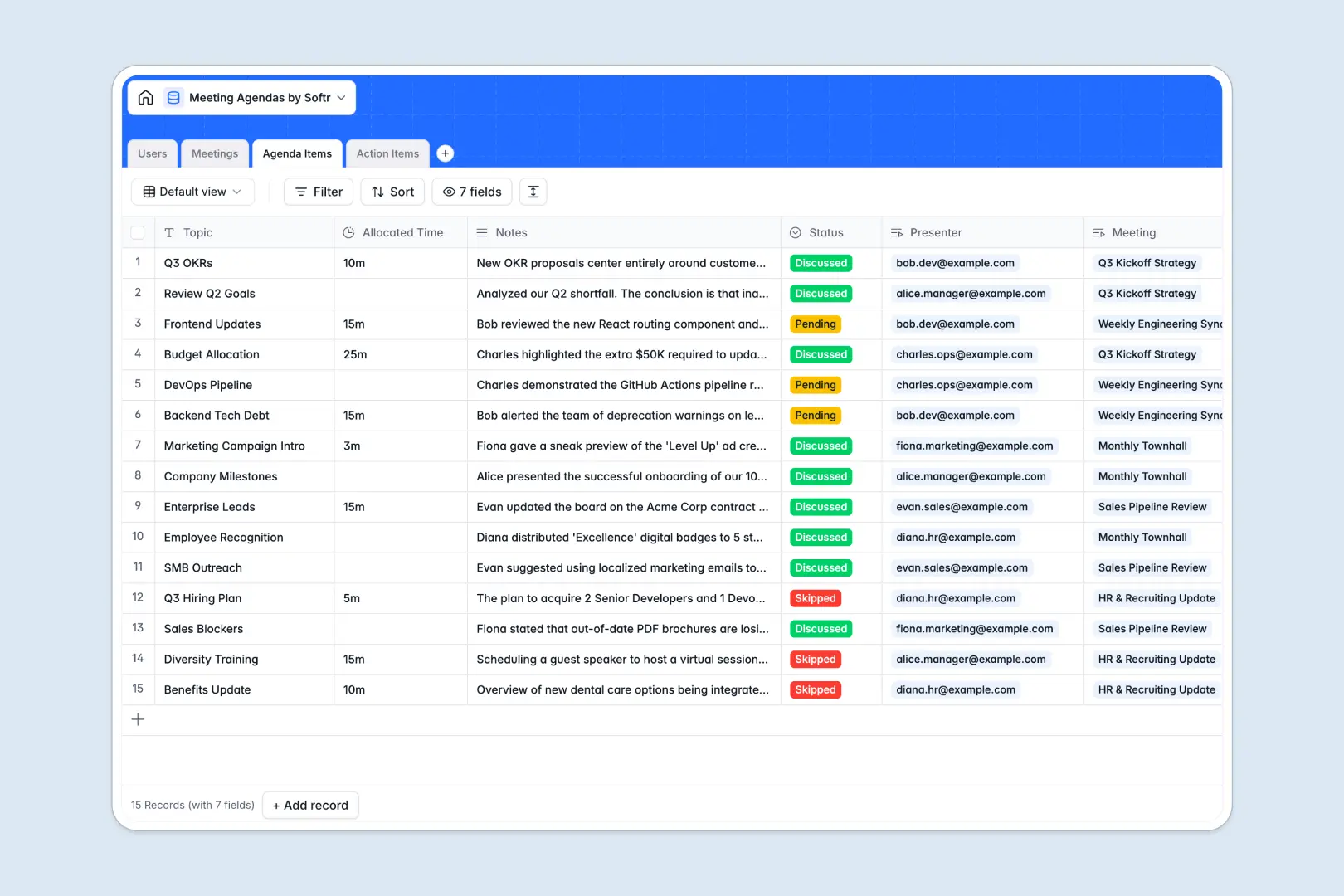
Your Meeting Agendas database at a glance
Run structured meetings by keeping agendas, presenters, and follow-ups organized in one reliable system.
The database links Meetings directly to specific Agenda Items, dedicated Users, and generated Action Items, ensuring responsibilities stay clear without manual cross-referencing.
Built-in AI automatically summarizes individual agenda discussions, generates full meeting minutes, and classifies the priority of follow-up tasks.
Why a Google Sheet fails as a meeting management system
Google Sheets makes it simple to share a table, but freeform grids quickly fall apart when running recurring team meetings. Anyone can accidentally overwrite notes, sorting breaks row alignment, and there is no clean way to isolate individual task lists or prevent participants from editing past meeting records.
What a structured database changes
In a structured database, every column enforces strict data types like dates, durations, and multi-select statuses. Presenters and attendees are linked directly to each discussion topic, eliminating broken lookups and scattered notes.
This is exactly what Softr Databases are designed for: keeping relational meeting records clean, consistent, and ready for your team to use at scale.
What you can do with this template
Track allocated time per topic, log discussion notes, and turn outcomes into trackable tasks with due dates and assignees.
With integrated Database AI agents, the database instantly compiles notes into structured minutes and categorizes action item urgency without manual re-typing.
-
Users
Manage meeting participants, presenters, and assignees with role details
-
Meetings
Coordinate sessions, attendees, and generate AI-powered meeting minutes
-
Agenda Items
Track discussion topics with presenter links and AI-generated summaries
-
Action Items
Organize follow-up tasks with due dates, owners, and AI priority ranking
Who is this Meeting Agendas database for
Manage recurring conversations, cross-functional projects, and team updates across your organization.
- Engineering and Product Leads: Structure sprint planning, standups, and retrospective notes with clear technical owners.
- Operations Managers: Run structured weekly syncs, capture action items, and keep leadership updated.
- Executive Assistants: Prepare executive meeting schedules, compile minutes, and distribute takeaways automatically.
- Client Success Teams: Coordinate recurring client status calls, document requests, and track deliverables.
How to take it further
Customize your database in seconds by adding custom fields like meeting locations, tags for departments, or additional task priorities.
If you already have meeting notes or attendee lists, import them instantly via CSV or connect an existing Google Sheet as an external data source.
When you are ready for a full team portal, you can generate an app with AI directly on top of this database. Configure users and permissions so team members only view their assigned topics and action items, while managers oversee every meeting across the business.
-
1
-
2
-
3
-
4
Frequently asked questions
-
What is a meeting agendas database?
-
Why use a no-code database to build a meeting management system?
-
How can AI help managing data for meeting agendas?
-
Can I build an app with this meeting agendas database?
-
Is this Meeting Agendas template free?
-
How is a database different from Google Sheets for meeting agendas?
Start building today. It's free!
Build and launch your first app in under 30 minutes.