


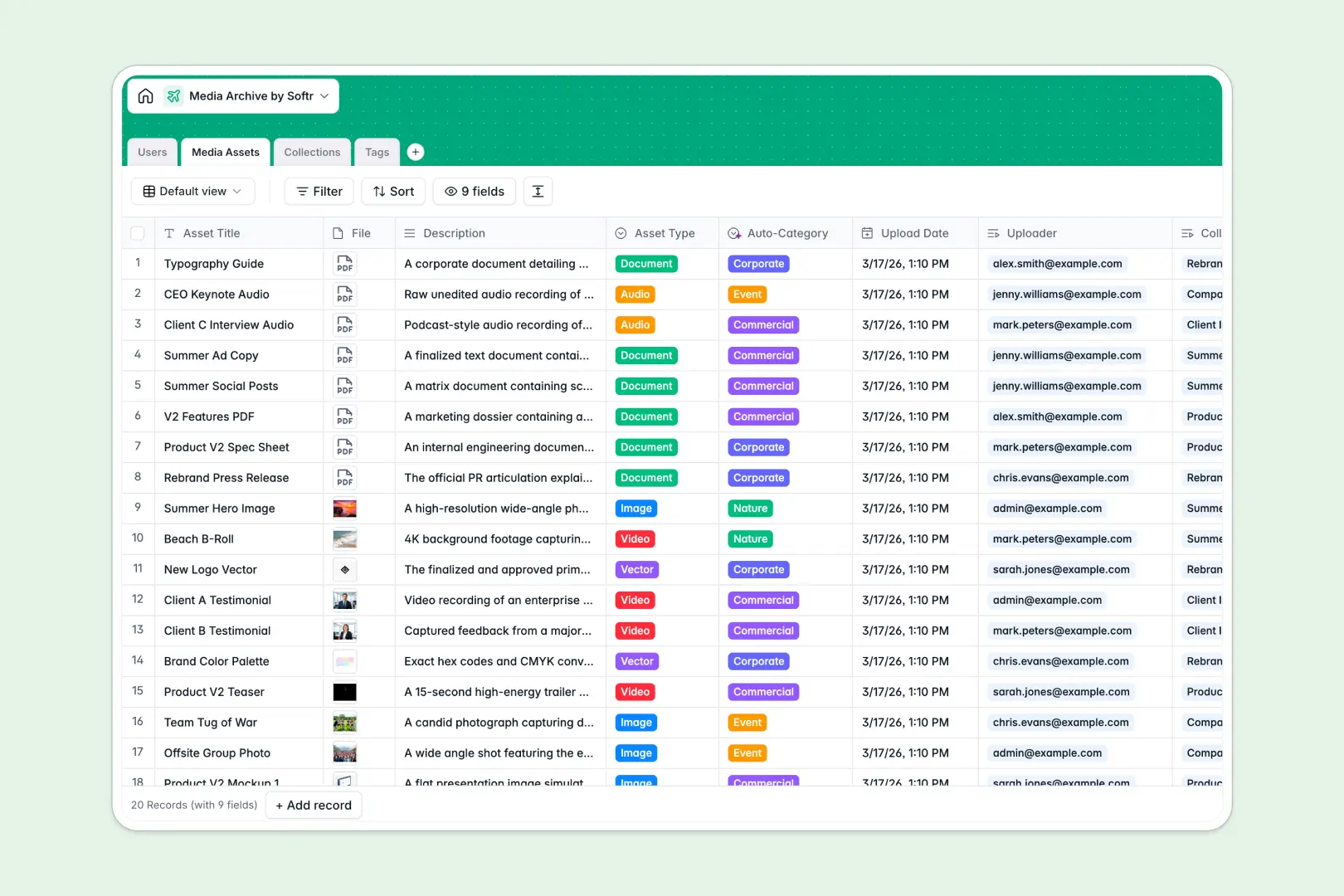
Your Media Archive database at a glance
This template provides a centralized hub to catalog, categorize, and distribute digital media files. It helps creative teams, marketing departments, and brand managers keep visual assets organized without lost files or broken links.
Everything is organized across relational tables: Media Assets link directly to Collections, Tags, and Users. This setup lets you track file uploaders, calculate collection asset counts automatically, and maintain consistent taxonomies across all media types.
Native AI fields analyze your asset descriptions to assign categories automatically, generate collection summaries, and pull tag definitions straight from the live web.
When a Google Sheet becomes a cluttered digital asset locker
Google Sheets makes sharing easy, but pasting file drive links, tags, and notes into rows quickly leads to broken links, accidental edits, and zero asset visibility.
What a dedicated database changes
Google Sheets treats every cell as plain text, meaning anyone can paste an invalid link or overwrite a tag. In contrast, a true database enforces dedicated attachment fields, structured select menus, and native record relations.
Instead of hunting across tabs or writing complex formulas to tally assets, a relational database links media directly to collections and authors. This is exactly what Softr Databases are built for, giving you a structured foundation that prevents data corruption.
What you can do with this template
Store full-resolution media files, assign specific roles to team members, and group assets into curated collections with automatic rollups.
Built-in Database AI agents automatically classify media descriptions into categories like Commercial or Event, draft summary overviews for entire collections, and research tag definitions in real time.
-
Users
Manage user accounts, roles, upload activities, and collections
-
Media Assets
Catalog digital files with AI-powered category classification
-
Collections
Group media assets and generate AI summaries of curated content
-
Tags
Organize taxonomy with web-searched AI definitions and counts
Who is this Media Archive database for
This system is designed for teams that need structured asset tracking and fast retrieval:
- Creative Agencies: Keep client project deliverables, video assets, and brand photography organized across dedicated campaigns.
- Marketing Teams: Centralize visual content, track image categories, and manage campaign collections efficiently.
- Content Creators: Catalog stock footage, audio tracks, and graphic elements with searchable tag taxonomies.
- Brand Managers: Maintain brand asset libraries and control who has viewer, editor, or admin permissions.
How to take it further
Customize this database by adding custom fields such as licensing expiration dates, usage rights, or resolution specs. You can adjust the auto-category taxonomy to match your industry vocabulary in seconds.
Import your existing asset inventory by uploading a CSV file or syncing data through API endpoints. Softr can also connect an existing Google Sheet as a secondary data source if needed.
When you are ready to turn your database into a client-facing portal or team hub, build an app with Softr's AI Co-Builder. You can set up custom users and permissions to let clients view approved assets while restricting editing access to your internal team.
-
1
-
2
-
3
-
4
Frequently asked questions
-
What is a media archive database?
-
Why use a no-code database to build a media archive system?
-
How can AI help managing data for media archives?
-
Can I build an app with this media archive database?
-
Is this Media Archive database free?
-
How is this database different from tracking media in Google Sheets?
Start building today. It's free!
Build and launch your first app in under 30 minutes.