


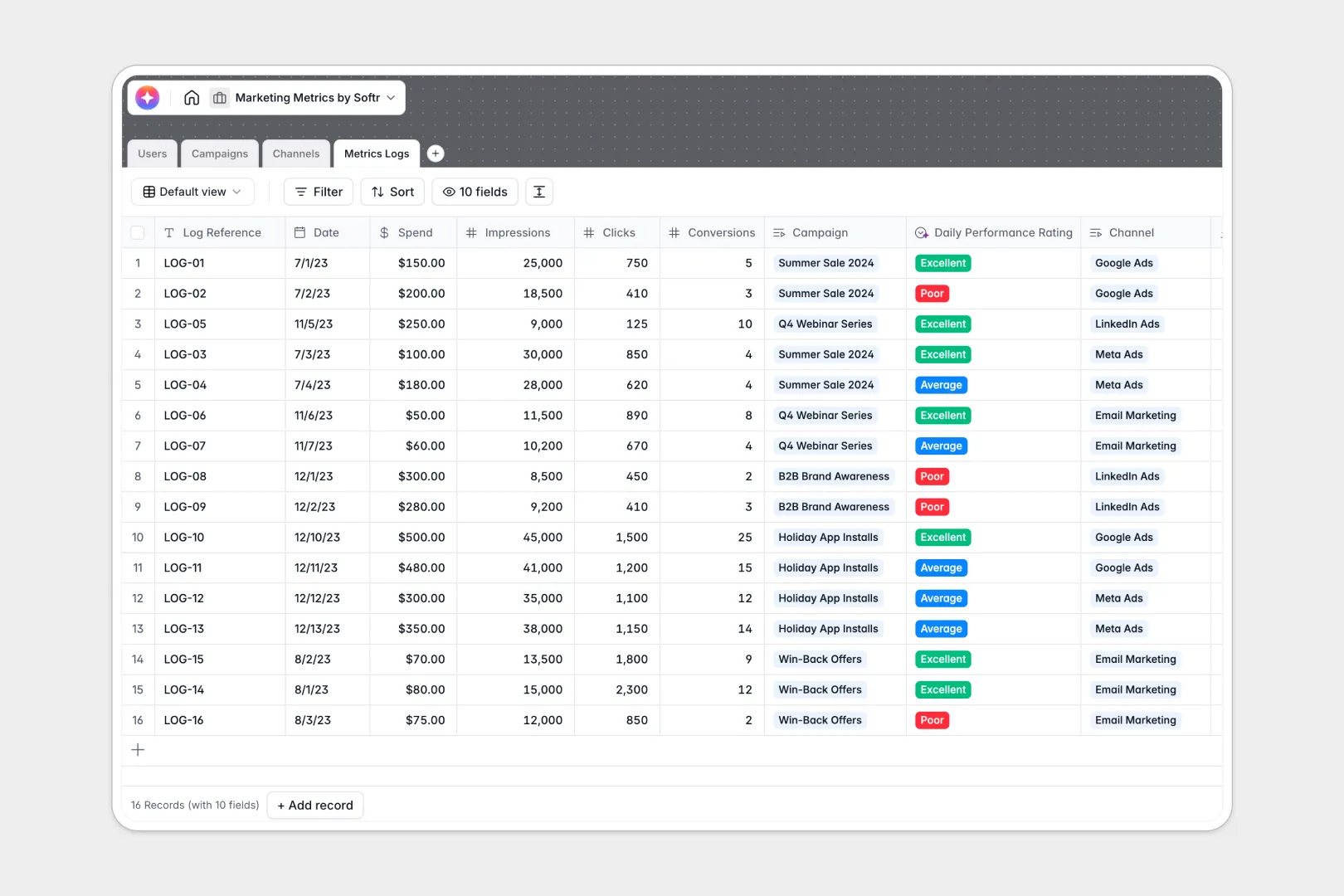
Your Marketing Metrics Database at a glance
This pre-built template allows marketing teams to keep track of their campaigns, channels, and daily metric performance logs in one structured place. It automatically aggregates cost and conversion data, linking team members directly to the specific initiatives they manage.
With built-in AI, the database generates custom campaign briefs, monitors overall channel strategies, and rates daily performance metrics instantly.
Why tracking marketing metrics in Google Sheets breaks down
Managing marketing campaigns across multiple active channels gets messy fast in a spreadsheet. As you paste daily spend, impressions, and click numbers, rows get accidentally deleted and formulas like VLOOKUP inevitably break.
Furthermore, Google Sheets lacks strict columns, which means team members might enter different date formats or mixed text, rendering aggregate calculations useless.
What a structured database changes
Unlike spreadsheets, a structured database enforces explicit rules for every column so that currencies, URL links, and relation maps remain solid. You can link individual metrics logs to a specific campaign or marketing channel directly, eliminating the need to duplicate complex lookup rows.
This structured scalability is exactly what Softr Databases are designed to provide.
What you can do with this template
You can immediately start tracking daily cost per conversion stats without setting up complex calculations. The system utilizes automated calculations to aggregate your total budget spend and total conversions across multiple running platforms.
This allows you to clearly evaluate which marketing networks are profitable and which ones require optimization.
-
Users
Manage marketing team profiles, system roles, and campaign assignments
-
Campaigns
Track marketing initiatives using AI to generate briefs and health audits
-
Channels
Organize platforms with AI-powered research on strategic best practices
-
Metrics Logs
Log performance data with AI-driven ratings of daily conversion efficiency
Who is this Marketing Metrics Database database for
This database is designed to keep dynamic marketing teams organized and hyper-focused on their ROAS.
- Marketing Managers: Coordinate campaigns, assign tasks, and review performance summaries compiled by AI.
- Growth Analysts: Easily log daily spend, traffic, and conversion statistics per channel.
- Agency Operators: Track multiple client campaigns and budgets without losing sight of key individual deliverables.
How to take it further
Customize the database
You can adjust this setup in seconds by adding new selective tags, modifying available marketing roles, or inserting customized target fields. The platform allows you to quickly alter existing formulas or track unique metrics like cost per acquisition.
Import your existing data
Transitioning away from messy spreadsheets is incredibly straightforward. Simply upload a CSV file containing your past metrics history, or use APIs to programmatically stream active tracking data.
Build a full app around it
When your marketing team is ready, you can easily build an app on top of this structured data. Connecting an interface lets you build secure client portals or internal dashboards, so partners only see their specific results.
With fine-tuned users and permissions, you can ensure external collaborators can enter performance logs without viewing your complete operational spend.
-
1
-
2
-
3
-
4
Frequently asked questions
-
What is a marketing metrics database?
-
Why use a no-code database to build a marketing metrics system?
-
How can AI help managing data for marketing metrics?
-
Can I build an app with this marketing metrics database?
-
Is this marketing metrics database template free?
-
How is a marketing metrics database different from Google Sheets?
Start building today. It's free!
Build and launch your first app in under 30 minutes.