


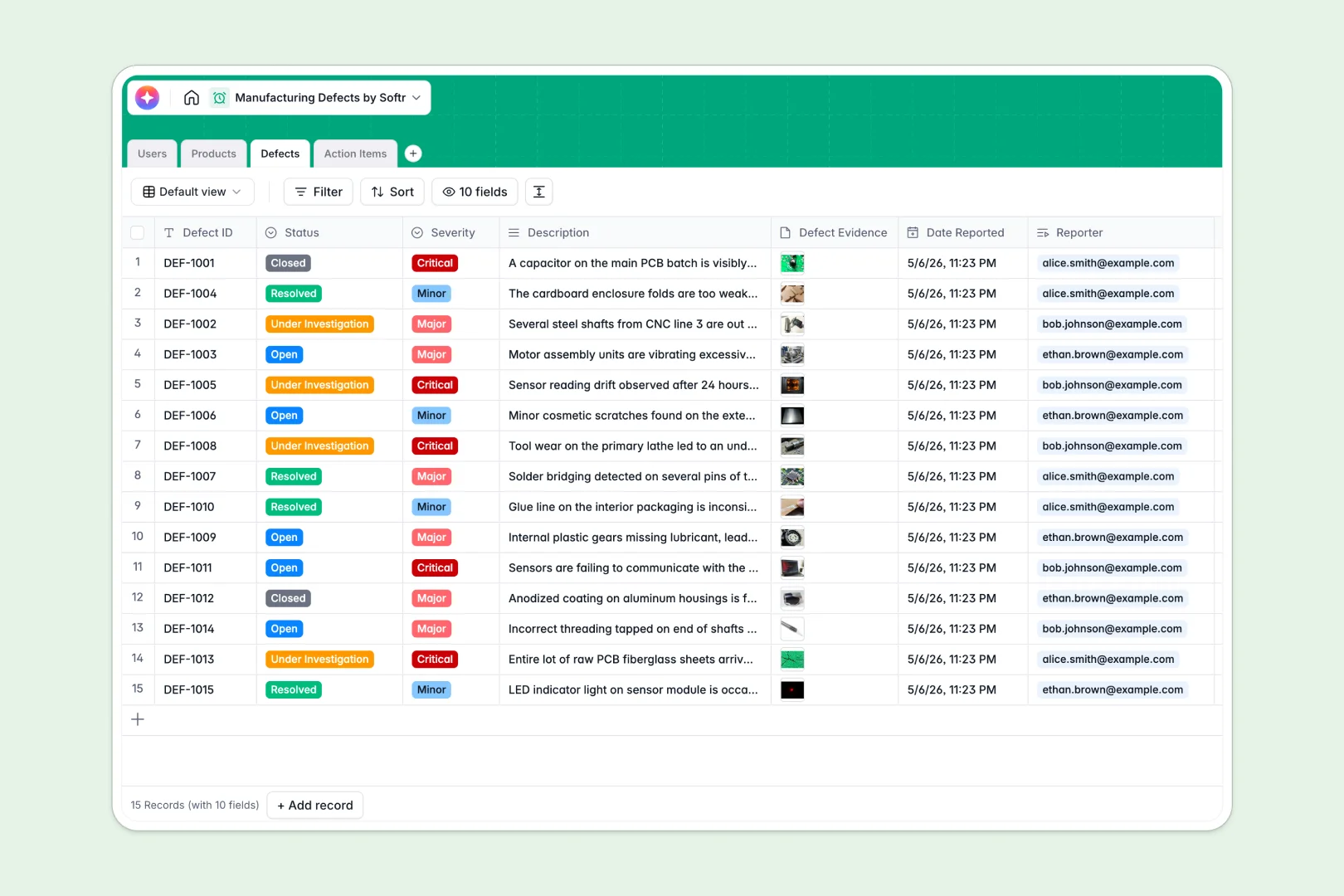
Your Manufacturing Defects database at a glance
Log quality issues as they happen on the plant floor, track their severity, and assign corrective tasks to team members without delays.
Four dedicated tables for Products, Defects, Action Items, and Users connect every logged issue directly to its SKU, inspector, and assigned resolution workflow.
Built-in AI fields automatically draft root cause analyses and polish technical resolution notes as soon as defect details are submitted.
When a defect log becomes a shared spreadsheet that anyone can overwrite
Google Sheets makes sharing logs easy across shifts, but sharing a whole grid means accidental edits, broken VLOOKUPs across part catalogs, and zero control over who edits critical compliance notes.
What a structured database changes
In a structured database, every column enforces data types so timestamps, attachment evidence, and severity levels stay uniform across shifts.
Tables link natively, allowing defect records to pull part descriptions and auto-calculate total defect counts per product without fragile lookup formulas.
This is exactly what Softr Databases are designed for, giving your production team a reliable backend that scales.
What you can do with this template
Inspectors can log defects with photo evidence, categorize severity from minor to critical, and automatically notify assigned production managers.
Integrated Database AI agents analyze descriptions to suggest initial root cause analyses and standardize resolution summaries.
You can start tracking defects immediately or link your existing Google Sheets data source if you want to keep legacy records connected.
-
Users
Manage manufacturing staff profiles, inspector roles, and assignments
-
Products
Catalog manufactured parts with AI-generated descriptions and metrics
-
Defects
Log production defects and generate AI root cause analysis insights
-
Action Items
Track defect resolutions with AI-polished official response logs
Who is this Manufacturing Defects database for
Designed for quality control and manufacturing operations teams managing shop-floor issues:
- QC Inspectors: Log issues instantly on shift with photos and severity tags.
- Production Managers: Assign corrective action items and monitor defect rates across SKUs.
- Plant Operations Leads: Maintain standardized root cause analysis logs for audits.
- Assembly Technicians: View assigned corrective tasks and update resolution notes directly.
How to take it further
Tailor the database by adding custom defect categories, machine line identifiers, or supplier relationship fields to match your exact floor operations.
Import your historical incident logs or component lists in seconds using standard CSV imports or sync continuous data via API.
When you are ready, use the AI app generator to turn this database into a secure shop-floor web app where inspectors submit tickets and managers track metrics. Set up granular users and permissions so floor workers see only assigned tickets while management accesses full quality audits.
-
1
-
2
-
3
-
4
Frequently asked questions
-
What is a manufacturing defects database?
-
Why use a no-code database to build a manufacturing defects tool?
-
How can AI help managing data for manufacturing defects?
-
Can I build an app with manufacturing defects database?
-
Is this Manufacturing Defects template free?
-
How is a Manufacturing Defects database different from Google Sheets?
Start building today. It's free!
Build and launch your first app in under 30 minutes.