


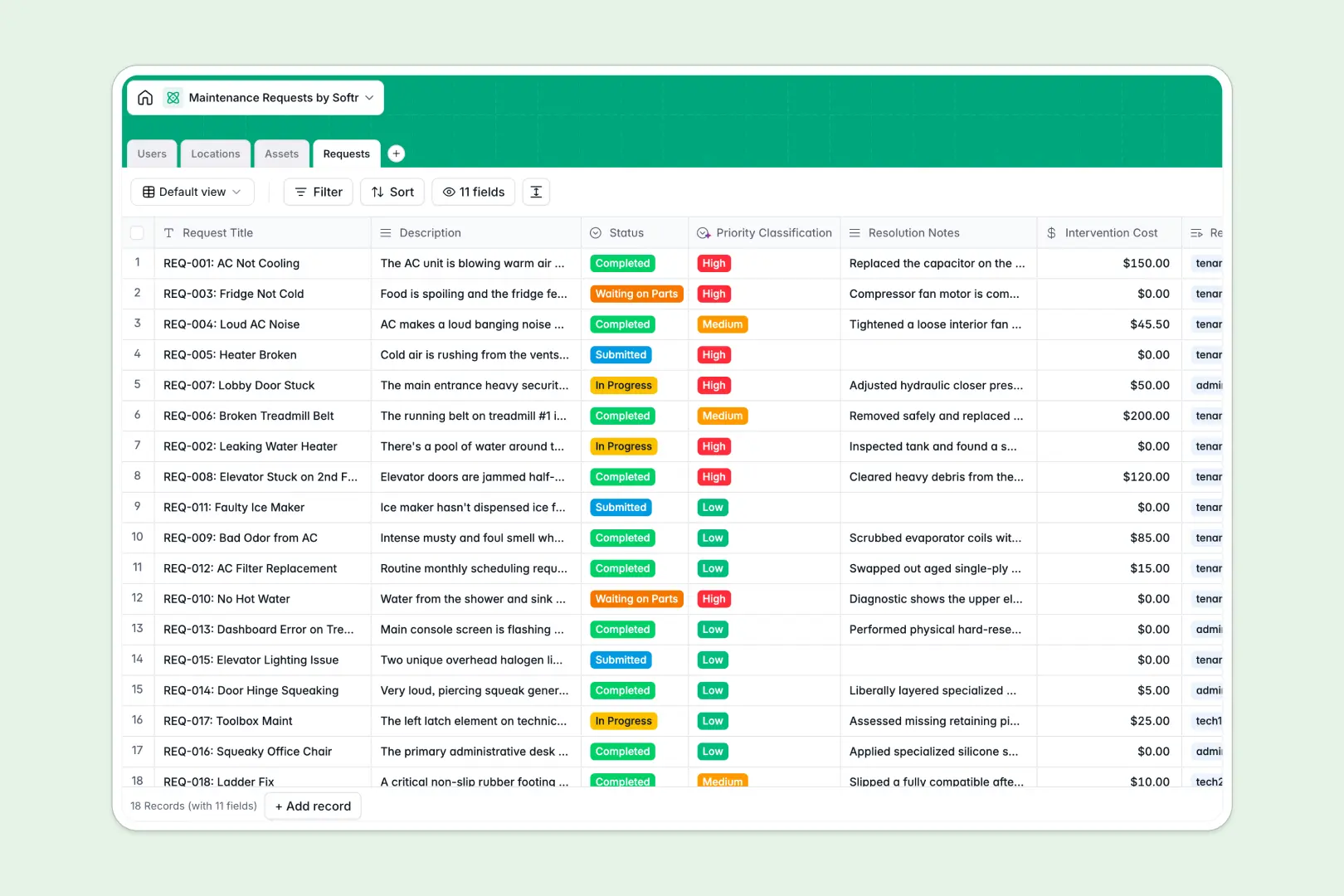
Your Maintenance Requests database at a glance
This template gives property managers and operations teams a structured way to track repairs, manage technician assignments, and monitor property assets.
It connects four dedicated tables: Users, Locations, Assets, and Requests. Linking a work order directly to its specific unit and asset eliminates manual lookups and keeps maintenance history consolidated.
Built-in AI fields automatically classify ticket priority based on issue descriptions and generate concise work summaries from resolution notes.
When a shared sheet becomes an unreliable ticketing system
Google Sheets makes real-time collaboration easy, but it lacks the structure required to run a dependable maintenance workflow. Anyone with edit access can accidentally overwrite a unit number, misplace a repair status, or view sensitive tenant contact info across unprotected rows.
What a structured database changes
In a structured setup, every column enforces data integrity: dates stay dates, phone numbers stay valid, and categories remain consistent across every entry.
Tables link together natively, so a repair request directly connects to a specific appliance in the Assets table without fragile VLOOKUP formulas that break after row reorders. This is exactly what Softr Databases are designed for.
(Note: Softr can also connect to an existing Google Sheet, but a dedicated database gives you true relational integrity.)
What you can do with this template
Track every work order from submission to completion with defined statuses like `In Progress` or `Waiting on Parts` while calculating repair costs across properties automatically.
Native Database AI agents auto-triage incoming requests by severity and summarize technical resolution notes, freeing your team from manual data entry.
-
Users
Manage tenants, technicians, and admins with roles and contact details
-
Locations
Track properties, apartment units, and common areas with open requests
-
Assets
Monitor equipment and appliances with purchase history and repair costs
-
Requests
Process work orders with AI priority classification and automated summaries
Who is this Maintenance Requests database for
This database is built for property and operations teams needing structured repair tracking:
- Property Managers: Track unit repairs, tenant histories, and overall maintenance spending in real time.
- Facility Operations Leads: Monitor shared equipment downtime, manuals, and ongoing contractor tasks in one view.
- Maintenance Technicians: Access assigned work orders, view asset locations, and update repair statuses quickly.
- Residential Landlords: Keep tenant requests organized by location and calculate running repair expenses accurately.
How to take it further
Customize this database by adding custom fields like vendor contact lookups, warranty expiration dates, or urgent safety tags to match your operational standards.
Import your existing work orders, tenant lists, and equipment inventories in seconds using CSV upload or sync data automatically via API.
When ready, you can build an app on top of this database in seconds using natural language prompts. Set up specific users and permissions so tenants submit tickets through a dedicated portal while technicians only see their assigned work orders.
-
1
-
2
-
3
-
4
Frequently asked questions
-
What is a Maintenance Requests database?
-
Why use a no-code database to build a maintenance request system?
-
How can AI help managing data for maintenance requests?
-
Can I build an app with this Maintenance Requests database?
-
Is this Maintenance Requests database free?
-
How is this database different from tracking maintenance requests in Google Sheets?
Start building today. It's free!
Build and launch your first app in under 30 minutes.