


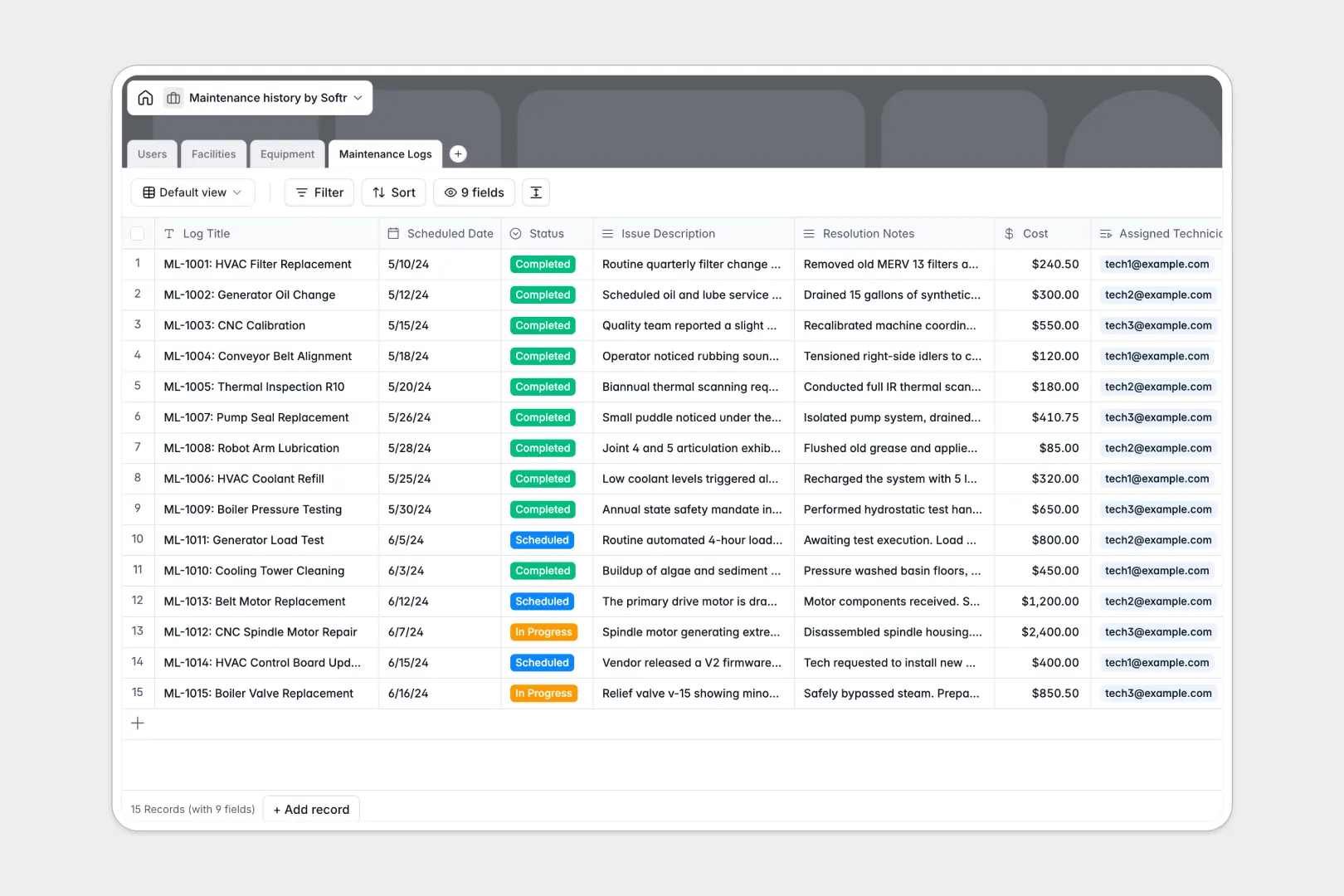
Your Maintenance History database at a glance
This template keeps your equipment inventory, service logs, facilities, and maintenance technicians organized in one structured system. It eliminates lost repair histories and lets your team monitor asset health clearly across every location.
Four dedicated tables handle Users, Facilities, Equipment, and Maintenance Logs. Linking work orders directly to specific machinery and technicians ensures past repairs, scheduled service dates, and real costs stay connected to the right asset.
Built-in AI fields automatically research public equipment specs online and turn long resolution notes into concise, three-bullet maintenance summaries.
When a shared maintenance sheet becomes an unmanaged backend
Google Sheets is great for quick collaboration, but it was never designed to run critical equipment maintenance operations. As work orders pile up, free-text cells cause invalid dates, formulas break during sorting, and technicians can accidentally overwrite repair history.
What a structured database changes
In a dedicated database, every field enforces real data types so repair costs stay numeric and service schedules stay valid. Instead of building fragile lookup formulas across separate tabs, records connect natively so machinery links directly to its assigned facility and technician history.
This is exactly what Softr Databases are designed for: keeping your operational data reliable, structured, and easy to maintain as your asset list scales.
While Softr can connect an existing Google Sheet as a data source, a dedicated database ensures your business data remains secure, consistent, and ready to power internal apps.
What you can do with this template
Use Database AI agents to automatically look up manufacturer manuals online and summarize complex technical notes without manual data entry. You can link service costs, calculate downtime, and standardize recurring inspections across your entire organization.
-
Users
Manage staff members, technicians, roles, and assigned facility work orders
-
Facilities
Organize site locations, buildings, facility managers, and housed equipment
-
Equipment
Track machinery assets, operational status, and AI-sourced technical specs
-
Maintenance Logs
Record service logs, costs, and generate quick AI-powered repair summaries
Who is this for?
- Operations Managers: Gain visibility over equipment lifecycles, maintenance costs, and facility workloads.
- Facility Directors: Organize multiple job sites, track machinery status, and assign responsible technicians.
- Field Technicians: Quickly record resolution details, update equipment status, and log service hours.
- Small Business Owners: Replace messy spreadsheets with a structured asset management workflow.
How to take it further
Turn this backend database into a custom portal using Softr's no-code web app builder.
- Build a mobile technician portal: Create user-specific permissions so field technicians can submit service logs from their phones on-site.
- Automate alerts: Connect your database with automated notification workflows to alert managers whenever critical machinery requires urgent maintenance.
- Embed reporting dashboards: Visualize repair trends, calculate total asset depreciation, and track vendor costs in real time with Softr templates.
-
1
-
2
-
3
-
4
Frequently asked questions
-
Can I customize the fields in this maintenance template?
-
How does the AI field summarize maintenance logs?
-
Can I build a client or technician portal on top of this data?
-
Is this maintenance database template free to use?
-
Can I track assets across multiple facilities?
Start building today. It's free!
Build and launch your first app in under 30 minutes.