


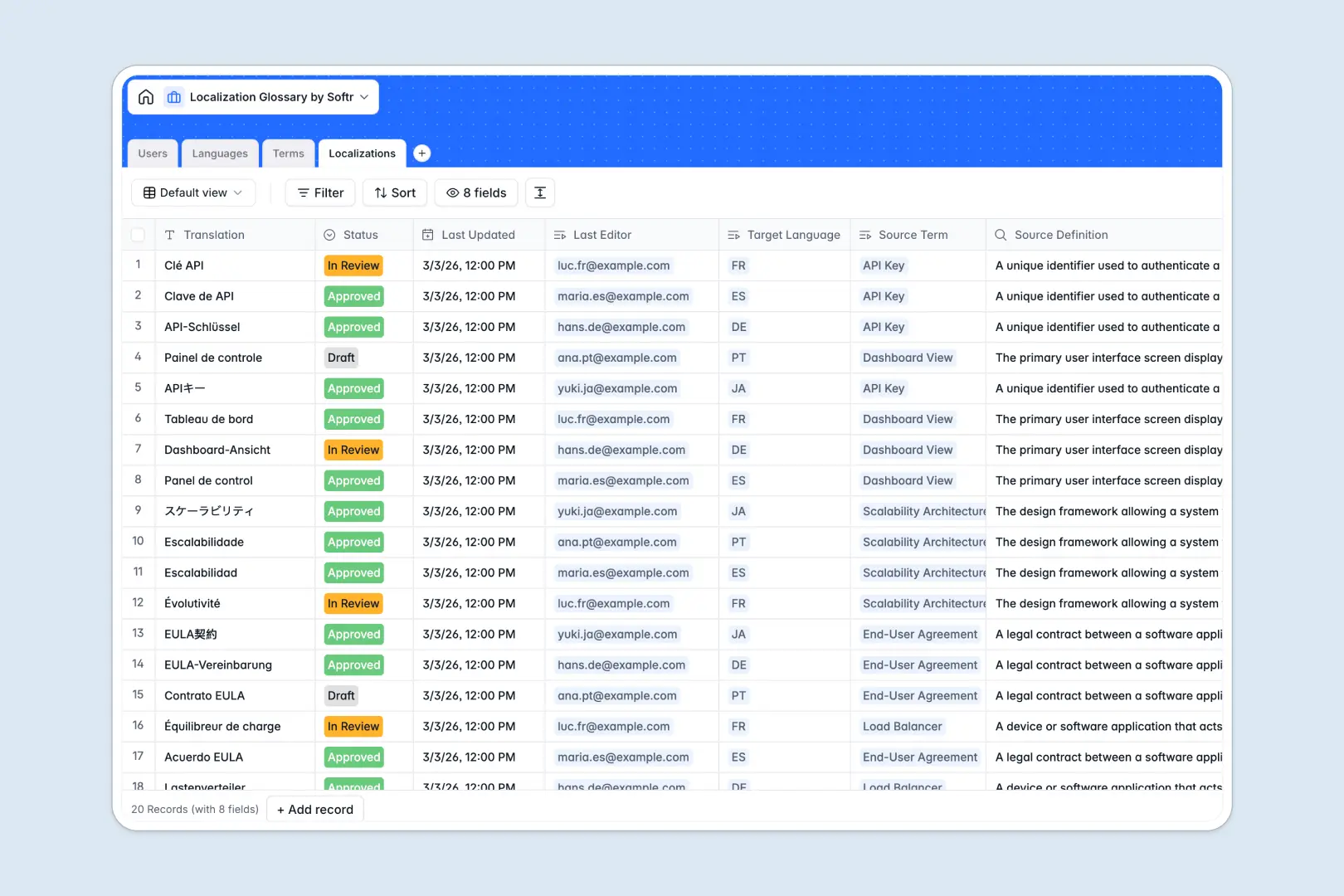
Your Localization Glossary database at a glance
This template centralizes your technical terms, languages, and translation statuses in one secure system. It ensures your localization team works from a single source of truth without guessing which translation is the most current.
Connected tables keep everything strictly organized and logically linked. Source terms map directly to their target languages and localized variants, while roles like Admins and Translators manage approvals clearly across the pipeline.
Built-in AI automatically generates contextual usage examples for source terms and summarizes translation quality based on context definitions. This eliminates manual explanation and accelerates the reviewing process.
Why localization glossaries get messy in Google Sheets
Tracking translations across multiple languages in a spreadsheet quickly turns into chaos. Rows get misaligned, VLOOKUPs break completely, and keeping track of review statuses across isolated tabs is nearly impossible.
What a structured database changes
A structured system naturally connects your source strings to their localized versions without relying on fragile formulas. You can confidently filter by language code or translation status, knowing the data won't corrupt as you scale.
This strict organization ensures reviewers only see what needs approval, and definitions remain securely locked from accidental edits. This is exactly what Softr Databases are designed for.
What you can do with this template
Immediately categorize terms—like UI elements or legal copy—and assign them to specific languages and reviewers. You can establish clear translation stages (Draft, In Review, Approved) and completely trust your workflow.
Let Database AI agents do the heavy lifting by automatically writing usage examples based on source definitions. They can even check translation quality contextually as new terms are drafted.
-
Users
Manage internal staff profiles, access levels, and localization history
-
Languages
Store global language pairs and regional codes for localization projects
-
Terms
Master terminology list with AI usage examples based on source context
-
Localizations
Link translations to source terms with AI summaries of quality and intent
Who is this Localization Glossary database for
This template is perfectly suited for teams managing multi-language tech products, websites, or content at scale.
- Product Managers: Centralize UI text and technical specs to ensure consistent global rollouts without versioning conflicts.
- Localization Leads: Track translation statuses precisely, sequence reviewers, and maintain strict term accuracy.
- External Translators: Access clear definitions and AI-generated context examples to provide accurate translations significantly faster.
- Marketing Teams: Keep multilingual copy standardized and officially approved before campaigns go live natively.
How to take it further
Customize this database to perfectly align with your exact translation pipeline. Add new categorical tags for your specific products, tweak the target languages, or adjust the review statuses natively without any code.
Easily import your existing translation memory, glossary files, or messy spreadsheets directly in minutes. You can bulk upload a CSV to instantly populate your base Languages, Terms, and Localizations confidently.
When your glossary operation grows, turn it into a dedicated portal for your entire localization team. Using a robust interface builder, you can create customized team views tied instantly to your database.
Give Translators a gated dashboard to submit drafts, while Admins get a centralized view of all approvals using granular permissions. A well-structured database makes deploying a robust internal application effortless.
-
1
-
2
-
3
-
4
Frequently asked questions
-
What is a localization glossary database?
-
Why use a no-code database to build a localization tool?
-
How can AI help managing data for localization?
-
Can I build an app with this localization glossary database?
-
Is this Localization Glossary database free?
-
How is a localization database different from Google Sheets?
Start building today. It's free!
Build and launch your first app in under 30 minutes.