


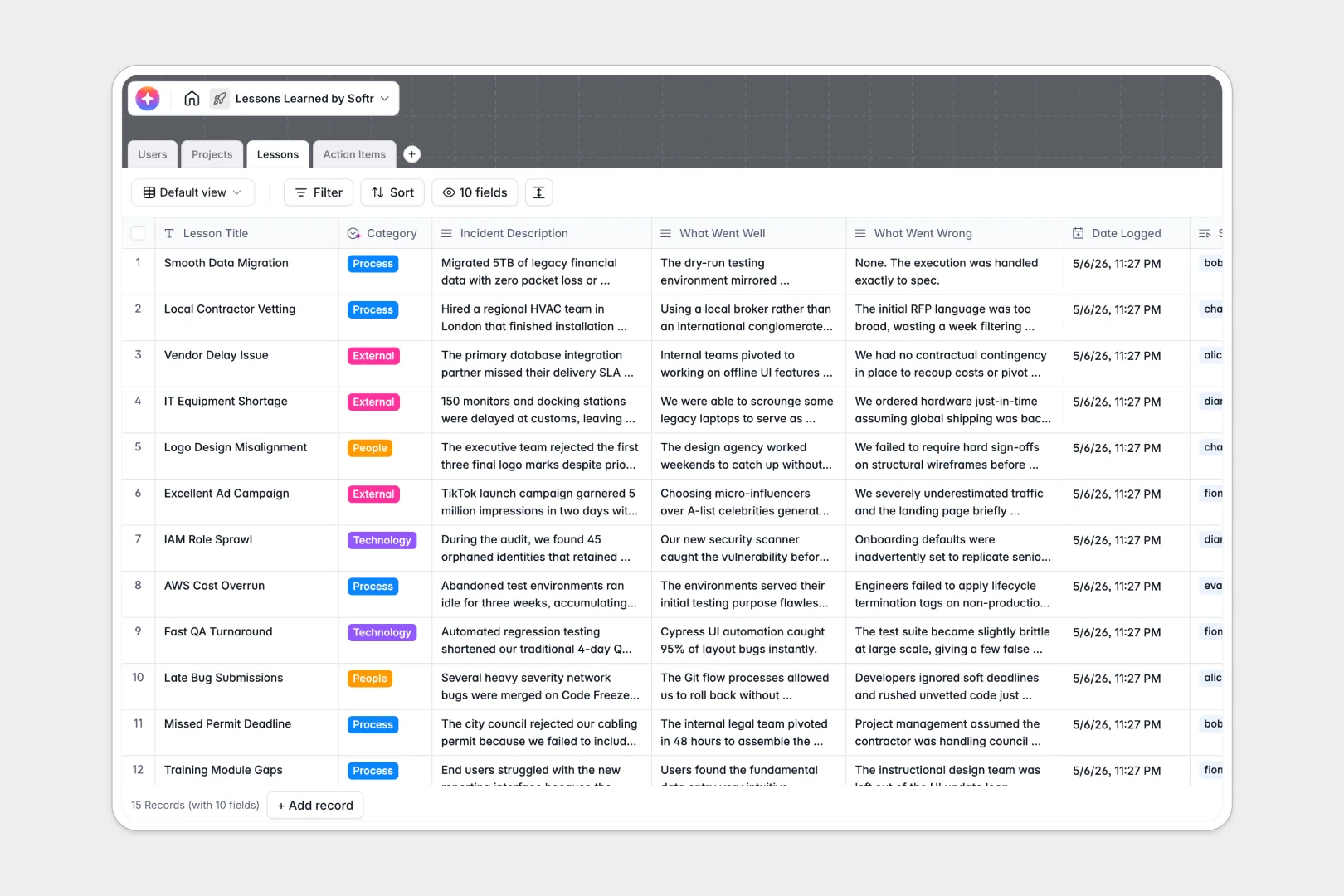
Your Lessons Learned database at a glance
This template provides a single, organized home to capture what went well and what went wrong during your operations. It ensures institutional knowledge is preserved and easily accessible for future initiatives.
Rather than isolated rows of text, this system natively connects Projects, Lessons, and Action Items. When a team member logs an incident, it links directly to the overarching project and auto-generates specific follow-up tasks.
Built-in AI features handle the heavy lifting of retrospectives automatically. As logs are submitted, the database categorizes issues, synthesizes executive summaries, and drafts step-by-step implementation plans.
Why tracking lessons learned in Google Sheets breaks down
Documenting project post-mortems in spreadsheets quickly becomes unmanageable. Massive blocks of text get buried in cells, follow-up tasks get disconnected from the original problem, and recurring bottlenecks become impossible to spot.
What a structured database changes
A proper database enforces clear boundaries and native relationships between your data. You can link a specific lesson directly to a project or assign an action item to a team member without relying on fragile VLOOKUPs.
This is exactly what Softr Databases are designed for. As your repository of institutional knowledge grows, your data remains clean, searchable, and infinitely scalable.
What you can do with this template
Stop letting valuable insights slip through the cracks after a project ends. With this template, every documented failure is immediately tied to a tracked, assigned action item with a clear due date.
By leveraging built-in Database AI agents, you can also standardize your reporting automatically. The database will read incident descriptions to classify them (e.g., Technology vs. People) and instantly draft high-level project retrospectives.
-
Users
Manage system users, contact details, roles, and assigned action items
-
Projects
Track initiatives with AI-powered retrospection and performance insights
-
Lessons
Capture key events with AI executive summaries and automated categorization
-
Action Items
Monitor tasks and use AI to generate step-by-step implementation plans
Who is this Lessons Learned database for
This system is built for teams that want to embed continuous improvement directly into their workflow.
- Project Managers: Maintain a clear, searchable history of past initiatives to avoid repeating costly mistakes.
- Operations Leads: Identify recurring bottlenecks across departments by tracking categorized incident reports.
- Team Managers: Transform vague complaints into structured, trackable action plans with assigned owners.
- Department Heads: Get instant, AI-generated executive summaries of project performance without reading endless logs.
How to take it further
1. Customize the database
Adapt the tracking to perfectly match your organization's needs. You can easily modify the AI prompts, adjust the categorization dropdowns, or add new fields for budget impact.
2. Import your existing data
Don't leave past insights behind. Use the native CSV importer to quickly bring your existing spreadsheet logs into this new, structured format.
3. Build a full app around it
When you're ready, turn this database into a fully functional internal portal where contributors can submit lessons through clean, mobile-friendly forms. By building an app on top of this data, you make knowledge sharing effortless.
You can also configure robust users and permissions so team members only access projects they are assigned to. Starting with a cleanly structured database makes this entire app-building process seamless and fast.
-
1
-
2
-
3
-
4
Frequently asked questions
-
What is a lessons learned database?
-
Why use a no-code database for project retrospectives?
-
How can AI help managing data for lessons learned?
-
Can I build an app with this lessons learned database?
-
Is this Lessons Learned database free?
-
How is a lessons learned database different from Google Sheets?
Start building today. It's free!
Build and launch your first app in under 30 minutes.