


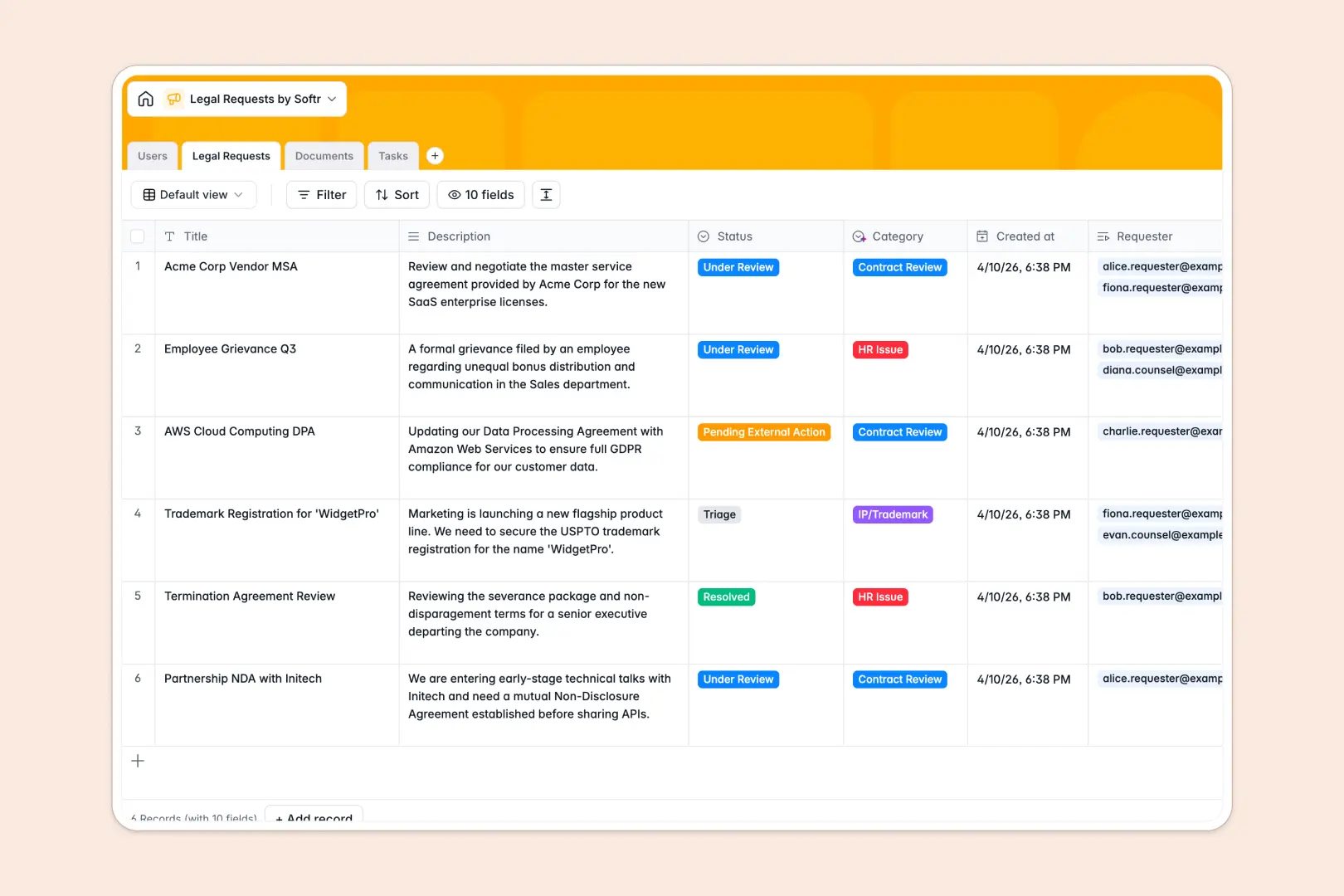
Your Legal Requests database at a glance
This template provides a secure, structured system to capture and manage legal intakes across your entire organization. It eliminates lost emails and confused stakeholders by moving everything into a centralized tracker.
The database connects four main components: Users, Legal Requests, Documents, and Tasks. When an employee submits an inquiry, it automatically links to their user profile, the assigned legal counsel, and any uploaded contracts.
Built-in AI automatically categorizes new requests, summarizes complex issues into quick bullet points, and translates dense legal clauses into plain English.
Why tracking legal requests in Google Sheets breaks down
Managing legal intakes in spreadsheets quickly leads to buried files, misplaced attachments, and compliance risks. Without strong structure, users easily overwrite data or paste sensitive contracts in the wrong cells.
What a structured database changes
Instead of fragile rows, structured systems give every specific piece of data a rigidly defined home. Deadlines stay formatted as dates, attachments stay secure, and statuses cannot be overridden with random text.
You can seamlessly link a contract to an employee or task without writing complex VLOOKUP formulas that break when a column shifts. This is exactly what Softr Databases are designed for.
What you can do with this template
Out of the box, you can track the exact status of any NDA, policy inquiry, or contract review in real time. Counsel and employees stay aligned on task deadlines without needing endless status meetings.
Using built-in Database AI agents, the template automatically tags request categories based on descriptions and simplifies legal jargon for non-legal teams. You get a ready-to-use intake system that practically maintains itself.
-
Users
Manage system users, contact info, and roles for requesters and legal staff
-
Legal Requests
Process legal inquiries using AI for auto-classification and summary generation
-
Documents
Store legal files with AI-powered simplification of complex contract clauses
-
Tasks
Track action items and deadlines to ensure resolution of all legal requests
Who is this Legal Requests database for
This template is built for teams that need to organize, prioritize, and accelerate their legal review processes.
- General Counsel: Gain a clear overview of all pending contracts, outstanding tasks, and team workload.
- Legal Operations: Standardize the intake process and eliminate back-and-forth emails for missing documents.
- Sales Teams: Submit MSA or NDA review requests easily and track approval progress in real time.
- HR Departments: Safely manage employee-related inquiries and confidently track sensitive policy reviews.
How to take it further
To start, you can easily customize the database to match your specific legal workflows. Update the request status options, add custom fields for specific regions, or modify task categories in just a few clicks.
Once the structure fits your firm's needs, import your existing open requests or historical contract reviews. You can instantly upload a CSV file or connect via API to get your team working in the new system immediately.
When you are ready, you can use Softr's interface builder to create a custom employee portal on top of this data. A complete app lets you define strict users and permissions, ensuring standard employees only see their own requests while legal counsel sees the entire pipeline.
Starting with a properly structured backend makes launching this internal tool incredibly fast and secure.
-
1
-
2
-
3
-
4
Frequently asked questions
-
What is a legal requests database?
-
Why use a no-code database to build a legal intake system?
-
How can AI help managing data for legal requests?
-
Can I build an app with this legal requests database?
-
Is this Legal Requests database free?
-
How is a legal requests database different from Google Sheets?
Start building today. It's free!
Build and launch your first app in under 30 minutes.