


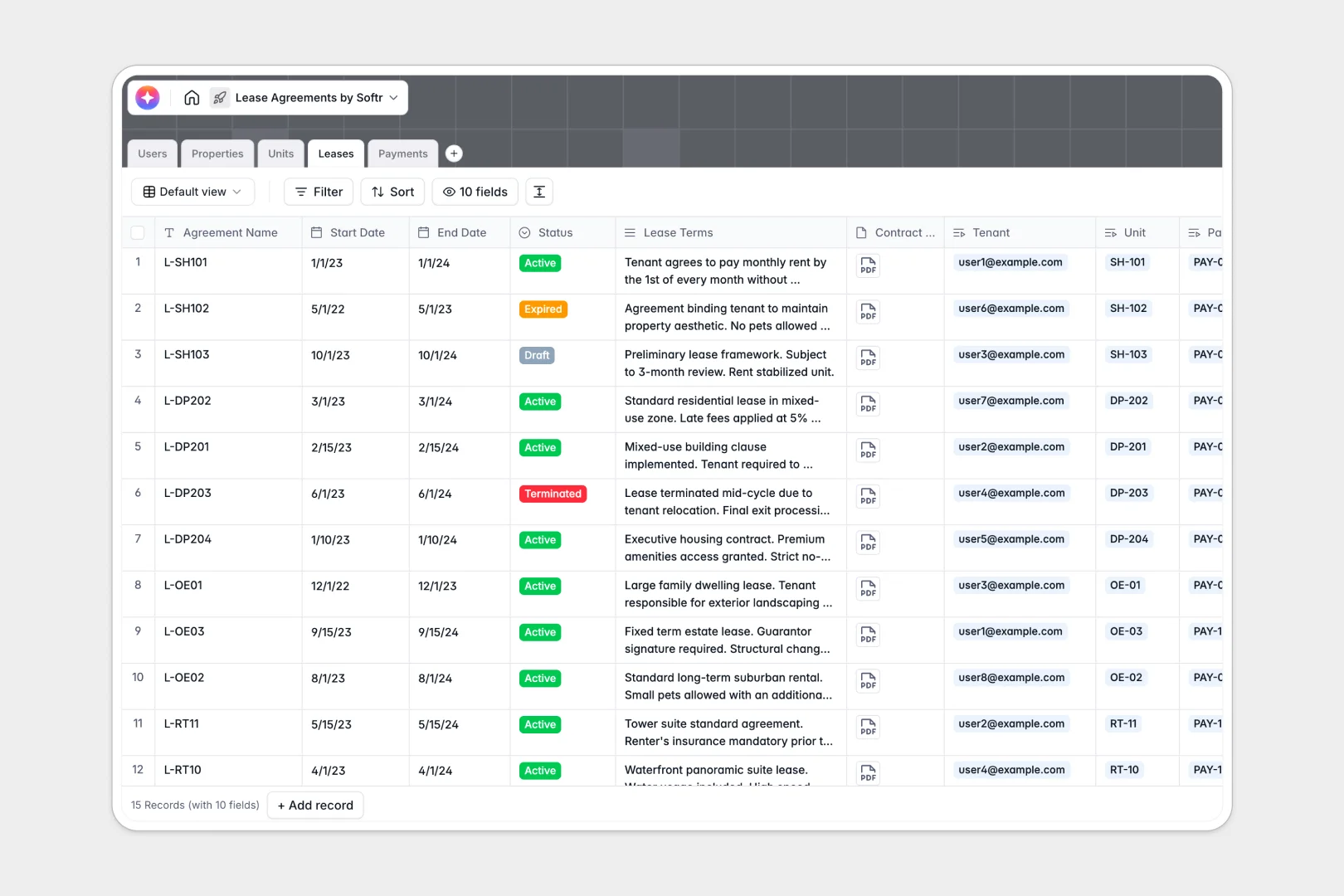
Your Lease Agreements database at a glance
This template provides a ready-to-use structural foundation for tracking every active lease, rentable unit, and tenant payment. It keeps your property management data perfectly centralized and easily accessible without the errors that plague traditional spreadsheets.
The database is built on natively connected tables. Your Properties link cleanly to individual Units, which in turn connect directly to signed Leases, Users, and Payments.
Built-in AI fields do the heavy lifting for you automatically. As you add records, the database can auto-generate property descriptions via live web searches, write marketing copy, summarize lease terms, and categorize payment memos.
Why managing lease agreements gets messy in Google Sheets
When tracking a growing portfolio in Google Sheets, you usually end up with scattered tabs, broken VLOOKUPs, and cells crammed with messy notes. Spreadsheets simply aren't designed to handle complex relationships between properties, units, expiring leases, and recurring payments.
What a structured database changes
In a relational system, every column enforces strict data types. This means dates stay as dates, rent figures stay as currency, and file attachments like legal contracts don't get lost in cell comments.
Instead of copy-pasting tenant details across rows, you simply link a tenant record to their specific unit and lease agreement. This clear structure makes scaling your portfolio completely effortless.
This is exactly what Softr Databases are designed for. They turn what used to be a fragile web of formulas into a robust, production-ready system.
What you can do with this template
You can immediately start tracking your properties, mapping individual units to active leases, and logging monthly rent payments without worrying about breaking the sheet. You can quickly filter by lease status to see exactly which agreements are draft, active, or expired.
You also get the power of natively integrated Database AI agents right out of the box. Instantly summarize tenant obligations or write catchy rental advertisements for vacant units purely by adding a new record.
-
Users
Manage platform accounts for admins and tenants with contact and role data
-
Properties
Store property details and use AI to generate professional building overviews
-
Units
Track rentable spaces and use AI to create catchy rental marketing ads
-
Leases
Manage legal contracts and use AI to summarize complex terms into bullet points
-
Payments
Log rent transactions and use AI to classify payment memos by request type
Who is this Lease Agreements database for
This system is built specifically for real estate professionals who need structure and reliability out of the box:
- Property Managers: Track multiple buildings, units, and active lease statuses in one consolidated view.
- Independent Landlords: Keep tenant payments, contact info, and legal lease attachments perfectly organized.
- Real Estate Administrators: Eliminate double data entry and leverage AI to instantly categorize monthly payment memos.
- Leasing Agents: Generate marketing copy for vacant units automatically so you can focus on showing the property.
How to take it further
Because this template is easily customizable, you can adapt it to match your exact workflows in minutes. You can effortlessly adjust the drop-down choices for payment statuses or add new formula columns to calculate total annual rent.
Transitioning your existing rental portfolio over is incredibly simple. You can bulk upload your existing properties and tenant lists via CSV or connect directly through an API to instantly populate your new structured system.
When your team is ready, you can transform this database into a full-fledged tenant portal without writing any developer code. You can easily build an interface or web app directly on top of this exact data structure.
By relying on built-in users and permissions, you can restrict access so tenants only see their specific lease agreements and payment history. Starting with a well-structured database makes building this kind of custom software effortless.
-
1
-
2
-
3
-
4
Frequently asked questions
-
What is a lease agreements database?
-
Why use a no-code database to build a property management tool?
-
How can AI help managing data for lease agreements?
-
Can I build an app with this lease agreements database?
-
Is this Lease Agreements template free?
-
How is a lease agreement database different from Google Sheets?
Start building today. It's free!
Build and launch your first app in under 30 minutes.