


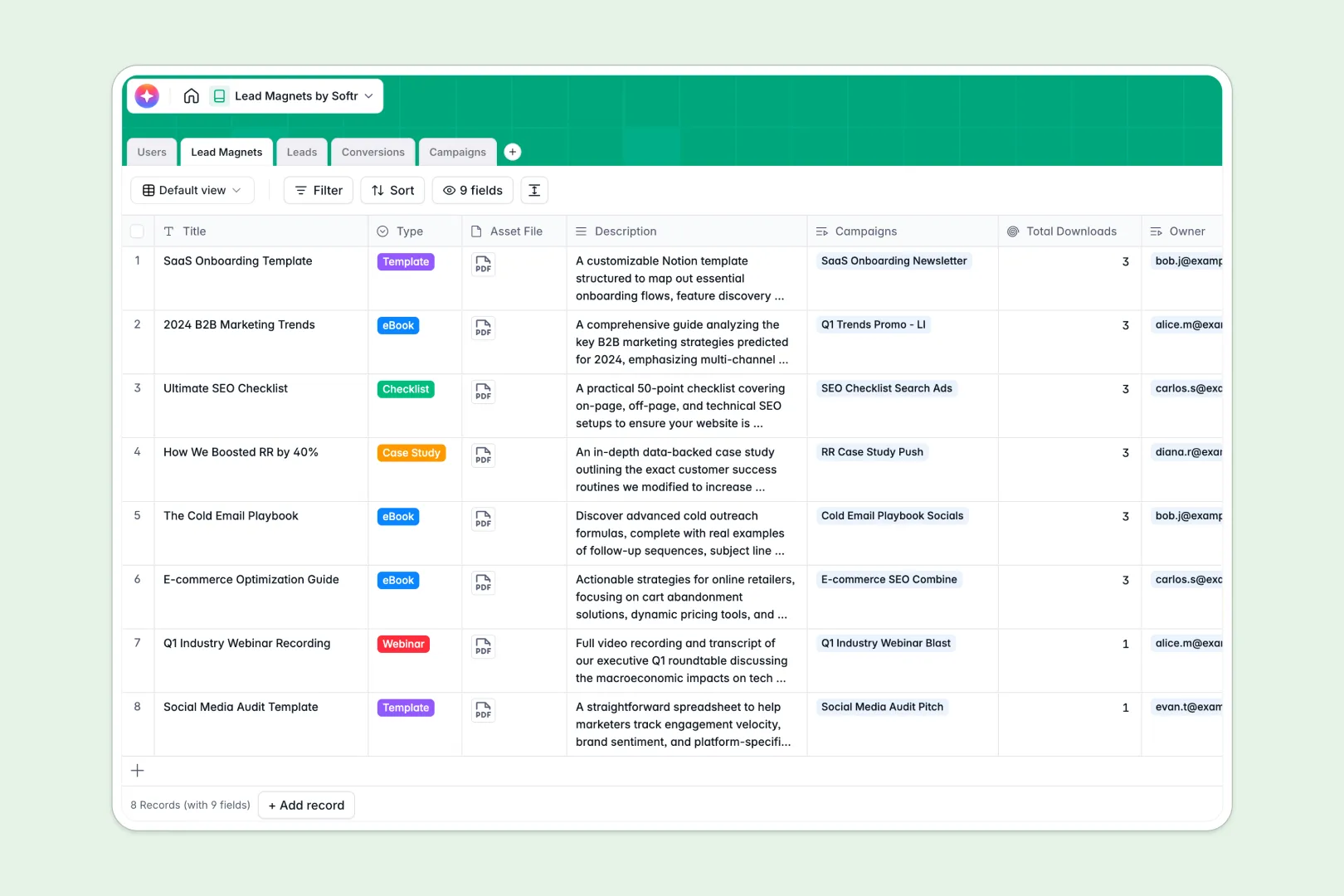
Your Lead Magnets database at a glance
This template helps you organize digital assets, capture leads, and track marketing campaigns all in one connected workspace.
It uses connected tables to link specific leads to the eBooks or webinars they download, right down to the exact source campaign. You can see total downloads instantly via automatic rollups instead of running manual reports in spreadsheets.
Built-in AI fields automatically summarize heavy asset descriptions into quick pitches and write targeted ad copy for your campaigns. It even searches the web to build profiles on the companies your leads work for.
Why tracking lead magnets in Google Sheets gets messy
Managing multiple assets, tracking who downloaded what, and tying conversions to campaigns in Google Sheets quickly becomes a nightmare. Rows get duplicated, files can't be attached neatly, and attribution gets lost in a sea of disconnected tabs.
What a structured database changes
A true database gives every piece of your marketing funnel a dedicated home. Leads, campaigns, and digital assets live in separate tables but connect seamlessly without a single fragile VLOOKUP.
Instead of pasting the same lead's details across multiple rows for different downloads, a junction table instantly maps every conversion automatically. This is exactly what Softr Databases are designed for.
What you can do with this template
You can instantly upload your asset files, track real-time downloads, and monitor campaign budgets in one distinct view. The structure guarantees that emails stay formatted as emails and statuses remain consistent without accidental overrides.
Thanks to natively integrated AI features, you can automatically generate customized platform ad copy every time you plan a new campaign. Your system does the heavy work, allowing you to focus on strategy instead of manual administration.
-
Users
Manage internal team members, their roles, and ownership of digital assets
-
Lead Magnets
Store digital assets with AI-generated pitches to attract new contacts
-
Leads
Track contact information and utilize AI for enriched company research
-
Conversions
Connect leads to magnets and campaigns to monitor specific download events
-
Campaigns
Organize marketing ads with AI-driven copy for various social platforms
Who is this Lead Magnets database for
This system is built for marketing and sales teams looking to streamline their demand-generation efforts and eliminate spreadsheet chaos.
- Marketing Managers: Track which eBooks and webinars drive the highest conversion rates across all active campaigns.
- Demand Generation Leads: Map every download to its source platform to easily optimize future campaign budgets.
- Sales Representatives: Instantly access AI-enriched insights about a lead's company before ever reaching out.
- Content Creators: Store asset files directly alongside AI-generated promotional summaries for rapid content distribution.
How to take it further
Customizing this system to fit your exact demand generation funnel takes just a few clicks. Adapt the predefined campaign platforms, add new asset formats, or modify the AI prompts to perfectly match your brand's unique voice.
Bringing in your existing database is completely straightforward. You can bulk upload your historical leads via a quick CSV import, or use the API to automatically sync new conversions straight from your active landing pages.
When your team is ready, it's incredibly easy to build a custom application on top of this very structure. You could launch a dedicated internal portal where external agencies manage their own campaigns securely, or where your sales team works their assigned leads.
Because you have complete control over users and permissions, you can ensure reps only see the specific campaigns they run. A clean relational structure makes scaling from a basic tracker to a full-stack marketing portal effortless.
-
1
-
2
-
3
-
4
Frequently asked questions
-
What is a lead magnets database?
-
Why use a no-code database to build a lead magnet tracker?
-
How can AI help managing data for lead magnets?
-
Can I build an app with this lead magnets database?
-
Is this Lead Magnets template free?
-
How is a lead magnets database different from Google Sheets?
Start building today. It's free!
Build and launch your first app in under 30 minutes.