


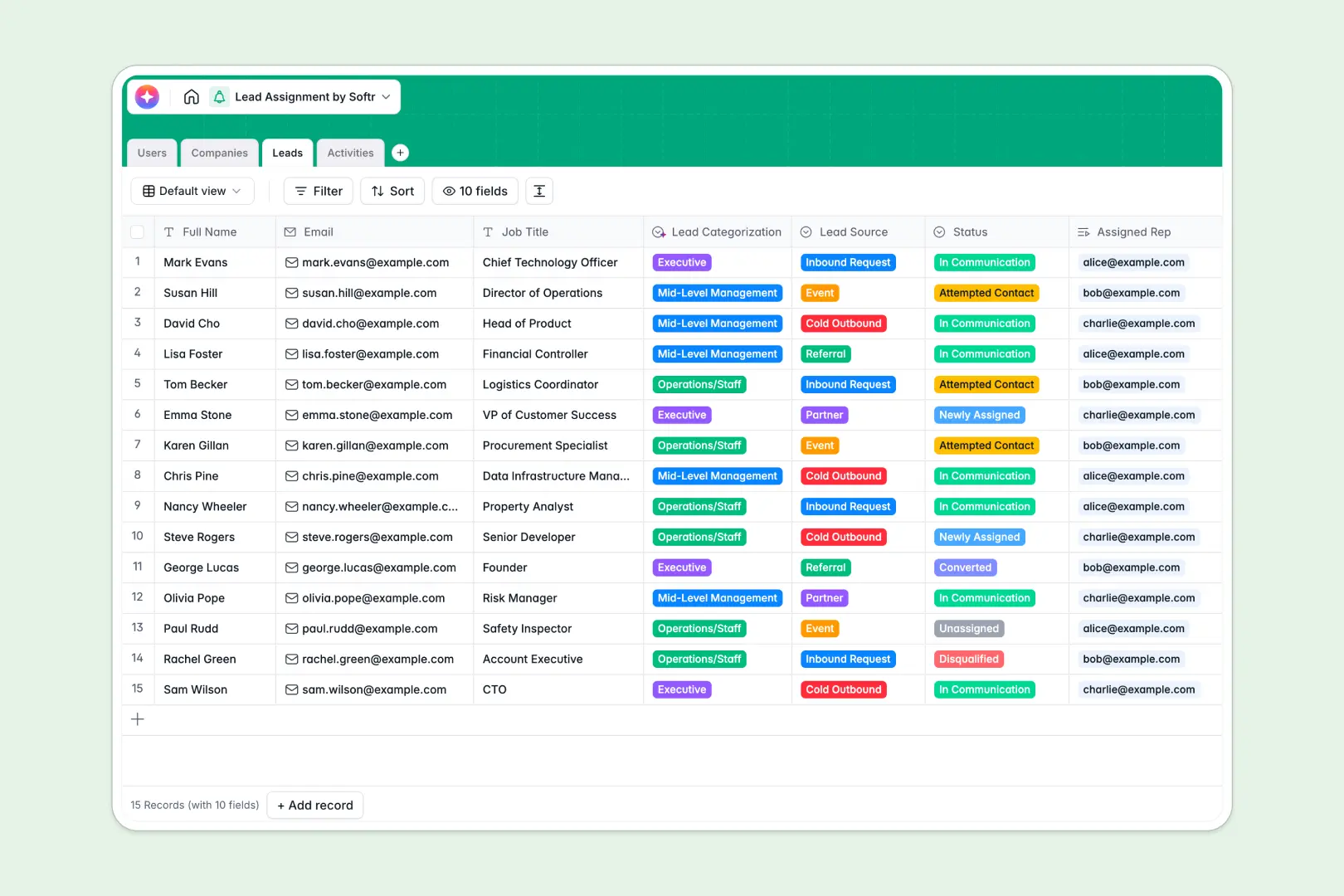
Your Lead Assignment database at a glance
This ready-to-use template helps you centralize incoming prospects and assign them clearly to your sales reps. It gives everyone immediate visibility into who is working on what without confusion.
It cleanly connects leads directly to companies, assigned users, and logged activities. When a rep adds a meeting note, it automatically links back to the exact prospect and their organization.
Built-in AI handles the heavy lifting by categorizing lead job titles and summarizing your meeting notes into actionable next steps. It even searches the web to enrich company descriptions so your reps can focus entirely on selling.
Why lead assignment gets messy in Google Sheets
Trying to assign prospects and track follow-ups in a spreadsheet quickly turns into an administrative nightmare. Rows accidentally get deleted, and formulas break when trying to link contacts to their parent companies.
What a structured database changes
A proper database keeps your sales data clean and organized entirely as your pipeline grows. Every data type is strictly enforced, meaning a status dropdown stays a dropdown and dates are always formatted correctly.
Instead of fragile formulas, you can natively link a lead to a sales rep and their logged activities instantly. This is exactly what Softr Databases are specifically designed for.
What you can do with this template
You get immediate clarity on which leads are unassigned, in communication, or successfully converted. Sales reps can easily log calls, emails, and meetings directly to the prospect's profile.
Thanks to built-in AI agents, this system essentially updates itself as you work. The template instantly categorizes new leads by seniority and drafts actionable summaries from your quick meeting notes.
-
Users
Manage sales team profiles, roles and automated lead assignment volume
-
Companies
Store client details with AI-powered descriptions and automated industry classification
-
Leads
Track prospects using AI for job title categorization and assignment management
-
Activities
Log interactions and generate AI summaries for actionable sales next steps
Who is this Lead Assignment database for
This template powers clear, accountable sales operations for teams of any size.
- Sales Managers: Monitor pipeline distribution, track team activity volumes, and reassign stalled prospects instantly.
- Sales Representatives: See exactly which leads you own, access enriched company data, and log daily activities effortlessly.
- Revenue Operations: Maintain perfectly structured CRM data without writing complex scripts or fixing broken formulas.
How to take it further
Start by customizing the database to match your highly specific sales motion. You can easily adjust the lead sources, add custom status options, or modify the AI prompts used for industry categorization.
Next, import your existing prospect pipelines and company records using a simple CSV upload. By moving away from spreadsheets, your team gets immediate structural value without repetitive manual data entry.
When you are ready to completely scale operations, you can build a customized dashboard for your sales team. By setting up proper users and permissions, reps will only see their uniquely assigned leads while managers maintain a powerful bird's-eye view of the whole pipeline. Structured databases make this transition effortless.
-
1
-
2
-
3
-
4
Frequently asked questions
-
What is a lead assignment database?
-
Why use a no-code database to build a lead assignment system?
-
How can AI help managing data for lead assignment?
-
Can I build an app with this lead assignment database?
-
Is this Lead Assignment database free?
-
How is this database different from Google Sheets?
Start building today. It's free!
Build and launch your first app in under 30 minutes.