


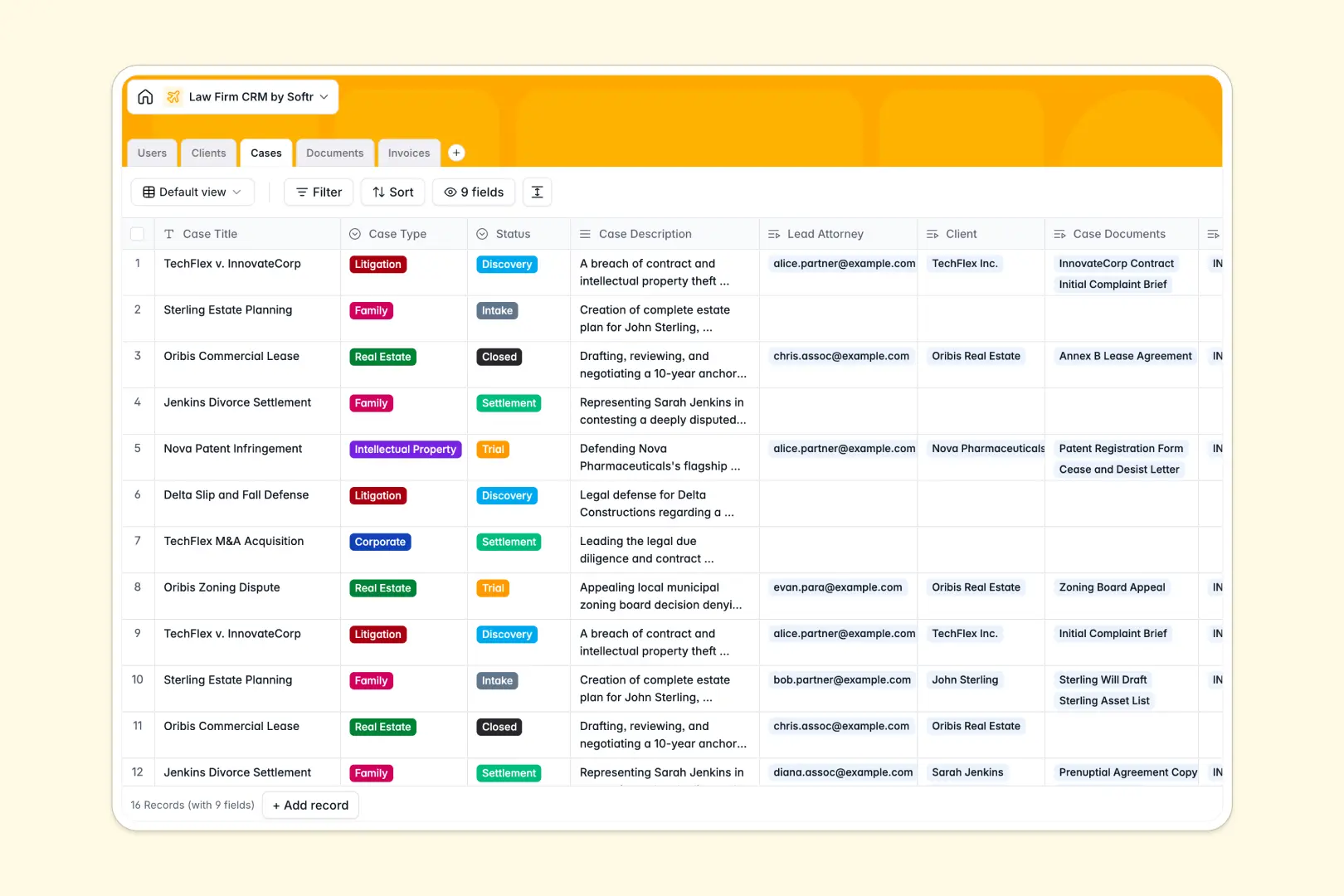
Your Law Firm CRM database at a glance
This template provides a structured workspace to track client matters, assign legal teams, manage evidence documents, and oversee invoices in one place.
Everything stays organized through native connections between five dedicated tables: Users, Clients, Cases, Documents, and Invoices. Linking a matter to a lead attorney automatically connects associated court filings, risk evaluations, and billing records without duplicate data entry.
Built-in AI fields instantly generate case briefings, assess legal risk from uploaded document text, and research company profiles directly from client websites.
When a client matter outgrows a shared spreadsheet
Shared sheets work well for simple contact lists, but managing active litigation across multiple attorneys quickly leads to broken formulas, unlinked case files, and accidental data exposure.
What a structured database changes
A dedicated database keeps your legal operations clean by enforcing strict data types for court dates, invoice amounts, and document attachments.
Instead of maintaining fragile lookups across tabs, each case natively connects to its corresponding client profile, billing records, and assigned attorneys. This is exactly what Softr Databases are designed for, giving legal practices a reliable system that scales cleanly.
What you can do with this template
Assign cases to associates, track legal stages from Intake to Settlement, and log invoices against specific matters with dependable totals.
Use Database AI agents to automatically summarize case descriptions into concise bullet points, evaluate document risk levels, and pull client background summaries straight from the web.
-
Users
Directory of law firm staff, partners, associates, and case assignments
-
Clients
Manage represented clients with contact details and AI background summaries
-
Cases
Track active legal proceedings, attorney leads, and AI case summaries
-
Documents
Store legal files, contracts, and filings with AI risk level analysis
-
Invoices
Handle client billing records, payment statuses, and case financials
Who is this Law Firm CRM database for
This system is designed for legal practices that need a structured hub for client matters and billing:
- Boutique law firms: Manage active litigation, client intake, and case assignments in a single unified workspace.
- Solo practitioners: Keep evidence, billing records, and automated client background profiles organized without manual overhead.
- Legal operations managers: Standardize case status tracking and invoice monitoring across multiple practice areas.
- Paralegals and associates: Access linked court filings and automated risk evaluations instantly for any matter.
How to take it further
Customize this database in minutes by tailoring case types (such as Corporate or Family Law), adjusting invoice stages, or adding custom fields for court jurisdictions.
Import your existing firm records instantly using CSV uploads, or connect your matter management systems via API for automated background syncing.
When your team needs dedicated interfaces, you can generate an app with AI directly on top of this database. Build a private attorney workspace or a client-facing status portal, using granular permissions so clients only see their own active cases and invoices while partners retain full administrative visibility.
-
1
-
2
-
3
-
4
Frequently asked questions
-
What is a Law Firm CRM database?
-
Why use a no-code database to build a legal management system?
-
How can AI help managing data for a Law Firm CRM?
-
Can I build an app with this Law Firm CRM database?
-
Is this Law Firm CRM template free?
-
How is a database different from managing cases in Google Sheets?
Start building today. It's free!
Build and launch your first app in under 30 minutes.