


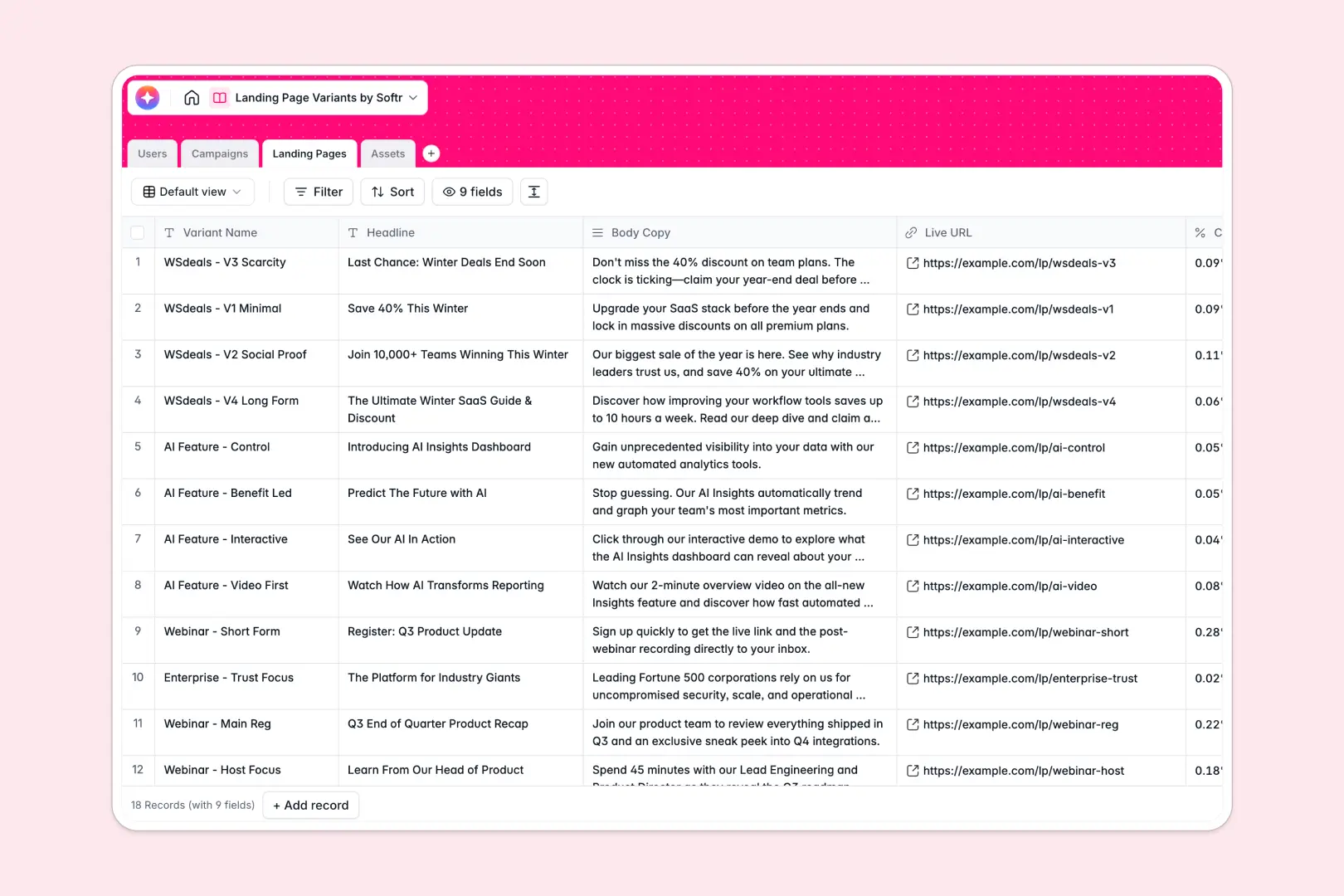
Your Landing Page Variants database at a glance
This template gives your team a centralized space to manage high-level marketing campaigns, draft page copy, and track conversion rates.
It connects campaigns, specialized page variants, and visual assets into dedicated tables. You can effortlessly link a hero image to its target webpage without risking broken filepaths.
Built-in AI features automatically summarize creative briefs and instantly generate SEO meta descriptions straight from your drafted body copy.
Why landing page variants get messy in Google Sheets
Tracking multiple split tests, URLs, and visual image files in a spreadsheet quickly becomes a chaotic mix. Standard rows routinely get stretched out, and vital active campaign data gets inadvertently lost.
What a structured database changes
A proper system expertly enforces clear data structure, ensuring long text neatly formats and file attachments stay consistently secure. This is exactly what Softr Databases are specifically designed for.
You can explicitly link one singular campaign to multiple page variants and assign specific designers flawlessly. You successfully achieve these connections without writing fragile VLOOKUP formulas that frequently break.
What you can do with this template
Track active live URLs, variant headlines, and live conversion rates mapped perfectly to their parent marketing initiatives.
Keep all graphical icons, videos, and hero images organized in a dedicated asset library that securely links to executing pages.
Utilize responsive AI tools to immediately draft SEO descriptions as soon as you plug in a new headline and body copy.
-
Users
Manage team roles, contact info, and landing page assignments for staff
-
Campaigns
Track marketing initiatives and use AI to summarize complex creative briefs
-
Landing Pages
Monitor page variants and use AI to generate optimized SEO meta descriptions
-
Assets
Store media files and automatically generate AI alt text for accessibility
Who is this Landing Page Variants database for
This robust layout is intelligently designed for marketing teams meticulously handling active experiments and conversion optimization.
- Growth Marketers: Track live URLs, conversion rates, and campaign statuses clearly.
- Copywriters: Draft exciting variant headlines, rich body text, and SEO copy securely.
- Designers: Store creative hero images and icons directly linked to active page tests.
How to take it further
Customize the database
Customizing this specific layout is instant natively within the platform. You can swiftly add new campaign status options or expertly update asset categories tailored perfectly for your internal workflow.
Import your existing data
Bring over your previous historical page tests safely via standard CSV uploads. Executing this step systematically populates your historical conversion rates instantly for immediate internal insights.
Build a full app around it
When your wider marketing team formally scales, you can easily use a frontend visual builder to seamlessly turn this raw backend data into a secure internal tracking application.
You can set exact structural access layers to ensure graphic designers only see their specifically requested visual assets. Securing a fully relational backend fundamentally makes launching your customized company workspace incredibly simple.
-
1
-
2
-
3
-
4
Frequently asked questions
-
What is a landing page variants database?
-
Why use a no-code database for tracking experiments over Google Sheets?
-
How can AI help managing data for landing page tests?
-
Can I build an app with this landing page variants database?
-
Is this Landing Page Variants template free?
-
How do I safely handle images and videos in this database?
Start building today. It's free!
Build and launch your first app in under 30 minutes.