


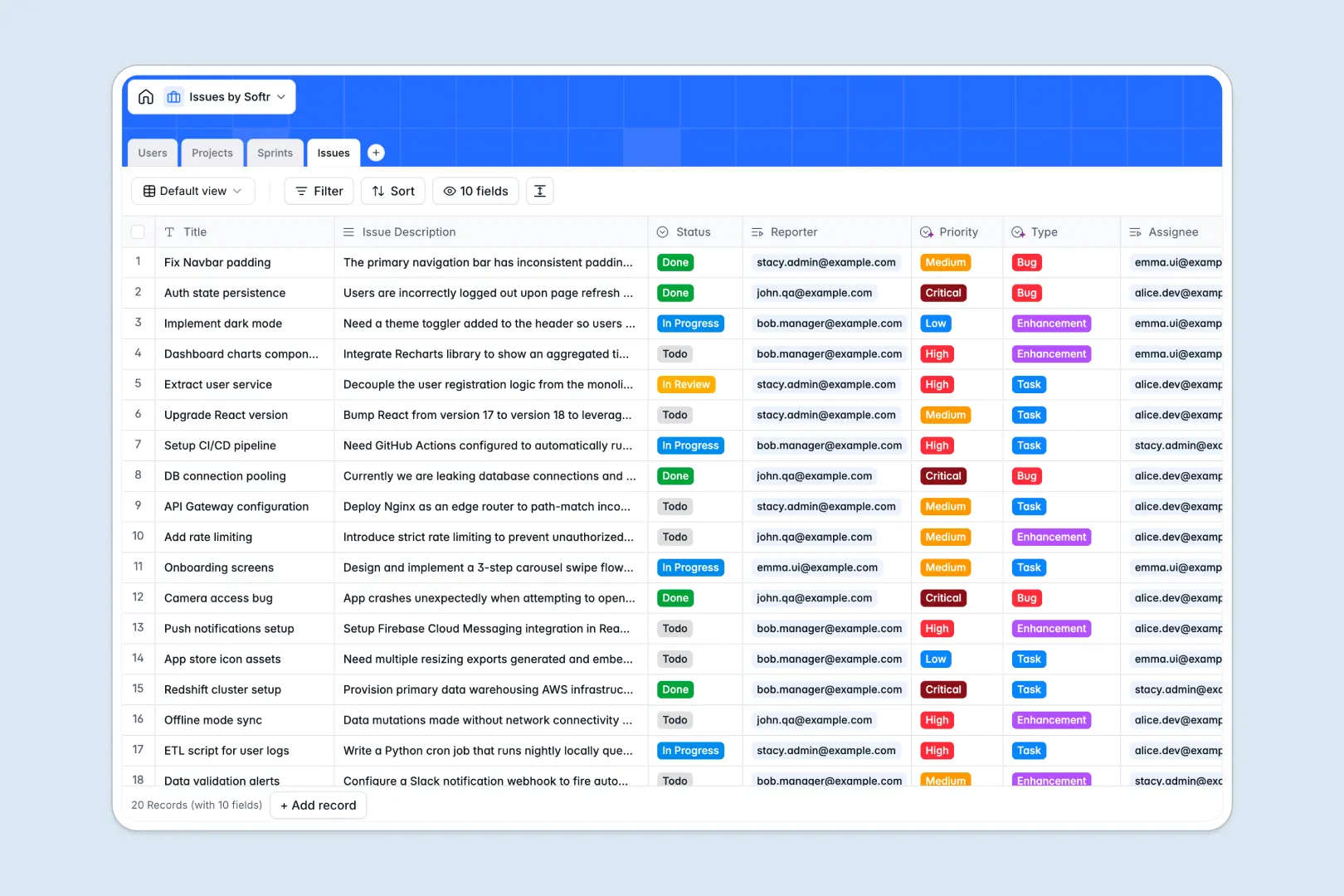
Your Issues database at a glance
This template gives engineering and product teams a central hub to log tickets, assign owners, and manage resolution workflows without losing context.
It connects four dedicated tables: Issues, Projects, Sprints, and Users. Linking an issue to a sprint and project automatically rolls up totals and preserves full assignment history without duplicate rows.
Built-in AI fields automatically summarize long ticket descriptions, categorize ticket types, and assign priority ratings based on urgency.
When a shared sheet becomes a fragile bug tracker
Google Sheets makes sharing easy, but tracking complex issue queues across tabs quickly leads to broken formulas, missing assignees, and accidental row edits.
What a structured database changes
In a structured database, every field enforces real data types. Dates stay formatted, status values remain consistent, and sprint deadlines never mix with free-form notes.
Issues link directly to projects and assignees without complex cross-tab formulas that break when someone sorts a column. This is exactly what Softr Databases are designed for.
While you can connect an existing Google Sheet as an external data source in Softr, using a dedicated native database prevents permission leaks and ensures rock-solid stability as ticket volume grows.
What you can do with this template
Organize tickets across active sprints and assign them to specific team members with clear visibility on status and priority.
Use native Database AI agents to evaluate ticket descriptions, assign priority levels, and research technical framework context directly inside your project records.
Monitor delivery progress across your entire team with reliable rollup counts that update automatically as issues move to completion.
-
Users
Manage team members, roles, contact profiles, and issue assignments
-
Projects
Coordinate project initiatives with AI-powered tech framework research
-
Sprints
Plan development cycles with time-boxed goals, dates, and related tickets
-
Issues
Track tickets with AI-generated summaries, priorities, and type tags
Who is this Issues database for
Manage software delivery and bug resolution across your organization with structured tracking.
- Product Managers: Organize sprint backlogs, track project health, and prioritize critical bug fixes.
- Engineering Leads: Distribute tickets across team members and monitor workload distribution in real time.
- QA Teams: Log detailed reproduction steps, classify issue types, and track verification statuses.
- Support Leads: Escalate user-reported bugs directly to developers with clear urgency levels.
How to take it further
Customize your issue tracking workflow by adding custom fields like component tags, release versions, or severity dropdowns directly in the visual builder.
Import your existing backlog via CSV upload or connect external tools through our API to sync tickets automatically from customer support channels.
When your team is ready, build an app on top of this database. Softr lets you generate custom issue portals, developer dashboards, and client submission forms with granular users and permissions to control exactly who can view, edit, or triage specific tickets.
-
1
-
2
-
3
-
4
Frequently asked questions
-
What is an issues database?
-
Why use a no-code database to build an issue tracking tool?
-
How can AI help managing data for issues?
-
Can I build an app with this issues database?
-
Is this Issues database free?
-
How is this issues database different from Google Sheets?
Start building today. It's free!
Build and launch your first app in under 30 minutes.