


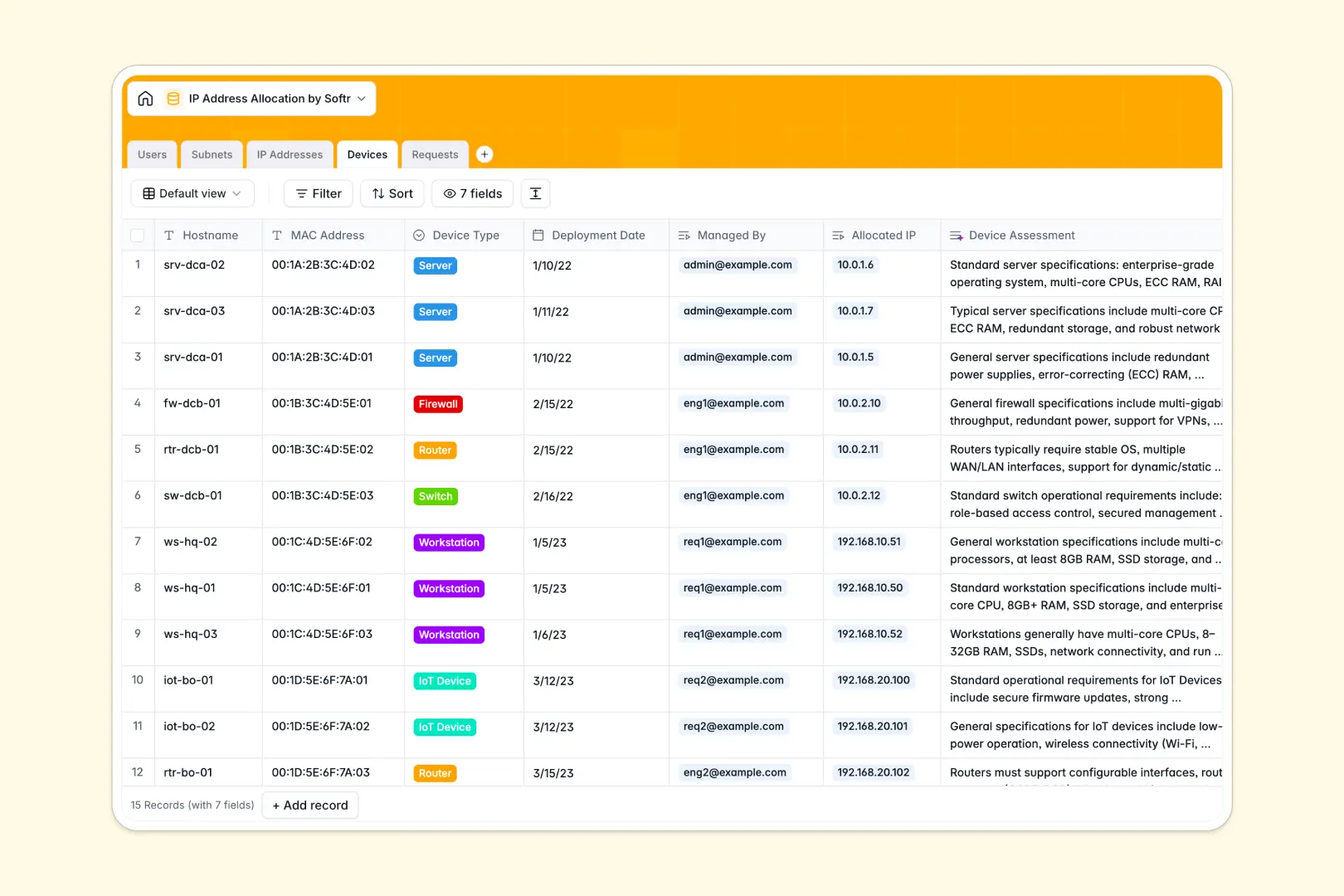
Your IP Address Allocation database at a glance
This template gives your team a centralized network management system to track CIDR blocks, monitor available IP addresses, and approve incoming allocation requests without conflicts.
Five structured tables link Users, Subnets, IP Addresses, Devices, and Requests together. Linking an individual IP address directly to a device and its parent subnet ensures every network record stays synchronized automatically.
Built-in AI fields summarize request justifications and can research live technical guidelines for connected hardware instantly.
Why Google Sheets breaks when managing subnets and IPs
Google Sheets is excellent for real-time collaboration, but network inventories require relational data integrity and access boundaries that a simple spreadsheet cannot guarantee.
When multiple engineers edit the same sheet, formulas break, duplicate IP assignments slip through unnoticed, and there is no native way to restrict who can approve allocation requests versus who can merely request an address.
What a structured database changes
In a structured setup, data types are strictly enforced. IP addresses, MAC addresses, and status flags remain standardized, preventing accidental overwrites or invalid entries.
Tables link natively so that assigning an IP to a server automatically updates the subnet's utilization count without brittle `VLOOKUP` or `IMPORTRANGE` formulas.
This is exactly what Softr Databases are designed for: giving technical teams clean, scalable relational data structures. While Softr can connect an existing Google Sheet as an external source, moving your network inventory into a dedicated database prevents data drift and broken logic.
What you can do with this template
Track every CIDR block across locations like HQ, data centers, and cloud environments while monitoring allocation percentages in real time.
Review incoming requests from team members, assign approved IPs with a single click, and keep a clean audit trail of device owners.
Use Database AI agents to automatically summarize allocation justifications and pull operational requirements for new device hostnames straight from the web.
-
Users
Manage network staff, roles, assigned subnets, and allocation requests
-
Subnets
Organize CIDR blocks with location data and AI network descriptions
-
IP Addresses
Track individual IP availability, ping health checks, and device maps
-
Devices
Map hardware inventory and generate AI-driven technical assessments
-
Requests
Process IP allocation requests with automated AI justification summaries
Who is this IP Address Allocation database for
This system is built for IT and infrastructure teams needing clear visibility over their address space:
- Network Engineers: Plan CIDR blocks, track subnet capacity, and eliminate duplicate IP assignments.
- IT Systems Administrators: Map physical and virtual servers, firewalls, and switches to dedicated static IPs.
- DevOps Teams: Manage infrastructure subnets across multiple cloud regions and on-premises data centers.
- IT Helpdesk Leads: Process and approve employee IP allocation requests through a structured workflow.
How to take it further
Customize the database to match your network topology. Add custom select options for your specific office locations, add custom VLAN tag fields to subnets, or define custom hardware categories in the Devices table.
Import your existing data in seconds using CSV upload to bring in current device inventories and IP address lists. You can also connect via API to sync automated ping check results and uptime metrics directly into your database.
Build a full app around it when your team needs a dedicated portal. Using Softr's AI app generator, you can describe the internal tool you need in a single prompt to generate an interface on top of this exact database.
Set up custom users and permissions so requesters can submit tickets through clean forms while network engineers get an administrative dashboard to manage subnets securely.
-
1
-
2
-
3
-
4
Frequently asked questions
-
What is an IP address allocation database?
-
Why use a no-code database to build an IP address allocation tool?
-
How can AI help managing data for IP address allocation?
-
Can I build an app with this IP address allocation database?
-
Is this IP Address Allocation template free?
-
How is this database better than using Google Sheets for IP tracking?
Start building today. It's free!
Build and launch your first app in under 30 minutes.