


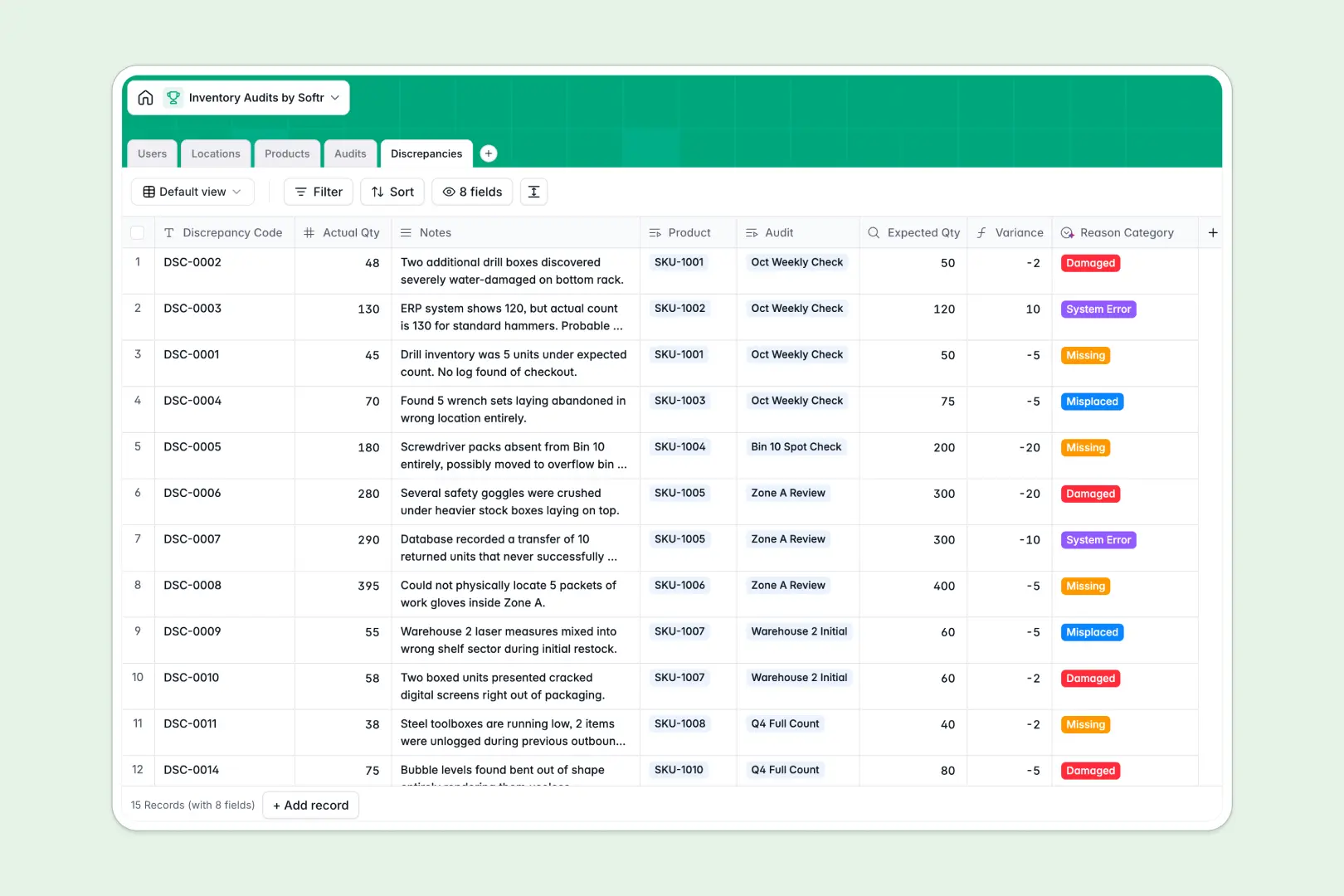
Your Inventory Audits database at a glance
This template organizes stock counts, schedules warehouse checks, and logs inventory variances without manual recordkeeping errors. It gives teams a reliable structure to conduct cycle counts and reconcile physical inventory with ledger data in real time.
Five dedicated tables keep data structured: Products, Locations, Audits, Discrepancies, and Users. Audits connect directly to specific warehouse zones, while logged discrepancies automatically look up expected quantities and calculate exact stock variances.
Built-in AI automatically classifies discrepancy reasons from auditor notes, generates comprehensive audit summaries, and researches missing product details from the web.
The moment shared sheets break your stock count
Google Sheets makes sharing easy, but when multiple auditors update count rows simultaneously, shared sheets quickly fail as operational databases. A sorted column can misalign stock quantities with SKUs, accidental edits overwrite stock values, and formulas calculating variances break unexpectedly.
What a structured database changes
In a structured database, data integrity is guaranteed. Number fields strictly accept counts, currency fields stay formatted, and relationships link physical bin locations to specific inventory items without fragile cross-sheet lookups.
Instead of exposing entire inventory sheets to every floor worker, records stay protected while discrepancies link cleanly to both the audit event and the affected product. This reliable structure is exactly what Softr Databases provide natively for operations teams.
While Softr can also connect to an existing Google Sheet, running your audit records in a dedicated database ensures reliable calculations and prevents accidental data overwrites.
What you can do with this template
Schedule recurring warehouse cycle counts, assign them to specific team members, and track audit progress from planned to completion. When count mismatches occur, log them instantly with automatic variance calculations.
With native Database AI agents, your database analyzes notes to categorize discrepancies as damaged, missing, or misplaced, while condensing long audit logs into three actionable next steps.
-
Users
Manage auditors, warehouse managers, roles, and assigned audits
-
Locations
Structure warehouse zones, aisles, and bins for targeted stock counts
-
Products
Track catalog items with expected stock and AI-generated descriptions
-
Audits
Coordinate inventory audit events with schedules and AI summaries
-
Discrepancies
Log count variances and automatically categorize causes using AI
Who is this Inventory Audits database for
This template is designed for operations and supply chain teams that need clean, auditable inventory records:
- Warehouse Managers: Plan audit schedules across zones and monitor count completion across all facility bins.
- Inventory Auditors: Log physical item counts and record condition notes without risking accidental formula overwrites.
- Supply Chain Leads: Identify recurring shrinkage, track variance costs, and maintain accurate stock valuation.
- Operations Teams: Maintain a single source of truth for inventory records across multiple warehouse locations.
How to take it further
1. Customize the database
Adapt the database schema to your specific warehouse layout. Add custom fields for barcode numbers, modify audit status stages, or expand discrepancy reason categories to reflect your internal quality standards.
2. Import your existing data
Easily import your existing product catalogs, SKU lists, and warehouse bin locations using CSV upload. You can also connect via API to sync real-time stock levels directly from your warehouse management system.
3. Build a full app around it
When you are ready to give auditors a clean mobile interface on the warehouse floor, you can build an app directly on top of this database. Use Softr's AI Co-Builder to generate an inventory portal in seconds, complete with role-based users and permissions so floor auditors only view their assigned zones while managers see site-wide discrepancy analytics.
-
1
-
2
-
3
-
4
Frequently asked questions
-
What is an inventory audits database?
-
Why use a no-code database to build an inventory audit system?
-
How can AI help managing data for inventory audits?
-
Can I build an app with this inventory audits database?
-
Is this Inventory Audits template free?
-
How is this inventory audits database different from Google Sheets?
Start building today. It's free!
Build and launch your first app in under 30 minutes.