


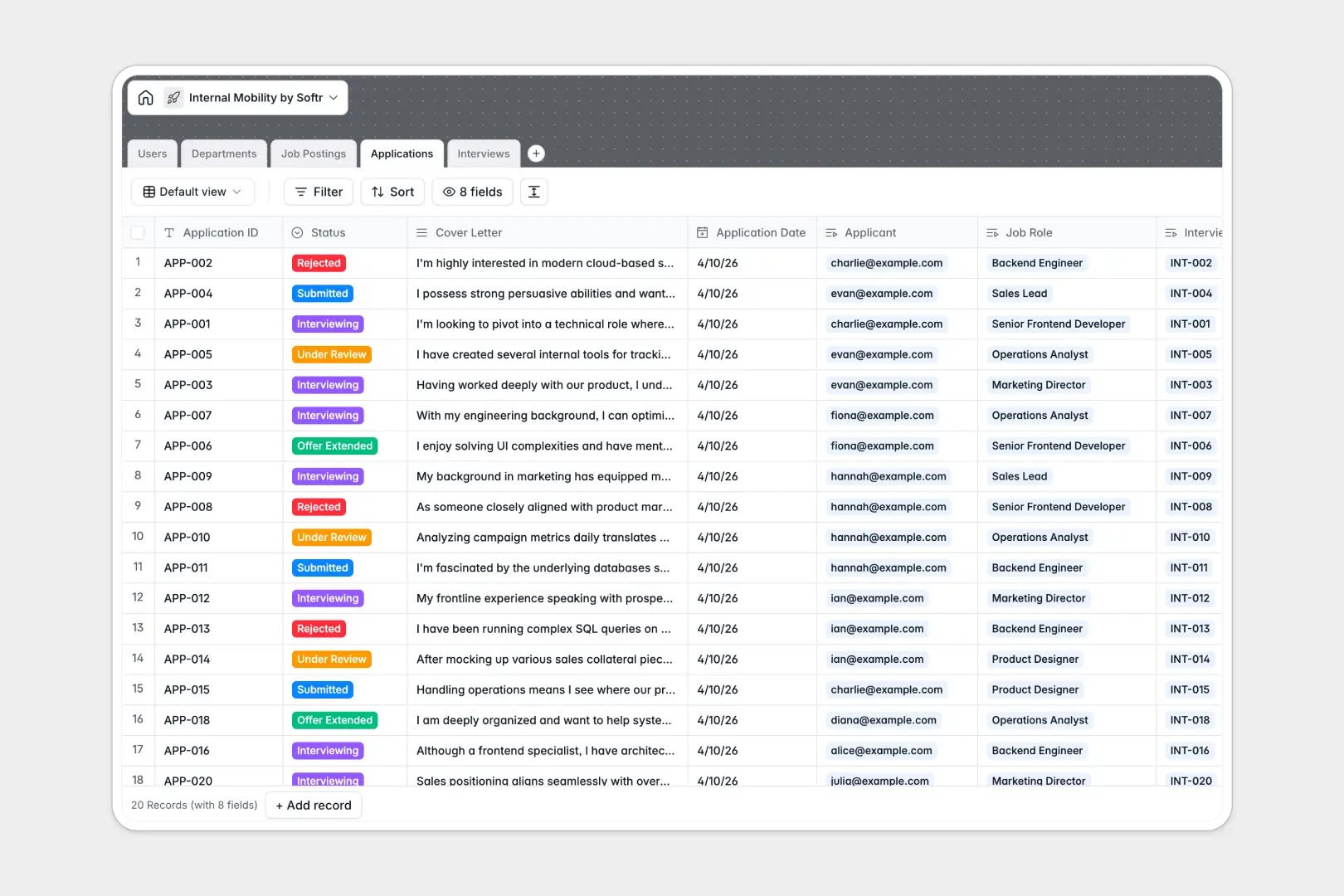
Your Internal Mobility database at a glance
This template gives your People and Talent teams a dedicated space to manage internal transfers, career development, and internal recruitment. Instead of juggling loose form responses, you can track employee interest, review internal candidates, and log structured interview feedback seamlessly.
Everything connects logically across dedicated tables for Users, Departments, Job Postings, Applications, and Interviews. When an employee submits an application, it automatically links to their department, hiring manager, and open position without duplicate data entry.
Built-in AI fields draft compelling internal job pitches directly from your core requirements and summarize cover letters into quick bullet points for hiring managers.
When private applications and interview notes outgrow Google Sheets
Google Sheets makes it simple to share lists, but internal recruitment data requires strict confidentiality. Because Sheets exposes every row to anyone with edit access, hiring managers and colleagues end up seeing private applications, candidate statuses, and sensitive interview recommendations they should not have access to.
What a structured database changes
A structured database enforces field types and connects relational data cleanly. Dates stay formatted, candidate statuses remain standardized, and cover letters link directly to specific job openings without messy formulas that break when rows are sorted.
This is exactly what Softr Databases are designed for. You can maintain clean records across departments and roles while keeping sensitive candidate feedback structured and secure.
While you can always connect an existing Google Sheet to Softr as a data source, a dedicated database keeps your internal mobility process organized and scalable.
What you can do with this template
Manage open job requisitions by department, log interview notes with standardized recommendation outcomes, and track candidate progress from submission to offer.
Native Database AI agents automatically generate job descriptions and summarize applicant statements, saving hiring managers hours during initial candidate reviews.
The template is ready to use immediately, giving your team a clean foundation to elevate internal career pathways.
-
Users
Directory of employees, applicants, interviewers, and hiring managers
-
Departments
Organize company divisions with team members and internal job openings
-
Job Postings
Manage open internal roles with AI-generated job description pitches
-
Applications
Track candidate submissions with AI summaries of employee cover letters
-
Interviews
Schedule interview rounds and collect feedback and hiring recommendations
Who is this Internal Mobility database for
This database helps organizations retain top talent by making internal career moves transparent and organized.
- People & Talent Teams: Manage internal requisitions, track candidate pipelines, and streamline department transfers.
- Hiring Managers: Review internal applicants, read AI summaries of cover letters, and log interview scorecards.
- Department Leads: Monitor open roles across teams and plan team headcount changes efficiently.
- People Operations: Maintain organized records of employee transitions, department allocations, and hiring stages.
How to take it further
Customize the database
Adapt the database to your internal hiring process in seconds. Add custom interview criteria, adjust application status stages, or create new department tags directly in the visual editor.
Import your existing data
Bring in active requisitions and employee lists using CSV uploads or connect via API to sync automatically with your current HR systems.
Build a full app around it
When you are ready, use the AI app generator to turn this database into a complete internal careers portal. Configure granular users and permissions so employees only view open jobs and their own submissions, while hiring managers access only their assigned applicants.
-
1
-
2
-
3
-
4
Frequently asked questions
-
What is an internal mobility database?
-
Why use a no-code database to build an internal mobility system?
-
How can AI help managing data for internal mobility?
-
Can I build an app with an internal mobility database?
-
Is this Internal Mobility template free?
-
How is this database different from tracking internal mobility in Google Sheets?
Start building today. It's free!
Build and launch your first app in under 30 minutes.