


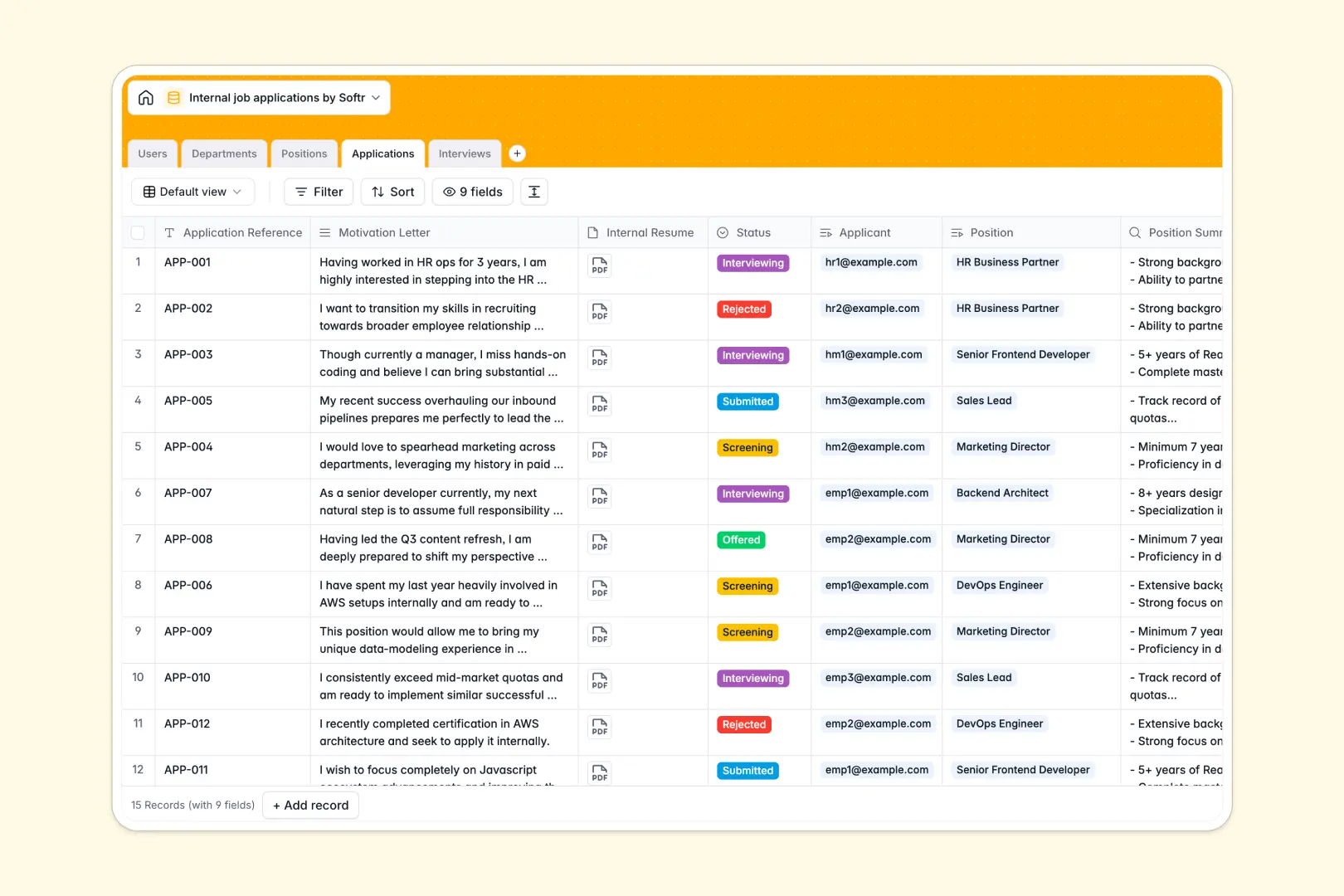
Your Internal Job Applications database at a glance
This template gives HR teams, hiring managers, and employees a centralized hub to manage internal mobility and hiring cycles seamlessly.
It links five structured tables: Users, Departments, Positions, Applications, and Interviews. Instead of isolated records, every job opening automatically tracks related applicants, interview schedules, and stage progressions without manual lookups.
Built-in AI fields summarize position descriptions, evaluate candidate alignment based on motivation letters, and synthesize raw interview notes into concise takeaways.
When a shared spreadsheet exposes confidential candidate data
Google Sheets is excellent for team brainstorming, but it was never engineered to operate as a secure recruitment backend. In internal hiring, everyone editing the sheet can view peer submissions, confidential feedback, and hiring manager assessments.
What a structured database changes
A dedicated database enforces strict data integrity and privacy across your organization. Date fields strictly hold timestamps, internal resumes remain securely attached, and applications link directly to specific hiring managers.
This architecture eliminates broken lookup formulas and accidental edits across rows. This is exactly what Softr Databases are designed for, giving you a reliable backend while you retain the option to connect external sources like Google Sheets if needed.
What you can do with this template
Track every stage of internal mobility from role publication to offer letters with total visibility. Rollup fields instantly calculate application counts per role, while linked records keep interview feedback organized under the exact candidate profile.
With native Database AI agents, the database handles routine analysis automatically by generating role summaries and scoring applicant alignment against job requirements.
-
Users
Manage employee profiles, internal roles, and recruitment responsibilities
-
Departments
Organize business units with linked team members and open job openings
-
Positions
Track open internal job listings with automated AI role summarization
-
Applications
Process internal candidate submissions with automated AI profile matching
-
Interviews
Schedule evaluation sessions and synthesize notes using AI summaries
Who is this Internal Job Applications database for
- HR Leaders: Maintain complete oversight of internal talent mobility, departmental transfers, and hiring velocity.
- Hiring Managers: Review internal applicants, view AI-generated match summaries, and evaluate interview notes privately.
- Interviewers: Log raw candidate notes directly against specific applications without accessing confidential salary data.
- People Operations: Standardize internal career progression and eliminate fragmented email threads.
How to take it further
Customize the database
Adapt the database structure in seconds to reflect your organization's hierarchy. Add custom stages to the application status dropdown, create custom interview rubrics, or add custom tags for departmental skill requirements.
Import your existing data
Easily migrate past candidate records and employee directories using bulk CSV imports. You can also connect your external tools via API to keep employee roles and departments automatically synced in real time.
Build a full app around it
When you are ready, turn your database into a secure internal mobility portal. You can build an app using the AI Co-Builder to automatically generate role boards, submission forms, and interviewer dashboards tailored to your schema.
With granular users and permissions, ensure employees only view open positions, while hiring managers see candidate profiles and HR admins retain full control over hiring decisions.
-
1
-
2
-
3
-
4
Frequently asked questions
-
What is an Internal Job Applications database?
-
Why use a no-code database to build an internal job application system?
-
How can AI help managing data for internal job applications?
-
Can I build an app with this Internal Job Applications database?
-
Is this Internal Job Applications template free?
-
How is this database different from tracking applications in Google Sheets?
Start building today. It's free!
Build and launch your first app in under 30 minutes.