


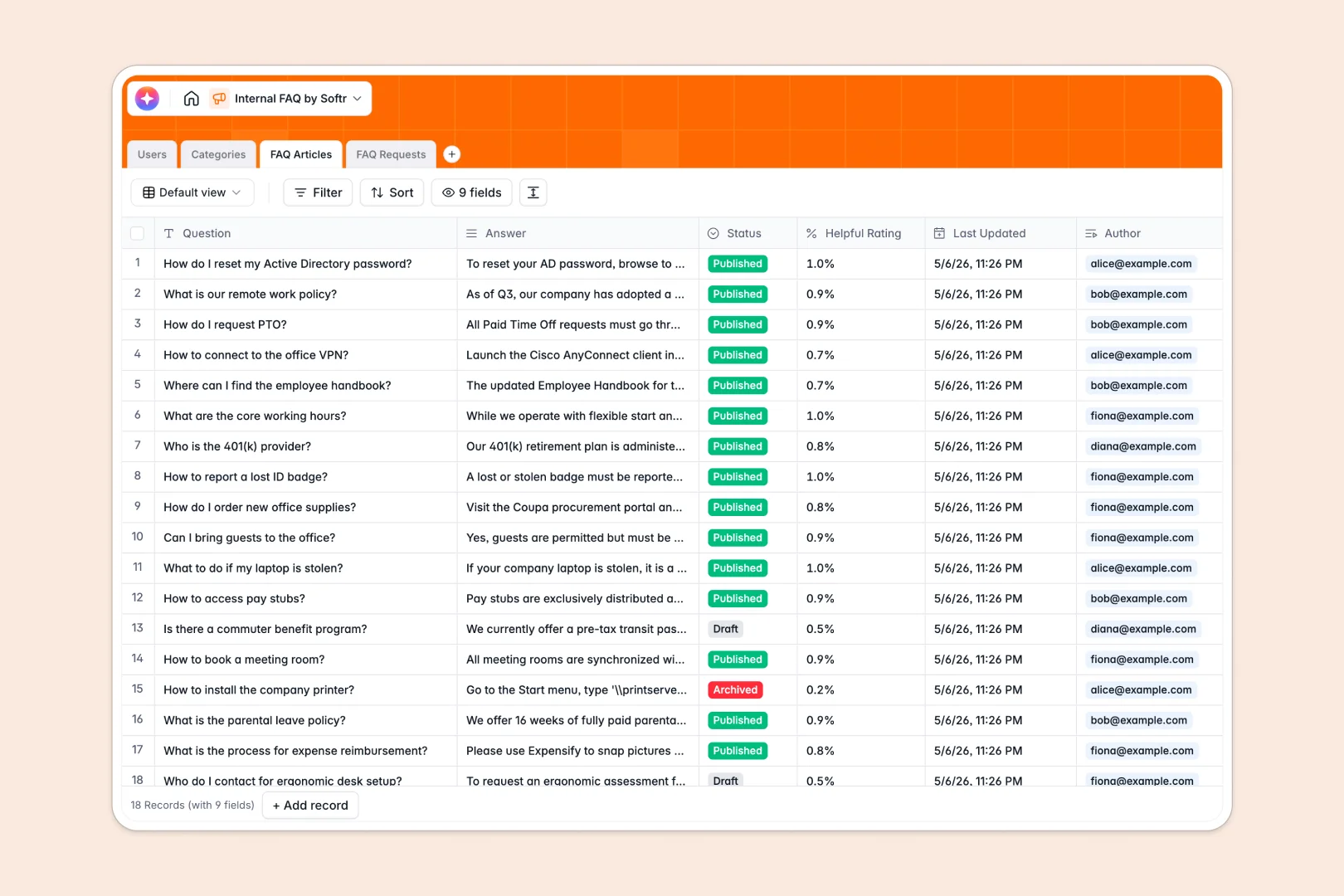
Your Internal FAQ Database at a glance
This ready-to-use template centralizes your company's knowledge base, making it easy for employees to find answers and submit new requests.
It cleanly connects categories, individual FAQ articles, and incoming employee requests into one unified system. You can link specific requests directly to new articles and track exactly which team member authored what content.
Built-in AI agents streamline documentation instantly. They automatically summarize long answers into quick recaps and instantly categorize incoming requests as IT, HR, or general knowledge.
Why internal FAQs get messy in Google Sheets
Tracking internal knowledge in Google Sheets quickly breaks down. Columns get cluttered with long text, categorizing topics becomes confusing, and tracking employee requests requires building completely separate, disconnected sheets.
What a structured database changes
Instead of burying answers in endless, hard-to-read rows, a relational database organizes data by purpose. Every article links cleanly to specific categories, authors, and feedback without relying on fragile VLOOKUPs.
This ensures documentation stays clean, reliable, and searchable as your company grows. This is exactly what Softr Databases are designed for.
What you can do with this template
Centralize your knowledge by linking detailed articles to clear categories like HR or IT. You can seamlessly track incoming employee requests and build new documentation to address them.
Thanks to native Database AI agents, the system maintains itself automatically. It drafts short summaries for complex answers and auto-classifies incoming employee requests based on urgency and topic.
-
Users
Manage internal staff profiles, access levels, and content authorship activity
-
Categories
Organize knowledge base topics into logical groups like HR or IT for navigation
-
FAQ Articles
Store documentation with AI-powered summaries for quick internal information lookups
-
FAQ Requests
Log staff inquiries using AI to auto-classify requests and monitor fulfillment
Who is this Internal FAQ database for
This template provides a clean foundation for any team struggling to manage company knowledge.
- HR Teams: Build a centralized policy hub to reduce repetitive employee questions.
- IT Departments: Track common technical issues and auto-categorize incoming help requests.
- Operations Managers: Ensure documentation stays up-to-date with linked authors and timestamps.
- Team Leads: Give new hires an accessible, searchable repository for easy onboarding.
How to take it further
Customize this database to match your exact processes. You can easily adjust the request status drop-downs, add new category icons, or tweak the AI prompts to fit your company's tone.
If you already have existing documentation, just import your data directly via CSV. Your categories, articles, and users will safely populate in seconds.
When your team is ready, you can use Softr's interface builder to turn this database into a secure employee portal. Your employees can securely browse FAQs and submit requests without seeing the raw database.
You can leverage strict users and permissions to ensure employees only see published articles, while HR and IT teams have access to edit content. Starting with a well-structured database makes building customized internal apps perfectly effortless.
-
1
-
2
-
3
-
4
Frequently asked questions
-
What is an internal FAQ database?
-
Why use a no-code database to build an internal FAQ tool?
-
How can AI help managing data for internal FAQs?
-
Can I build an app with an internal FAQ database?
-
Is this Internal FAQ template free?
-
Why are internal FAQs messy in Google Sheets?
Start building today. It's free!
Build and launch your first app in under 30 minutes.