


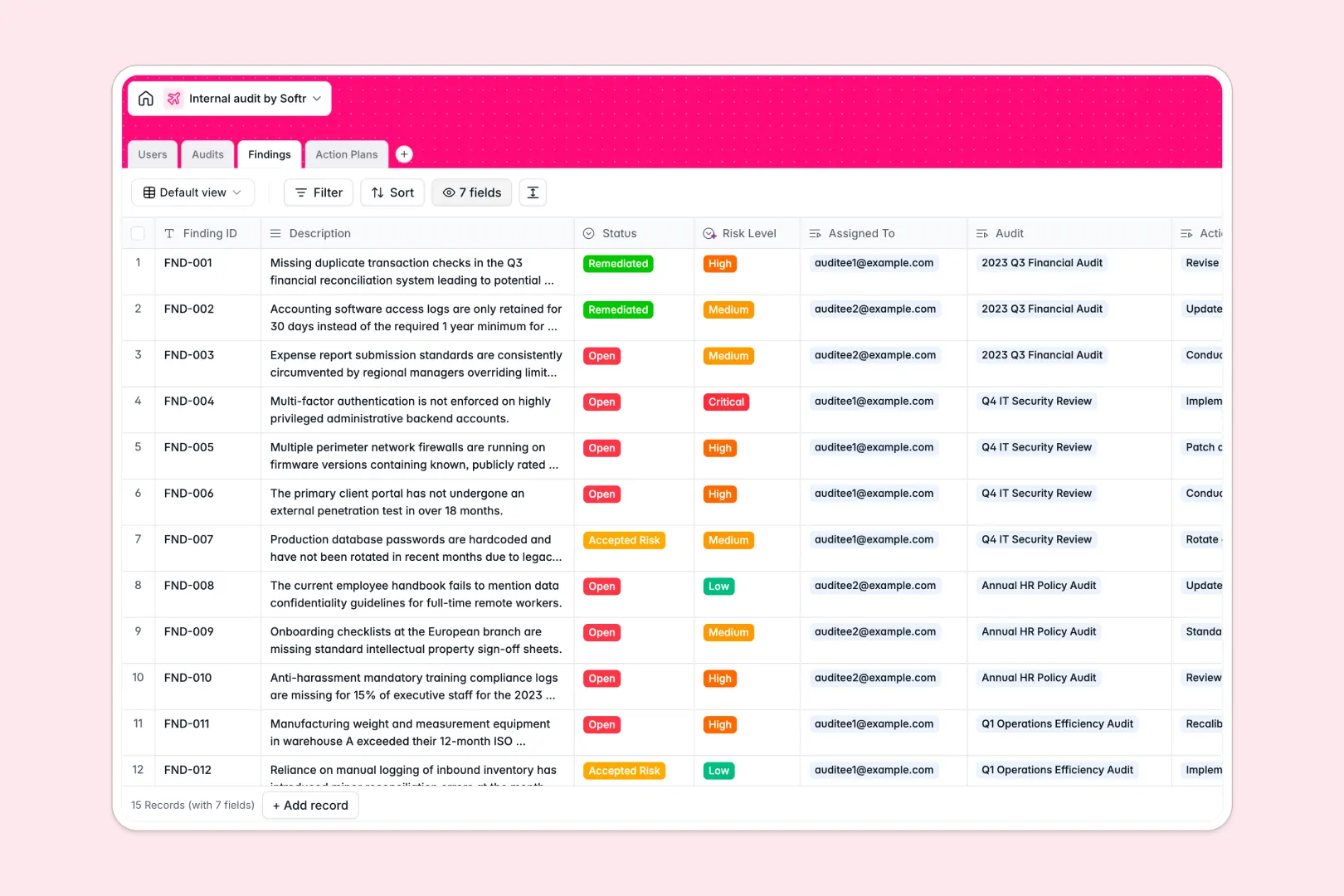
Your Internal Audit database at a glance
This template helps compliance and audit teams manage audit engagements, log risk findings, and monitor remediation action plans in real time.
Connected tables link each audit to its specific findings, remediation owners, and supporting evidence without cross-tab formula errors.
Built-in AI fields automatically draft executive summaries from audit scopes and classify risk severities directly inside your records.
When audit findings break out of the shared sheet grid
Google Sheets is collaborative by design, but managing sensitive risk assessments and remediation workflows exposes its structural limits.
What a structured database changes
In a standard spreadsheet, anyone with access can edit critical risk ratings or accidentally overwrite VLOOKUP formulas connecting findings to action plans.
Dedicated Softr Databases enforce strict field types, ensuring attachments stay attached and due dates remain valid.
Relational tables connect audits, findings, and remediation owners natively, maintaining strict data integrity without brittle spreadsheet lookups.
What you can do with this template
Use Database AI agents to automatically evaluate finding descriptions, assign risk severity levels, and generate concise executive summaries.
Track open remediation items, monitor evidence submissions, and view live finding counts per audit without manual recalculation.
-
Users
Manage audit team members, auditee contacts, roles, and assigned items
-
Audits
Track audit missions with departments, lead auditors, and AI summaries
-
Findings
Record identified issues and classify risk levels automatically with AI
-
Action Plans
Organize remediation tasks with evidence files and AI-generated titles
Who is this Internal Audit database for
This system provides structure and accountability for teams managing compliance and operational oversight:
- Internal Auditors: Track engagements from planning to reporting while logging structured findings.
- Compliance Officers: Monitor department-level risks and enforce remediation timelines across teams.
- Risk Managers: Automatically categorize severity levels and maintain reliable audit trails.
- Department Leads: Track assigned action plans and submit remediation evidence directly.
How to take it further
Customize your database by tailoring risk categories, adding custom audit stages, or adjusting department taxonomies to match your internal controls.
Import historical audit logs, past finding registries, or employee directories instantly via CSV upload or API sync.
When ready, use Softr's AI app generator to turn this database into a secure internal portal with role-based users and permissions. Auditors can manage findings while auditees only view and update their assigned remediation items.
-
1
-
2
-
3
-
4
Frequently asked questions
-
What is an Internal Audit database?
-
Why use a no-code database to build an internal audit system?
-
How can AI help managing data for internal audits?
-
Can I build an app with an Internal Audit database?
-
Is this Internal Audit database free?
-
How is this database different from an internal audit Google Sheet?
Start building today. It's free!
Build and launch your first app in under 30 minutes.