


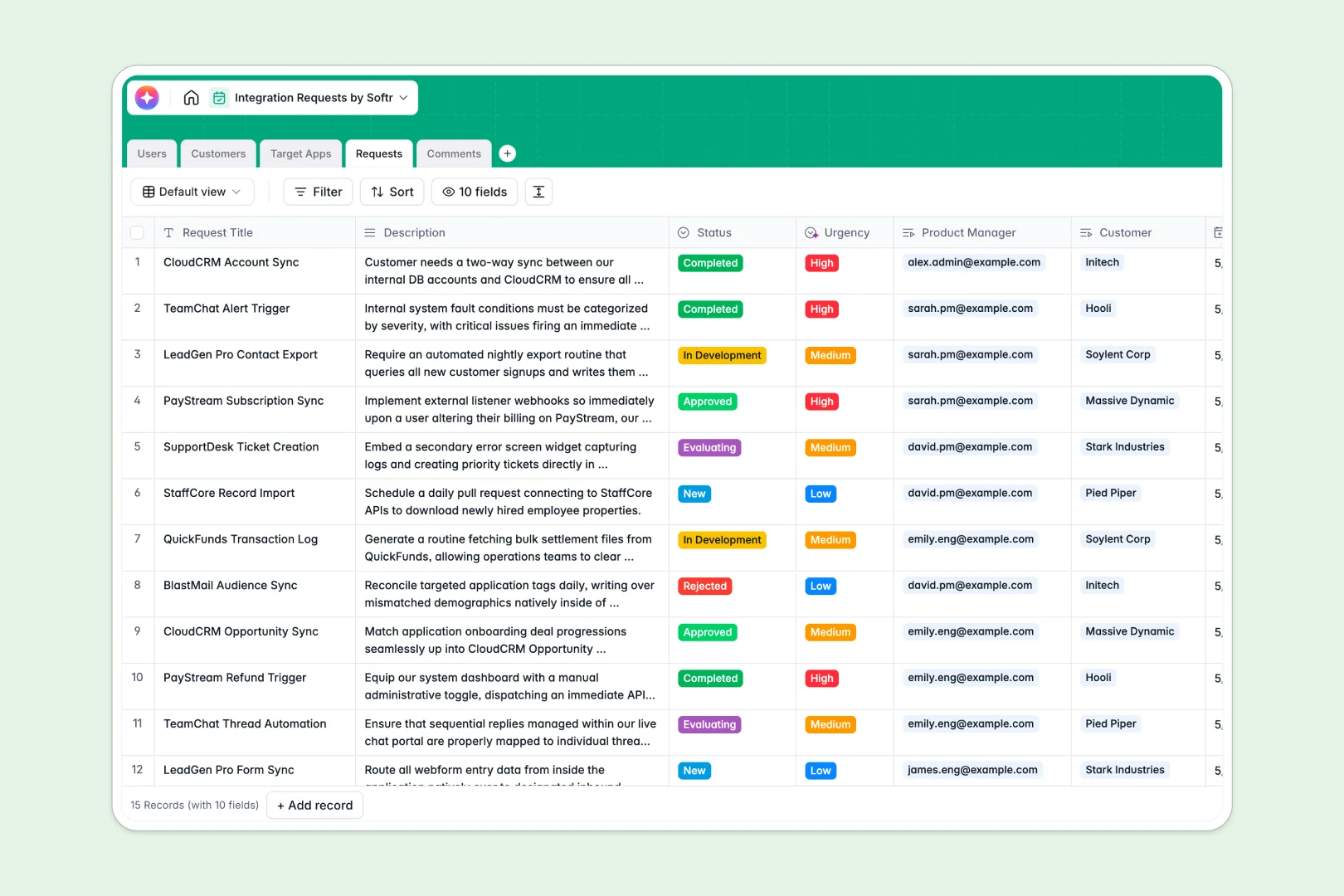
Your Integration Requests database at a glance
This ready-to-use database helps product teams log, evaluate, and prioritize customer integration requests in a single, organized view.
It works by natively linking internal users, customers, and requested target apps directly to each specific request. This relational structure ensures you can track exactly which customers are asking for what, without endlessly duplicating data.
Built-in AI automatically extracts target app descriptions from their websites, summarizes long customer requests, and classifies urgency levels the moment new submissions arrive.
Why integration requests get messy in Google Sheets
When you manage feature and integration asks in standard spreadsheets, data quickly becomes fragmented across messy columns and broken formulas. Tracking which customer asked for which tool usually means copy-pasting names multiple times in the same sheet.
What a structured database changes
In a well-structured system, every column enforces a data type, meaning dates stay dates and status dropdowns remain consistent. Instead of relying on fragile VLOOKUPs that break easily, tables connect naturally and scale gracefully across thousands of rows.
You can link an individual request to a specific customer profile and target app instantly. This is exactly what Softr Databases are designed for, keeping your product pipeline clean as customer feedback scales.
What you can do with this template
Stop manually researching every integration ask. With built-in Database AI agents, this template automatically pulls website descriptions for requested apps and flags high-urgency tasks instantly.
You can immediately start logging new requests, tracking internal team comments, and moving items confidently from "Evaluating" to "Completed" within a highly structured pipeline.
-
Users
Manage internal team profiles, roles, and assigned integration work
-
Customers
Track client companies requesting integrations and their total volume
-
Target Apps
List third-party platforms with AI-generated professional descriptions
-
Requests
Track pipeline status using AI for summary generation and urgency scores
-
Comments
Centralize internal team discussions and updates for specific requests
Who is this Integration Requests database for
This database is built for product and engineering teams scaling their platform connectivity.
- Product Managers: Evaluate incoming asks, assign urgency organically, and track pipeline status from evaluation to completion.
- Partnerships Teams: Keep a clear log of which external tools customers want most to prioritize strategic alliances.
- Customer Success: Log customer feature asks accurately and monitor progress to keep clients consistently updated.
How to take it further
You can easily tailor this database to match your specific product lifecycle. Modify the status dropdown choices, add new app categories, or tweak the AI urgency prompts to fit your exact evaluation criteria.
Bring in your existing backlog immediately without manual data entry. Simply bulk upload a CSV of past integration requests into the Requests table to get your whole pipeline into one system.
When your team is ready, you can transform this database into a complete internal tool by building an app on top of it.
Softr lets you add users and permissions so product managers can update statuses while success teams only submit and view requests. A well-structured database makes building this secure, dynamic workflow incredibly fast.
-
1
-
2
-
3
-
4
Frequently asked questions
-
What is an integration requests database?
-
Why use a no-code database to build an integration requests tool?
-
How can AI help managing data for integration requests?
-
Can I build an app with an integration requests database?
-
Is this Integration Requests template free?
-
How is an integration requests database different from Google Sheets?
Start building today. It's free!
Build and launch your first app in under 30 minutes.