


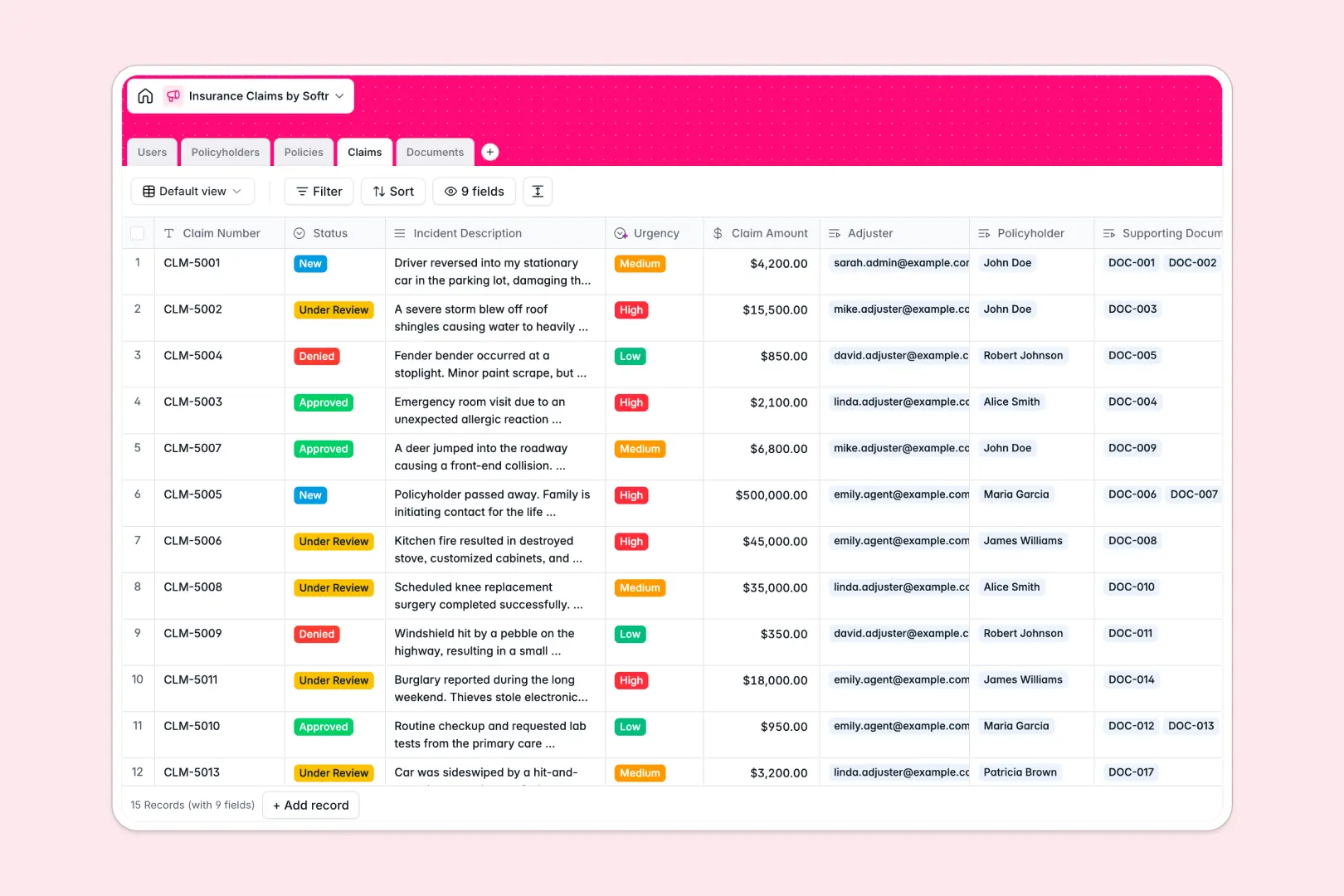
Your Insurance Claims database at a glance
This template gives your team a clear, central system to log claims, track coverage, and assign adjusters without dropping critical details.
Dedicated tables for Claims, Policyholders, Policies, Users, and Documents link together natively. When an adjuster opens a claim, the related policy limits, past claim history, and uploaded evidence appear immediately without cross-sheet lookups.
Native AI fields analyze incident descriptions to automatically set urgency levels and summarize attached reports or repair estimates as soon as files are uploaded.
When a claims grid turns into an accidental backend
Google Sheets makes it easy to log a claim, but claims operations quickly hit the limits of a flat spreadsheet. Sensitive policyholder data is visible to anyone with sheet access, file uploads end up as broken drive links, and an accidental sort breaks formula references across tabs.
What a structured database changes
In a structured database, every column enforces strict data types, keeping policy numbers, currency amounts, and dates clean across hundreds of submissions.
Claims connect directly to policy records and policyholder profiles, so total claims roll up automatically without complex VLOOKUP formulas. This is exactly what Softr Databases are designed for.
While Softr can also connect to an existing Google Sheet as an external data source, moving to a native database gives your team true relational integrity and built-in AI capabilities.
What you can do with this template
Track claim progression from initial submission to final approval with transparent status tracking and assigned adjuster ownership.
Native Database AI agents classify claim urgency from incident text and generate instant bulleted summaries from uploaded evidence, saving adjusters hours of manual reading.
Store police reports, repair estimates, and photo evidence directly within linked records so case files stay complete and accessible.
-
Users
Manage claims adjusters, agents, and administrators with role permissions
-
Policyholders
Store customer contact information, active policies, and claim history
-
Policies
Track insurance policy details, coverage limits, and policyholder links
-
Claims
Process insurance claims and classify urgency automatically using AI
-
Documents
Store claim attachments and generate bulleted summaries using AI
Who is this Insurance Claims database for
This database helps claims teams, brokers, and operations leads handle case workflows with speed and consistency.
- Claims adjusters: Review case files, evaluate incident severity, and access evidence in one organized view.
- Insurance agencies: Track active policies, monitor customer claim counts, and maintain clean policyholder records.
- Operations managers: Assign workload across adjusters and monitor turnaround times on pending reviews.
- Third-party administrators: Coordinate documentation, medical records, and repair estimates for multi-party claims.
How to take it further
Customize the database to fit your specific lines of insurance. Add custom select choices for coverage types, introduce deductible fields, or create new views for high-urgency claims requiring immediate review.
Import your existing data in minutes. Upload policyholder lists and claim archives via CSV, or connect an API to sync new submissions directly from your web forms.
Build a full app around it when your team is ready for dedicated portals. Use Softr to build an app with custom interfaces for policyholder claim submissions and private adjuster workspaces. Configure users and permissions so policyholders only see their own claims while adjusters securely manage assigned files.
-
1
-
2
-
3
-
4
Frequently asked questions
-
What is an insurance claims database?
-
Why use a no-code database to build an insurance claims system?
-
How can AI help managing data for insurance claims?
-
Can I build an app with this insurance claims database?
-
Is this Insurance Claims database free?
-
How is this database different from tracking claims in Google Sheets?
Start building today. It's free!
Build and launch your first app in under 30 minutes.