


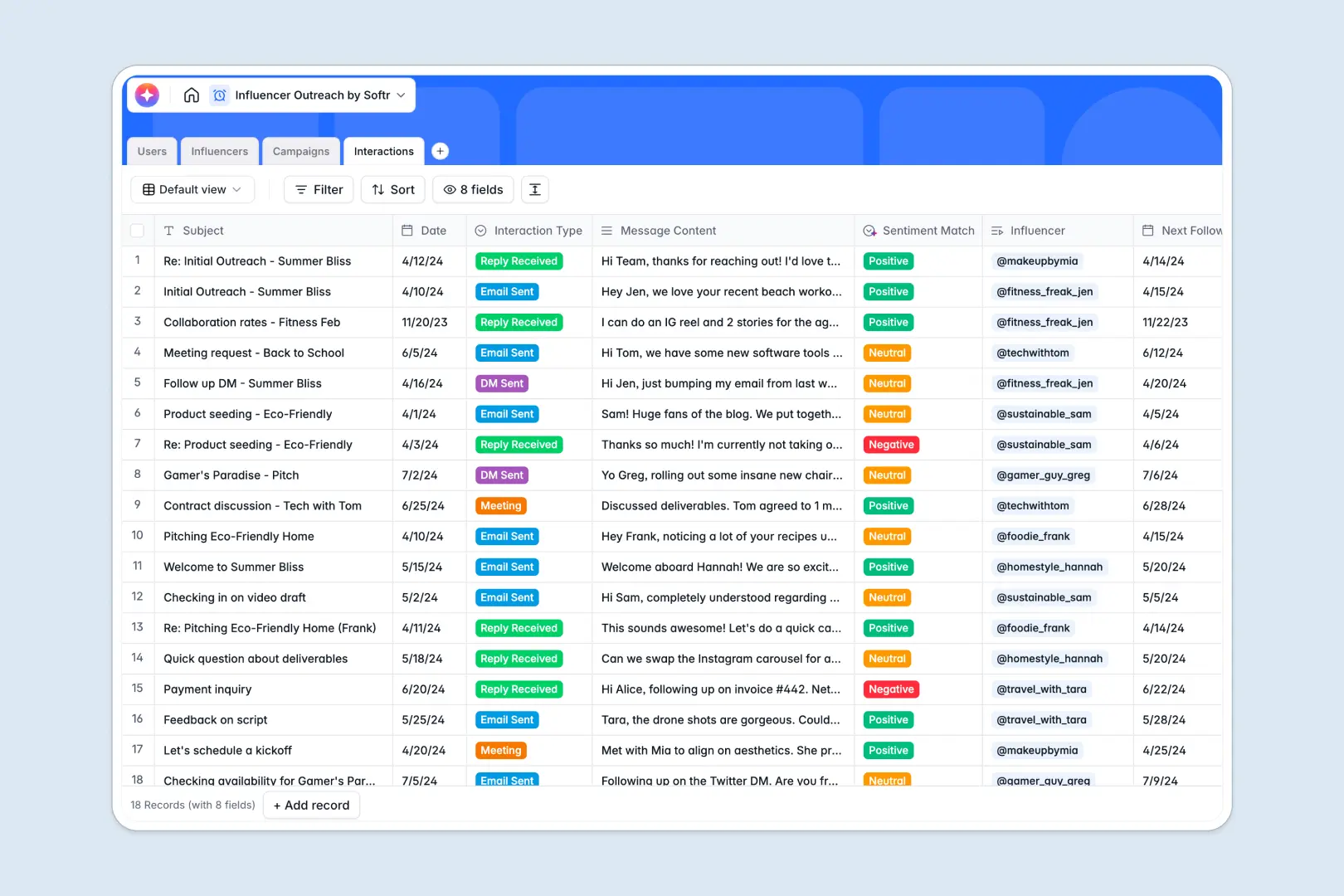
Your Influencer Outreach database at a glance
This template gives your marketing team a structured hub to manage content creators and campaigns. Keep track of follower metrics, budgets, and daily DMs without letting valuable contacts slip through the cracks.
It organizes your pipeline by linking four tables together: Users, Influencers, Campaigns, and Interactions. You can see every email sent to an influencer directly from their profile and track which campaign they belong to natively.
Built-in AI features automatically summarize creator bios via web search, classify follower tiers, and detect reply sentiment so your pipeline updates itself in real time.
Why influencer outreach gets messy in Google Sheets
Launching a creator campaign in spreadsheets works for the first ten influencers, but it quickly turns chaotic. Mixed data, broken VLOOKUPs, and deleted rows make it impossible to track who contacted whom and when.
What a structured database changes
An architecture built on strict column types means URLs, follower counts, and interaction dates stay perfectly formatted. You map related records—like tying specific DMs to an influencer and a campaign—without wrangling fragile formulas.
This is exactly what working with databases is designed to streamline. By moving away from endless flat rows, your team can scale outreach smoothly while maintaining total confidence in the data.
What you can do with this template
Drop in your creator details and let native AI fields analyze reply sentiments or auto-generate campaign briefs. Filter your pipeline by follower tiers instantly, log every interaction neatly, and run campaigns seamlessly.
-
Users
Store team profiles with roles, emails, and managed influencer relationships
-
Influencers
Manage creators with follower metrics, AI-generated bios, and tier classification
-
Campaigns
Organize marketing initiatives with budgets and AI-generated creator briefs
-
Interactions
Log outreach activities and analyze creator interest using AI sentiment detection
Who is this Influencer Outreach database for
This setup provides a ready-to-use starting point for any team managing creator partnerships.
- Marketing agencies: Track client budgets, active influencer rosters, and outreach logs effortlessly.
- Social media managers: Centralize DMs, emails, and campaign briefs in one connected workspace.
- E-commerce brands: Categorize creators by follower tiers quickly to scale product seeding initiatives.
How to take it further
Customize the database
Tailor the structure perfectly to your workflow in minutes. Easily add new interaction types, adjust your social media platform options, or tweak the campaign labels to fit your specific needs.
Import your existing data
Don't start from scratch. Upload your current spreadsheet of creator handles via a quick CSV import, or use our API to automatically sync influencer lists from other software to unlock immediate value.
Build a full app around it
When you are ready to scale, you can build an interface directly on top of this structure. Create a neat internal CRM where marketers log updates, or an external portal where creators verify their generated briefs.
By leveraging users and permissions, you ensure external creators only see campaigns assigned to them, keeping sensitive budget data hidden. A well-structured backend makes this app development incredibly fast.
-
1
-
2
-
3
-
4
Frequently asked questions
-
What is an influencer outreach database?
-
Why use a no-code database to build an influencer outreach tool?
-
How can AI help managing data for influencer outreach?
-
Can I build an app with an influencer outreach database?
-
Is this Influencer Outreach database free?
-
How is an influencer database different from Google Sheets?
Start building today. It's free!
Build and launch your first app in under 30 minutes.