


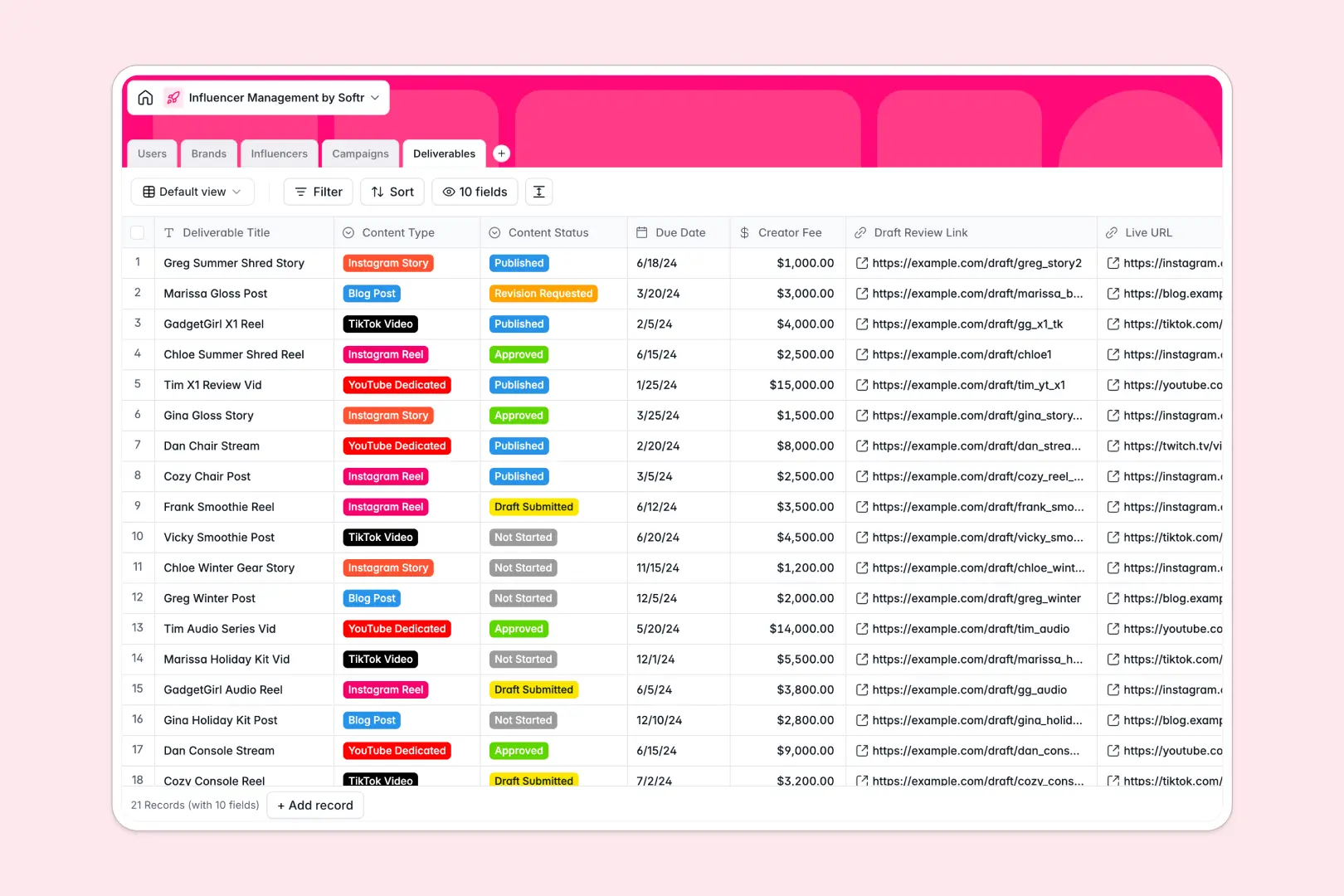
Your Influencer Management database at a glance
This template centralizes your entire creator network, brand partnerships, and active deliverables in one structured hub. It helps talent managers and agencies coordinate multi-platform campaigns without losing track of deadlines, draft reviews, or creator fees.
Everything connects natively: Influencers link directly to their assigned Talent Manager, the Brands funding the initiative, and specific Deliverables like reels, videos, or posts. Budget totals, campaign milestones, and creator rosters stay updated automatically across tables.
Built-in AI fields auto-generate creator bios from social profiles, research company overviews from brand websites, and draft engaging social caption ideas on the fly.
When a shared creator grid turns into broken formulas and exposed fees
Google Sheets makes sharing easy, but it was never engineered to act as an application backend for complex campaigns. When creators, brand clients, and coordinators all touch the same file, private creator fees get exposed and formulas break whenever someone sorts a column.
What a structured database changes
In a structured database, every column enforces its data type: due dates remain real calendar dates, budgets calculate accurately, and assets attach directly to records.
Instead of juggling messy VLOOKUP formulas across tabs, Deliverables natively link to Influencers and Campaigns, keeping your roster organized as you scale.
This is exactly what Softr Databases are designed for. You get clean relational tables that protect sensitive data while serving as a reliable foundation for your workflow (though you can also connect an existing Google Sheet if needed).
What you can do with this template
Manage multi-stage content workflows from draft submission to live URL publication with dedicated status tracking and clear due dates.
Use native Database AI agents to research brand overviews from URLs, draft creator bios, and generate ready-to-use caption ideas automatically.
-
Users
Coordinate internal team members, user roles, and managed assignments
-
Brands
Manage sponsor client details and generate AI-powered company overviews
-
Influencers
Track creator profiles, metrics, and generate AI bios from social links
-
Campaigns
Organize marketing initiatives with timelines, budgets, and assignments
-
Deliverables
Monitor content pieces, draft reviews, and generate AI caption ideas
Who is this Influencer Management database for
This database is built for teams managing creator partnerships, content schedules, and multi-channel marketing campaigns.
- Influencer Marketing Agencies: Manage multi-brand rosters, creator contracts, and deliverable review stages efficiently.
- In-House Brand Managers: Coordinate influencer outreach, track campaign budgets, and verify published live links.
- Talent Managers: Track represented creators, incoming campaign requests, and negotiated creator fees in one system.
- Social Media Coordinators: Review draft content, manage submission deadlines, and organize creative caption ideas.
How to take it further
Customize your database in seconds by adding custom platforms, adjusting deliverable status stages, or adding custom payout formulas. As a native Softr Database, you can adjust select choices and field structures visually without breaking any linked data.
Bring in your historical roster by uploading a CSV of creator contacts or using the API to automatically sync new brand leads and campaign submissions.
When your team is ready, build an app on top of this database in minutes. Use the AI Co-Builder to describe the portal you want in plain words, generating client dashboards, creator submission portals, and internal management tools instantly. Configure granular users and permissions so influencers only see their assigned deliverables while brand clients track high-level campaign progress securely.
-
1
-
2
-
3
-
4
Frequently asked questions
-
What is an influencer management database?
-
Why use a no-code database to build an influencer management system?
-
How can AI help managing data for influencer management?
-
Can I build an app with this influencer management database?
-
Is this Influencer Management database free?
-
How is this template different from an influencer management Google Sheet?
Start building today. It's free!
Build and launch your first app in under 30 minutes.