


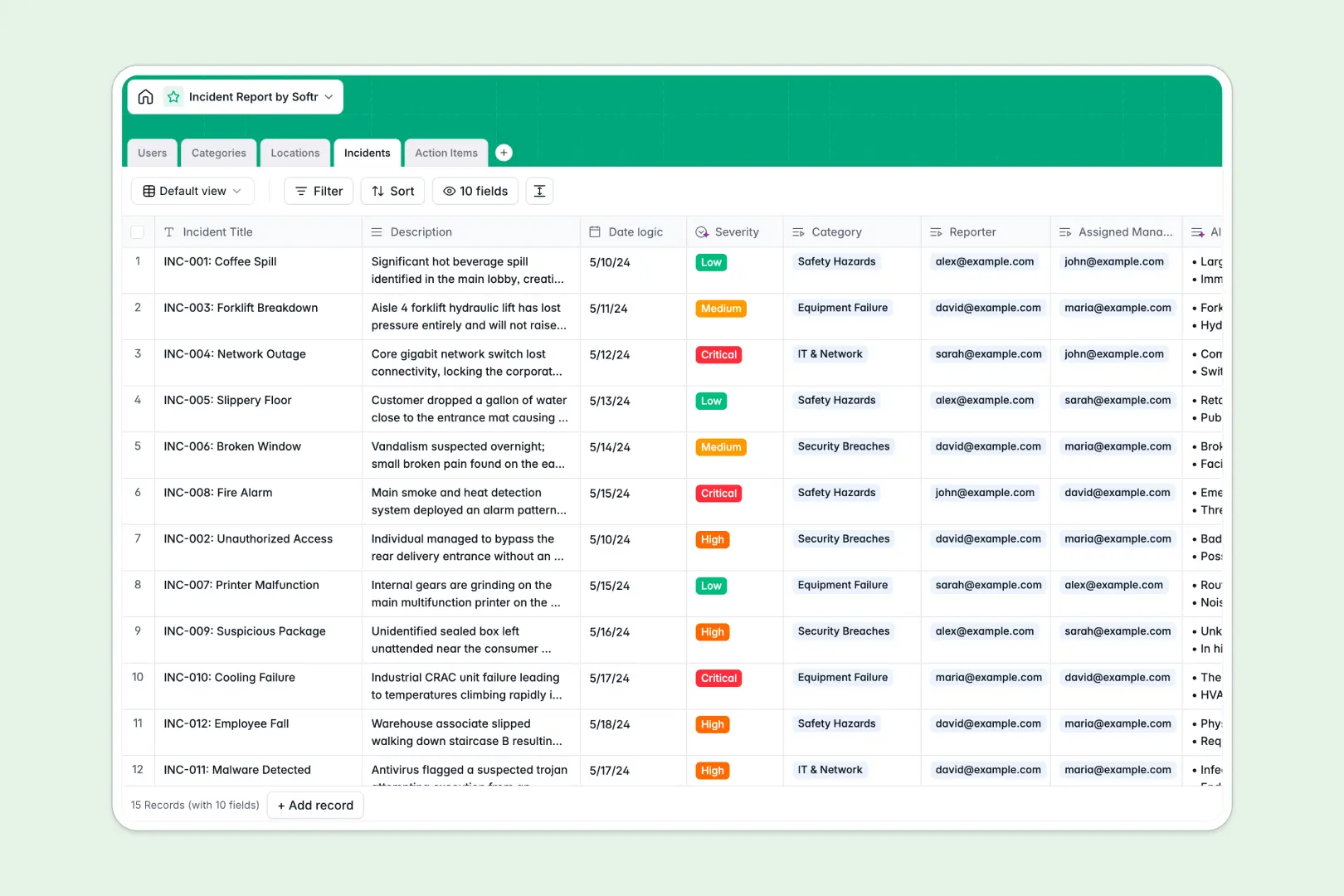
Your Incident Report database at a glance
Log safety, operational, or IT issues swiftly and maintain clear oversight of every resolution step. This template helps teams coordinate incident triage, assign follow-up tasks, and track locations without administrative friction.
Relational tables connect reported issues directly to dedicated categories, affected locations, assignees, and mitigation action items. Every update stays tied to the source event, eliminating lost notes and messy references.
Built-in intelligence summarizes incoming incident reports, categorizes severity based on context, and drafts step-by-step resolution plans automatically.
When a shared grid handles critical incident logs
Collaborative spreadsheets make sharing easy, but they struggle as backend systems for urgent incident reporting. When anyone can edit cells, critical logs risk accidental overrides, date formats break, and sensitive issue details remain visible to everyone.
What a structured database changes
In a structured system, field types remain strictly enforced: dates stay dates, reporters link directly to user directories, and categories remain uniform.
Connected tables ensure that an incident links cleanly to its mitigation tasks and physical sites, so nobody needs to maintain fragile cell formulas.
This is exactly what Softr Databases are designed for. While you can connect an existing Google Sheet, running your reporting workflow on a purpose-built database ensures cleaner records and higher data reliability.
What you can do with this template
Capture incidents with structured forms, automatically link corrective action items, and notify site managers the moment an issue is logged.
Use Database AI agents to evaluate raw descriptions, assign severity rankings like High or Critical, and generate triage summaries instantly.
Monitor ongoing remediation across all locations with clear status tracking that scales alongside your operations.
-
Users
Manage staff directory, access roles, assignments and managed locations
-
Categories
Classify reported issues and standardize event taxonomies across teams
-
Locations
Track physical and digital sites where operational incidents take place
-
Incidents
Log issues with AI-powered severity evaluation and automated summarization
-
Action Items
Assign resolution tasks with AI-generated step-by-step remediation advice
Who is this Incident Report database for
- Operations Managers: Track site disruptions, coordinate field teams, and maintain reliable safety compliance records.
- EHS Officers: Log workplace hazards, document corrective action items, and accelerate regulatory audit reporting.
- IT & Security Leads: Triage system breaches, assign urgent tasks, and automate post-incident analysis.
- Facility Supervisors: Monitor location-specific maintenance issues and verify task completion across physical properties.
How to take it further
Customize your schema in minutes by adding custom incident categories, modifying severity levels, or adding new tracking tables.
Import your historical logs instantly using CSV upload or sync your existing reporting tools via API to centralize all past records.
Turn this database into a complete portal when your team is ready. Use the AI app generator to create incident intake forms, manager dashboards, and automated email alerts from a single prompt.
Apply granular users and permissions so reporters submit details securely while department managers view and resolve only their assigned tasks.
-
1
-
2
-
3
-
4
Frequently asked questions
-
What is an Incident Report database?
-
Why use a no-code database to build an incident management tool?
-
How can AI help managing data for an incident report?
-
Can I build an app with an incident report database?
-
Is this Incident Report database template free?
-
How is an Incident Report database different from Google Sheets?
Start building today. It's free!
Build and launch your first app in under 30 minutes.