


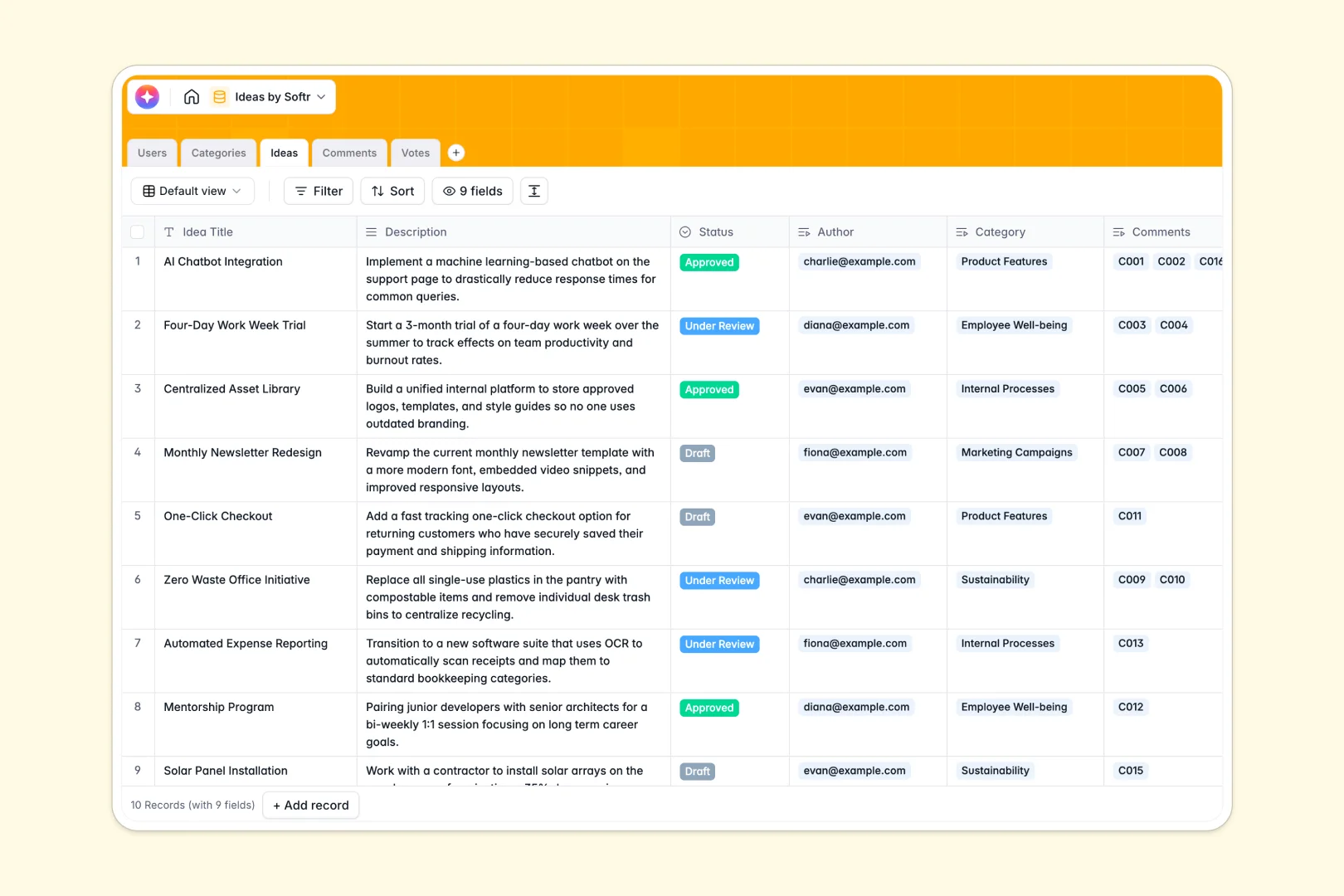
Your Ideas Database at a glance
The Ideas Database captures innovation across your team in one structured hub. It replaces scattered spreadsheets with a trackable system designed for growth.
Every submission lives in a dedicated space directly connected to users, categories, and conversations. Votes and statuses update seamlessly as related tables talk to each other automatically.
Built-in AI automatically summarizes long descriptions into quick elevator pitches. It also evaluates comment sentiment instantly, helping you spot the best concepts faster.
Why tracking ideas gets messy in Google Sheets
Google Sheets is fine for simple lists, but it quickly breaks down when multiple people start submitting, voting, and commenting. Rows get overwritten, feedback gets lost in tiny cells, and organizing everything becomes a manual chore.
What a structured system changes
In a proper structure, tracking innovation is built on native connections rather than fragile formulas. Users, categories, and approval steps link together, so total votes roll up automatically.
This architecture ensures your exact data types—like dates, names, and emails—stay perfectly clean as you scale. This is exactly what Softr Databases are designed for.
What you can do with this template
You can immediately start collecting submissions and track real-time engagement through connected comments and upvotes. The template keeps every single interaction cleanly tied to the exact user who made it.
You also get access to smart automation that automatically handles the heavy lifting of evaluating feedback. Fields powered by AI silently process lengthy suggestions and flag community sentiment behind the scenes.
-
Users
Manage platform contributors and reviewers with roles and activity logs
-
Categories
Organize suggestions into thematic groups and track total idea volume
-
Ideas
Store concepts with AI-generated pitches to summarize key delivery points
-
Comments
Review discussion threads using AI to detect feedback sentiment levels
-
Votes
Record community upvotes to rank the most popular platform submissions
Who is this Ideas Database for
This template is perfect for teams looking to centralize feedback safely and transparently:
- Product Managers: Prioritize feature requests by instantly tracking user votes and organizing concepts by category.
- Team Leads: Gather internal process improvements and review them collaboratively in a structured pipeline.
- Community Managers: Collect and analyze member suggestions using automated sentiment analysis on comments.
How to take it further
Customize the database
You can easily modify the template to match your exact review process without writing code. Add a new status step for 'In Development' or update the AI prompt to extract completely different insights.
Import your existing data
Move away from your old tracking methods by uploading your current spreadsheet via CSV. Your historical concepts, author names, and existing categories will map perfectly into the new structure.
Build a full app around it
When you are ready to open this up, you can easily build a public roadmap or secure internal portal on top of this foundation. Because everything is properly structured, connecting a front-end UI only takes minutes.
You can explicitly configure users and permissions to control exactly who sees what data. Contributors can submit and vote on concepts safely, while only Admins can actually edit statuses or delete records.
-
1
-
2
-
3
-
4
Frequently asked questions
-
What is an ideas database?
-
Why use a no-code database to build a feedback system?
-
How can AI help managing data for idea tracking?
-
Can I build an app with this ideas database?
-
Is this Ideas Database free?
-
How is this template different from Google Sheets?
Start building today. It's free!
Build and launch your first app in under 30 minutes.