


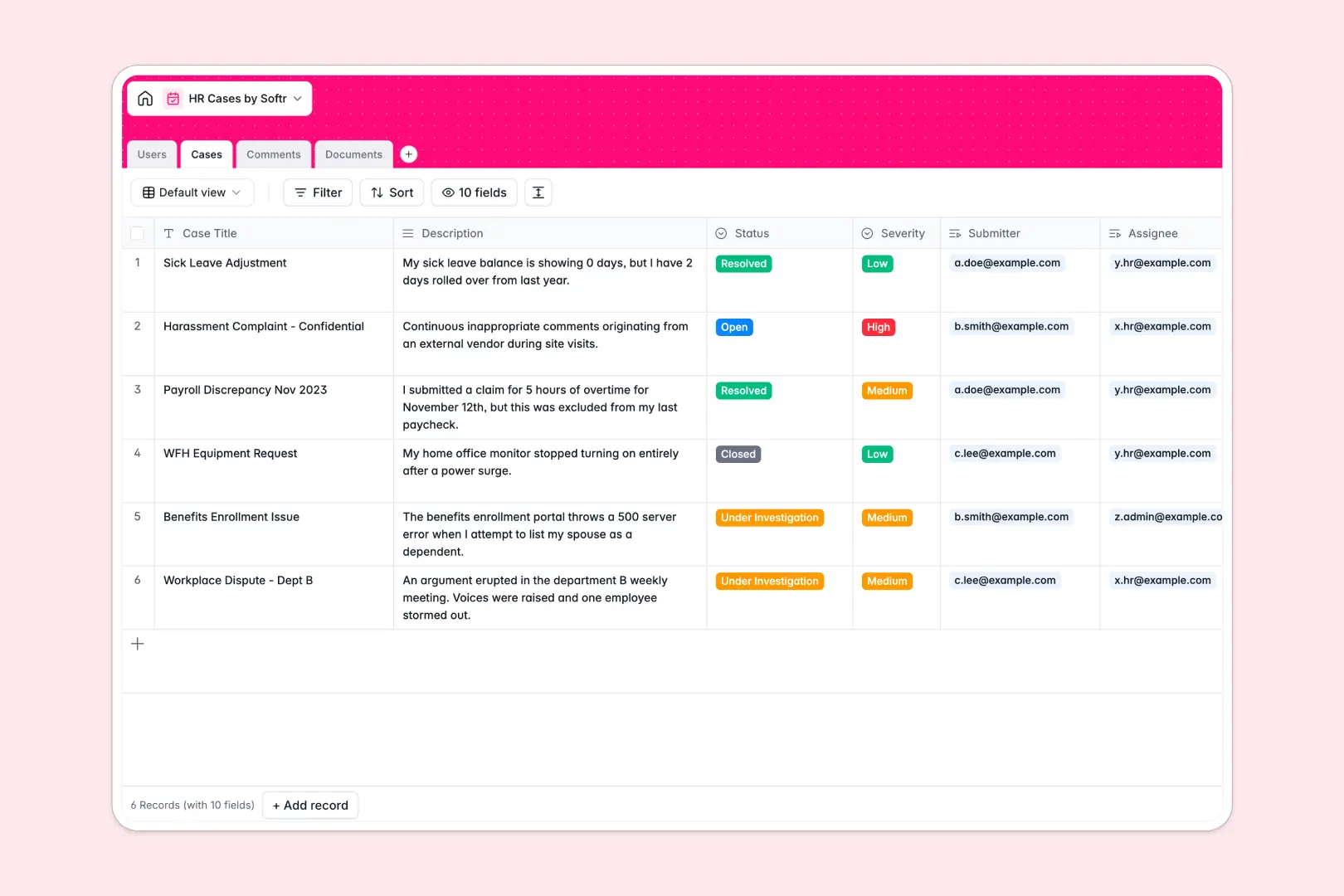
Your HR Cases database at a glance
Manage internal inquiries, employee grievances, and workplace investigations in a structured environment designed for confidentiality.
This template links Users directly to their Cases, Comments, and uploaded Documents, ensuring sensitive conversations and attachments stay attached to the correct incident history.
Built-in AI fields analyze submitted case descriptions to classify Severity automatically and generate a Resolution Summary once comments and investigation notes are logged.
When a shared spreadsheet exposes confidential HR cases
Google Sheets makes collaboration effortless, but sharing an entire sheet means anyone with access can see sensitive grievance details, employee salaries, or private disciplinary notes.
What a structured database changes
In a structured setup, data privacy and consistency are protected by design. Dates cannot be overwritten with text, file uploads remain securely tied to records, and sensitive employee relations stay protected.
Native relationships connect each ticket to its author, assigned HR specialist, and document trail without fragile cross-tab lookups. This is exactly what Softr Databases are designed for.
(Note: You can also connect an existing Google Sheet as an external data source in Softr if needed.)
What you can do with this template
Organize incoming grievances by tracking status changes from initial intake through investigation to final resolution.
Use Database AI agents to automatically evaluate case urgency and produce concise recaps of lengthy comment threads for compliance reporting.
-
Users
Directory of employees and HR staff managing case assignments and roles
-
Cases
Track HR issues with AI-powered severity scoring and resolution summaries
-
Comments
Log case communications, progress notes, and collaborative discussion feeds
-
Documents
Securely store supporting files, evidence, and attachments linked to cases
Who is this HR Cases database for
Designed for teams handling sensitive internal workplace matters and employee relations:
- HR Managers: Track employee grievances, monitor case severity, and maintain compliant audit logs.
- People Operations: Route incoming policy questions and benefits inquiries to the appropriate specialists.
- Workplace Investigators: Collect witness notes, document evidence, and draft confidential resolution summaries.
- Department Heads: Submit workplace incidents securely while tracking status updates without viewing other departments' cases.
How to take it further
1. Customize the database
Adjust the status stages or add custom categories like disciplinary action, payroll dispute, or harassment claims. You can also add custom fields for witness logs and compliance deadlines in seconds.
2. Import your existing data
Easily bring in historical case logs by uploading a CSV file or connecting via API to populate your employee records and past resolutions instantly.
3. Build a full app around it
Turn this database into a secure internal portal where employees submit requests and HR specialists manage tickets. Use the AI app generator to generate the interface, workflows, and role-based views in one prompt.
With granular users and permissions, employees will only see their own submitted cases, while HR staff access full investigation details securely.
-
1
-
2
-
3
-
4
Frequently asked questions
-
What is an HR cases database?
-
Why use a no-code database to build an HR cases system?
-
How can AI help managing data for HR cases?
-
Can I build an app with an HR cases database?
-
Is this HR Cases template free?
-
How is this HR cases database different from Google Sheets?
Start building today. It's free!
Build and launch your first app in under 30 minutes.