


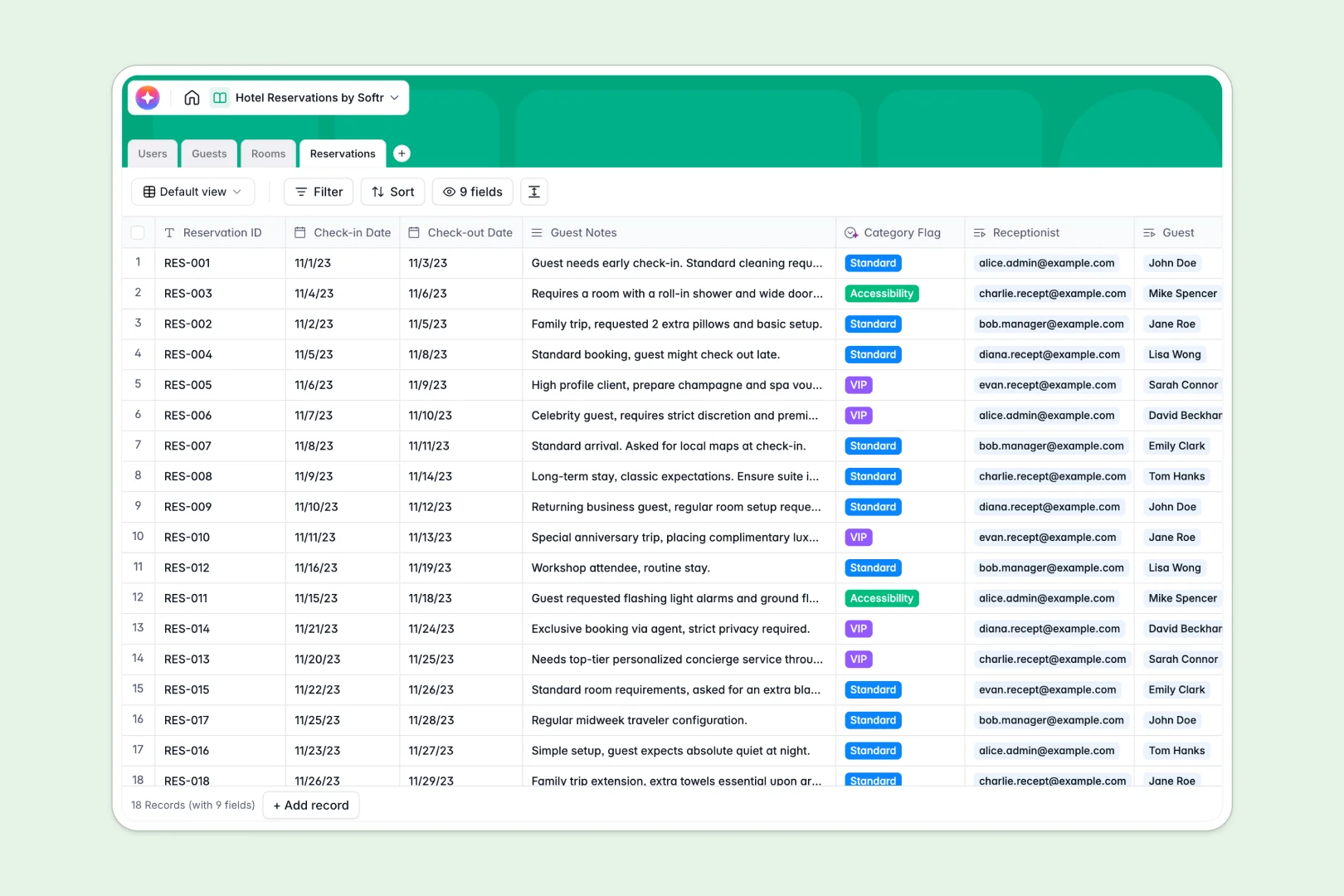
Your Hotel Reservations database at a glance
This ready-to-use template replaces fragile spreadsheets with a central hub to manage guests, room availability, and daily bookings. It keeps your front desk operations running smoothly.
It natively links your Guests, Rooms, and Reservations tables together. When a guest books a room, you simply connect their profile to the room number and dates, instantly updating availability.
Built-in AI agents automatically read guest notes to tag VIPs, summarize guest preferences from their history, and even draft room marketing copy based on nightly rates.
Why hotel reservations get messy in Google Sheets
Tracking hotel bookings in a spreadsheet quickly leads to chaos when multiple receptionists update check-ins, accidentally overwrite dates, or double-book rooms because of broken formulas.
What a structured database changes
A true database gives every piece of information a strict format. Check-in dates stay as dates, room statuses are controlled dropdowns, and guest details are securely linked to their individual bookings.
You can confidently link a recurring guest to their new reservation without duplicating contact info across dozens of rows. This is exactly what Softr Databases are designed for.
What you can do with this template
You can immediately access a clean, connected view of all active reservations, room statuses, and guest history. Dropdowns for room availability update seamlessly as bookings change.
Thanks to native Database AI agents, the system can routinely read guest notes and automatically flag them as VIP or needing accessibility accommodations.
-
Users
Manage hotel staff profiles with system roles and linked booking history
-
Guests
Store client data and use AI to summarize individual guest preferences
-
Rooms
Track room inventory and generate AI-driven marketing copy for listings
-
Reservations
Manage check-ins with AI-powered guest categorization based on notes
Who is this Hotel Reservations database for
This database is built for hospitality teams who need reliable, real-time booking management.
- Hotel Managers: Monitor daily occupancy summaries, total guest spend, and room maintenance statuses in one unified view.
- Receptionists: Log new reservations, check guests in, and update room availability instantly without fighting spreadsheet permissions.
- Guest Experience Teams: Instantly view AI-summarized guest preferences and historical habits to personalize greetings.
How to take it further
Start by customizing your room inventory and categories directly in the template. You can easily add new fields, update room types, or adjust nightly rates to match your specific property.
Next, import your existing booking records in minutes. Simply upload a CSV file of your guests and past reservations to instantly populate your historical data.
As your hotel scales, you can build a full app on top of this data to serve your staff or guests. You might build an internal portal for the front desk, or a mobile-friendly view for cleaning crews.
Because everything is centralized, you can rely on custom permissions to ensure receptionists only edit active bookings while managers access revenue data.
-
1
-
2
-
3
-
4
Frequently asked questions
-
What is a hotel reservations database?
-
Why use a no-code database to build a hotel management tool?
-
How can AI help managing data for hotel reservations?
-
Can I build an app with this hotel reservations database?
-
Is this Hotel Reservations database free?
-
How is this template different from Google Sheets?
Start building today. It's free!
Build and launch your first app in under 30 minutes.