


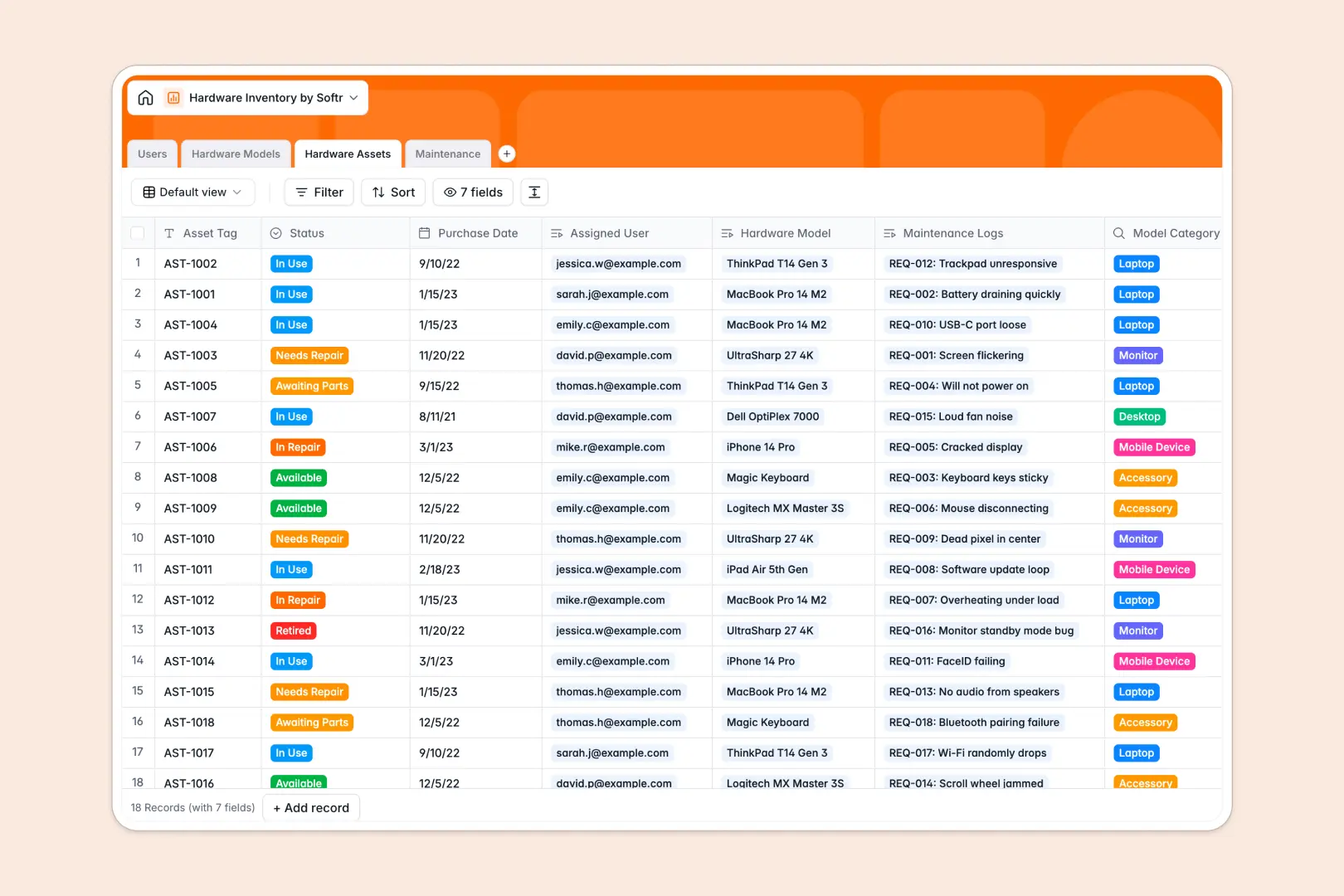
Your Hardware Inventory database at a glance
This template gives your team a clear, reliable system to track physical equipment, model specifications, device assignments, and maintenance logs in one unified space.
It organizes your IT operations across four connected tables: Hardware Assets, Hardware Models, Users, and Maintenance. Every serial number links directly to its catalog model, assigned employee, and service history without manual duplicate entries.
Built-in AI automatically looks up device technical specs from the web and generates step-by-step troubleshooting recommendations whenever someone logs an equipment issue.
When a shared spreadsheet breaks your asset tracking
Google Sheets makes sharing easy, but it was never designed to act as an IT asset management backend. When multiple people edit the same grid, serial numbers get overwritten, date columns end up with text notes, and formulas linking devices to owners snap when someone sorts a tab.
What a structured database changes
In a real database, every column enforces strict data types so purchase dates stay dates, asset tags remain unique, and user roles stay consistent.
Tables connect natively, meaning a single laptop asset links to its exact model specs and maintenance history automatically. This is exactly what Softr Databases are designed for: reliable structure that keeps records clean as your inventory scales.
While you can connect an existing Google Sheet as an external data source, moving to a native database eliminates broken lookups and protects your asset records.
What you can do with this template
Track device lifecycles from purchase to retirement while instantly knowing who holds which laptop, monitor, or phone.
Native Database AI agents actively enrich your catalog by searching the web for model specs and generating troubleshooting guides for incoming support tickets.
-
Users
Manage employee and IT staff profiles with assigned hardware records
-
Hardware Models
Catalog hardware specifications enriched via AI web search summaries
-
Hardware Assets
Track physical inventory units, status, assignments, and service history
-
Maintenance
Handle repair tickets with step-by-step AI troubleshooting workflows
Who is this Hardware Inventory database for
This template is designed for teams that need dependable visibility over physical equipment and assignments:
- IT Administrators: Track device deployment status, warranty timelines, and asset tags across all departments.
- Operations Managers: Monitor equipment costs, procurement needs, and hardware availability during employee onboarding.
- Internal Support Teams: Triage maintenance tickets with automated troubleshooting steps tied to specific assets.
How to take it further
1. Customize the database
Adjust device categories, add custom fields for warranty expiration or vendor contacts, and tweak maintenance status options in seconds to match your exact IT workflow.
2. Import your existing data
Quickly migrate your current equipment lists using CSV import or sync hardware information automatically through the API without losing historical assignment records.
3. Build a full app around it
You can turn this database into an internal IT portal where employees request gear and report issues. Use the AI app generator to generate client-ready interfaces and workflows in a single prompt, then define granular users and permissions so employees only view their own assigned assets while IT staff manage the entire inventory.
-
1
-
2
-
3
-
4
Frequently asked questions
-
What is a hardware inventory database?
-
Why use a no-code database to build a hardware inventory tool?
-
How can AI help managing data for hardware inventory?
-
Can I build an app with hardware inventory database?
-
Is this Hardware Inventory database free?
-
How is this database different from tracking hardware in Google Sheets?
Start building today. It's free!
Build and launch your first app in under 30 minutes.