


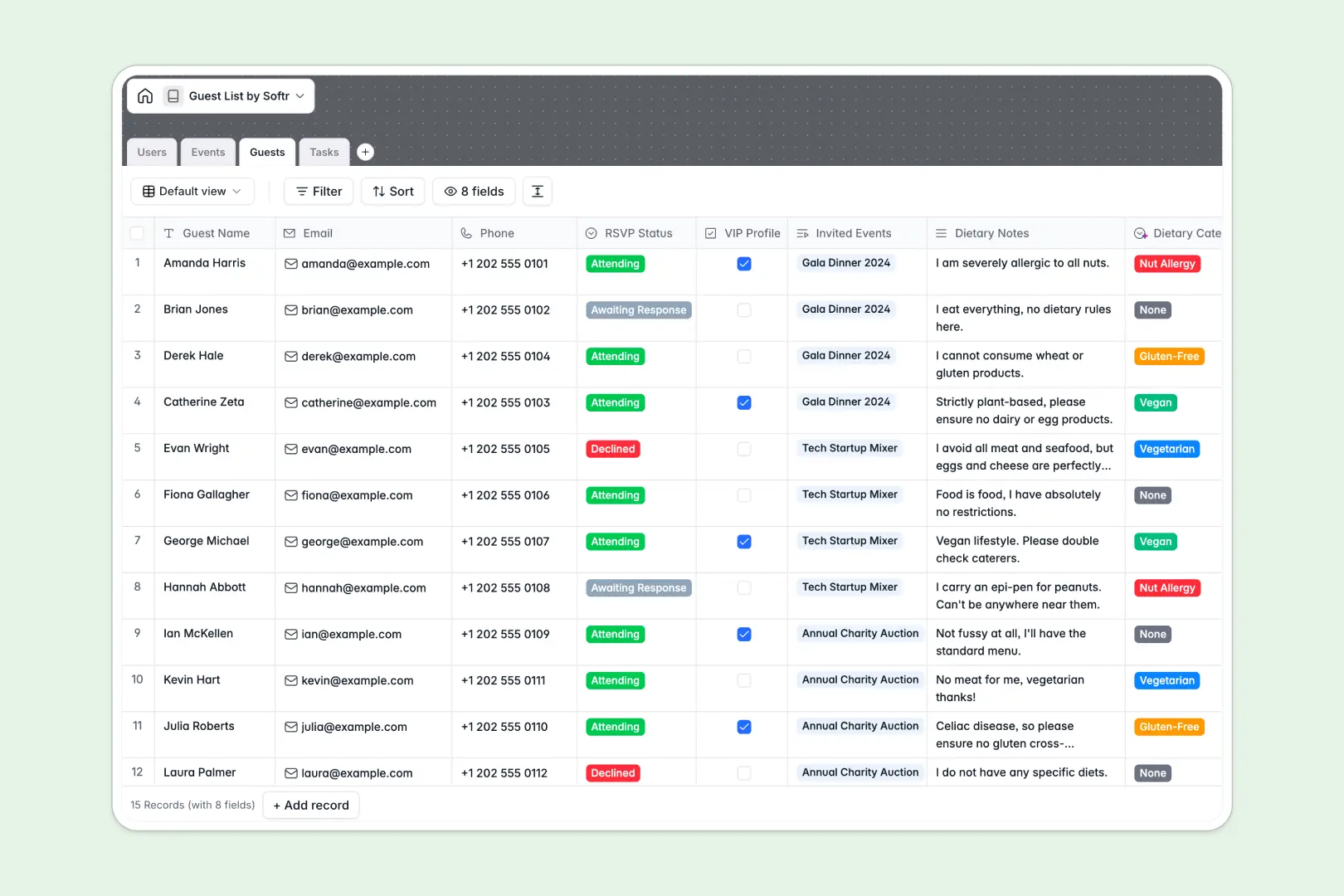
Your Guest List database at a glance
Organize attendees, track RSVPs, and coordinate event logistics in one clean system. Keep every guest linked to their specific events and assignments without losing context.
This template connects Events, Guests, Users, and Tasks across dedicated relational tables. Changes to attendee counts or RSVP statuses update instantly across linked event dashboards.
Built-in AI automatically classifies unstructured dietary notes into clean categories and extracts actionable prep checklists from task titles.
When a shared sheet lets everyone see every RSVP and breaks on a sort
Google Sheets is great for quick lists, but it was never built to act as a secure backend for managing live events and attendee records. Accidental sorts scramble row alignments, anyone with edit access sees every guest's private contact details, and free-text cells make dietary tracking chaotic.
What a structured database changes
A database enforces strict field types so emails remain emails, dates stay valid, and RSVP choices follow fixed options. Tables link together naturally, connecting guests to specific events without fragile cross-sheet lookups.
Every team member accesses only the data they need while totals update reliably in the background. This is exactly what Softr Databases are designed for. (If you have data elsewhere, Softr can also connect an existing Google Sheet as a secondary data source).
What you can do with this template
Track guest attendance, flag VIP profiles, and log dietary preferences with zero manual formatting. Automated rollup counters give you instant attendee headcounts per event.
Native Database AI agents automatically parse free-form dietary requests into standardized meal categories and generate complete action checklists for event staff.
-
Users
Manage event organizers with assigned roles, tasks, and managed events
-
Events
Plan schedules, guest attendance, and generate AI event summaries
-
Guests
Track invitee RSVPs, VIP statuses, and classify dietary needs with AI
-
Tasks
Organize event preparation checklists and generate AI action steps
Who is this Guest List database for
This database is designed for teams and professionals who need structured attendee and event coordination.
- Event Planners: Coordinate multiple venues, manage schedules, and track RSVP counts accurately.
- Corporate Coordinators: Manage attendee registrations, VIP accommodations, and internal team assignments.
- Hospitality Teams: Standardize guest dietary requirements and organize front-of-house check-in operations.
- Nonprofit Organizers: Track donor attendance, volunteer tasks, and event logistics seamlessly.
How to take it further
Customize your database layout in seconds by adding custom guest tags, seating tables, or custom RSVP dropdown choices. You can modify fields and view settings directly in Softr with no technical setup required.
Bring in existing guest lists immediately using CSV import or connect external registration forms via API to keep your tables synced in real time.
When you are ready to streamline check-ins, use the AI Co-Builder to generate an app with AI on top of your database. You can launch a dedicated check-in portal for door staff and manage granular users and permissions so sensitive contact details remain hidden from view.
-
1
-
2
-
3
-
4
Frequently asked questions
-
What is a guest list database?
-
Why use a no-code database to build an event guest list tool?
-
How can AI help managing data for guest lists?
-
Can I build an app with this guest list database?
-
Is this Guest List template free?
-
How is a guest list database different from Google Sheets?
Start building today. It's free!
Build and launch your first app in under 30 minutes.