


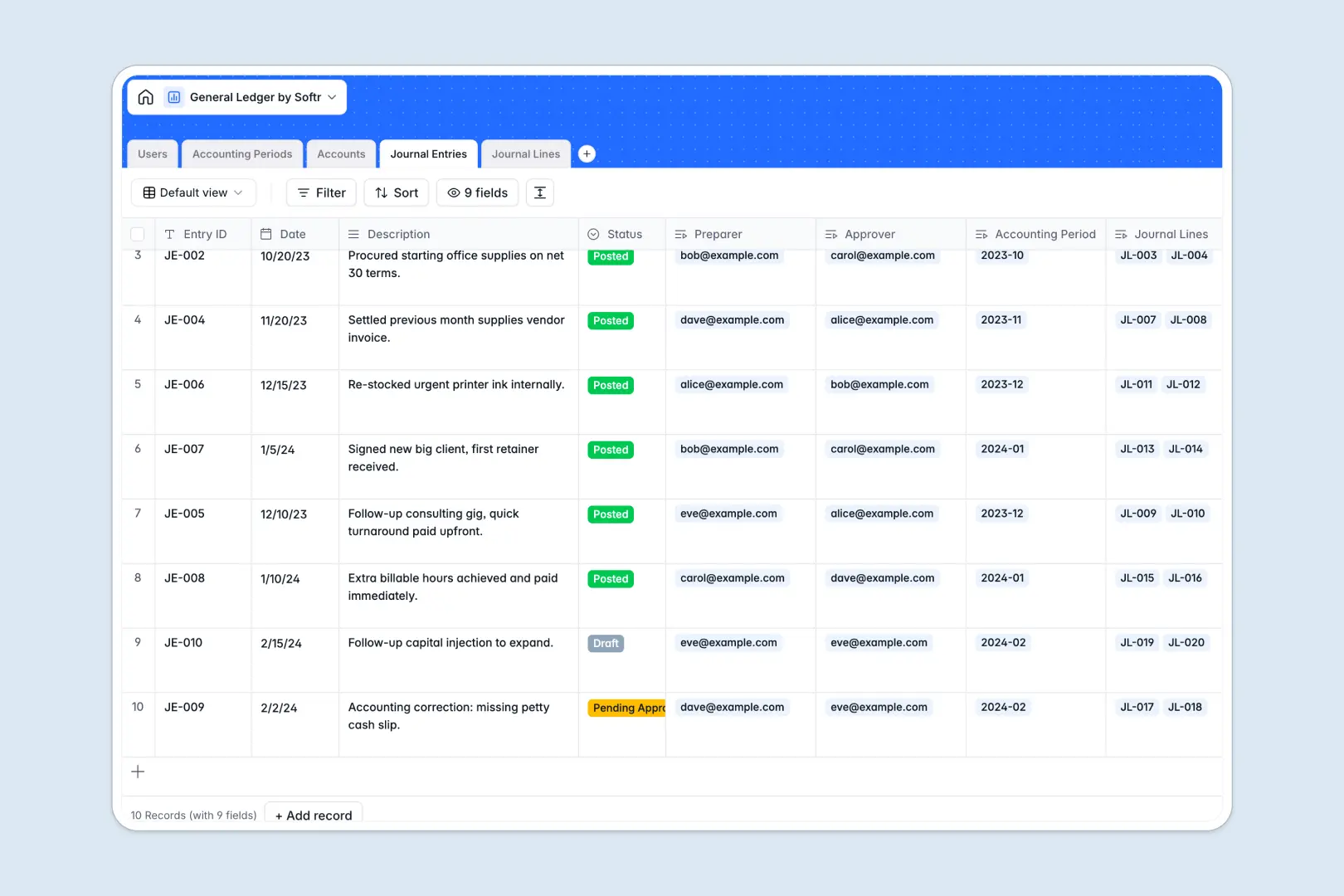
Your General Ledger database at a glance
This template gives accounting teams a centralized, auditable system to balance books and monitor financial health. It replaces fragile workbooks with structured financial controls.
Transactions are organized across linked tables for Accounts, Journal Entries, Journal Lines, and Accounting Periods. Debits and credits automatically roll up to ensure every entry balances before closing a period.
Built-in AI fields draft audit-ready transaction summaries and automatically categorize line memos, saving time during month-end reconciliations.
When a shared workbook risks broken debits and exposed financial data
Collaborative spreadsheets make sharing easy, but they lack the governance required for double-entry bookkeeping. A single accidental edit can delete a formula, misalign debit and credit columns, or overwrite closed accounting periods without a trace.
What a structured database changes
In a relational database, data integrity is enforced by design. Column types ensure currency amounts, dates, and account codes never mix with arbitrary text notes.
Transactions in the Journal Lines table link directly to specific categories in your Accounts chart and roll up totals automatically. This removes the risk of broken lookup formulas across separate tabs.
This level of structure and reliability is exactly what Softr Databases are built for. While you can connect an existing Google Sheet to Softr, using a native database provides strict data validation and role-based access for sensitive financial records.
What you can do with this template
Enforce dual control by routing journal entries from preparers to approvers before posting them to an open accounting period. Each line item retains a permanent audit trail linked to the user who created it.
Native Database AI agents automatically classify expense line memos and generate formal audit descriptions from quick transaction notes.
Close accounting periods with confidence, knowing that account balances reflect strictly validated, balanced debit and credit entries.
-
Users
Manage accounting staff, permission roles, and journal approvals
-
Accounting Periods
Define fiscal periods and control active posting timeframes
-
Accounts
Maintain chart of accounts with AI-generated usage guidelines
-
Journal Entries
Record general ledger transactions with AI-crafted audit summaries
-
Journal Lines
Split debits and credits with AI-driven transaction categorization
Who is this General Ledger database for
This database provides accounting and operations teams with structured financial governance.
- Finance Directors: Maintain complete oversight of the chart of accounts and ensure period closes remain locked.
- Staff Accountants: Prepare balanced journal entries with automated line categorization and formal audit notes.
- Accounting Clerks: Input debit and credit line items without risking formula corruption or unauthorized data access.
- Auditors: Review clear, linked transaction histories with distinct preparer and approver tracking.
How to take it further
Customize your chart of accounts by modifying account types, adding custom tax codes, or tailoring the automated memo classification choices to match your company's reporting standards.
Import your historical trial balances and current account charts in seconds using CSV upload or sync data directly via API.
When you are ready, turn this database into a secure internal accounting portal. You can use an AI app generator to generate custom views, submission forms, and dashboards in one prompt, then refine the interface visually.
Apply granular users and permissions so clerks can only draft entries while senior accountants hold exclusive rights to approve postings and close periods.
-
1
-
2
-
3
-
4
Frequently asked questions
-
What is a General Ledger database?
-
Why use a no-code database to build a General Ledger system?
-
How can AI help managing data for a general ledger?
-
Can I build an app with this General Ledger database?
-
How is a General Ledger database different from Google Sheets?
-
Is this General Ledger database free?
Start building today. It's free!
Build and launch your first app in under 30 minutes.